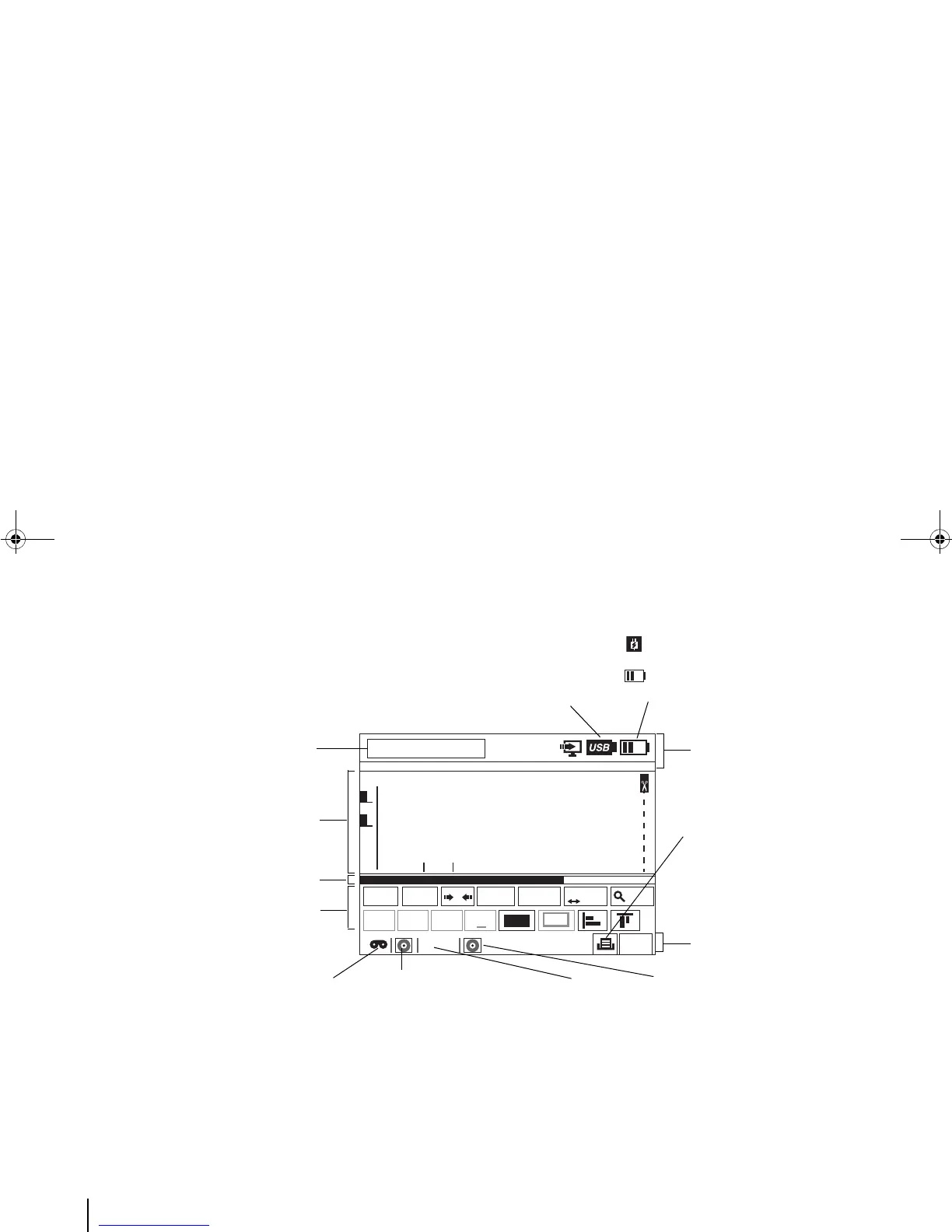
Time & Date
USB icon: USB device is
connected to the printer.
AC Power icon: Printer is on AC power
only.
Battery level: Indicates how much power
left (also shown when printer is on both AC
power and battery).
SYSTEM INFORMATION BAR
Background printing
job status icons: In this
case, the tag printing
job is around 70
percent done.
MEDIA INFORMATION BAR
Media remaining
length icon: In this
case, the medium is
running “very low”.
Media Type icon:
Indicates the media
cartridge installed
(if any), its width
and remaining
length.
Ribbon icon: Indicates
the ribbon installed (if
any). In this case, the
the icon indicates that a
ribbon has been
loaded.
Ribbon remaining
length icon: In this
case, the icon
indicates that the
ribbon is full or
almost full.
TAG EDITOR
TAG SCROLL BAR
TAG PROPERTY BAR



 To Next Page