EasyManua.ls Logo

Brady BMP 91 - E. Using the printer with a Computer

Brady BMP 91
106 pages
Print Icon
To Next Page IconTo Next Page
To Previous Page IconTo Previous Page
Loading...
English
14
1. Before You Begin
Tag Property information on the
LCD screen
.
EN A A:12
ABC
Text
150%
A
100%
CAPS
B
X
2
U
I
2:30 pm 10/07/2010
6
EN
Ф4.0 CP 1 SL
HSF
AA:12
1 / 13
ABC
Tex t
150%
A
100%
70%
CAPS
B
X
2
U
I
Ф4.0
HSF
1
2
30mm
This is what users will
see on screen
EN AA:12
ABC
Tex t
150%
A
100%
CAPS
B
X
2
U
I
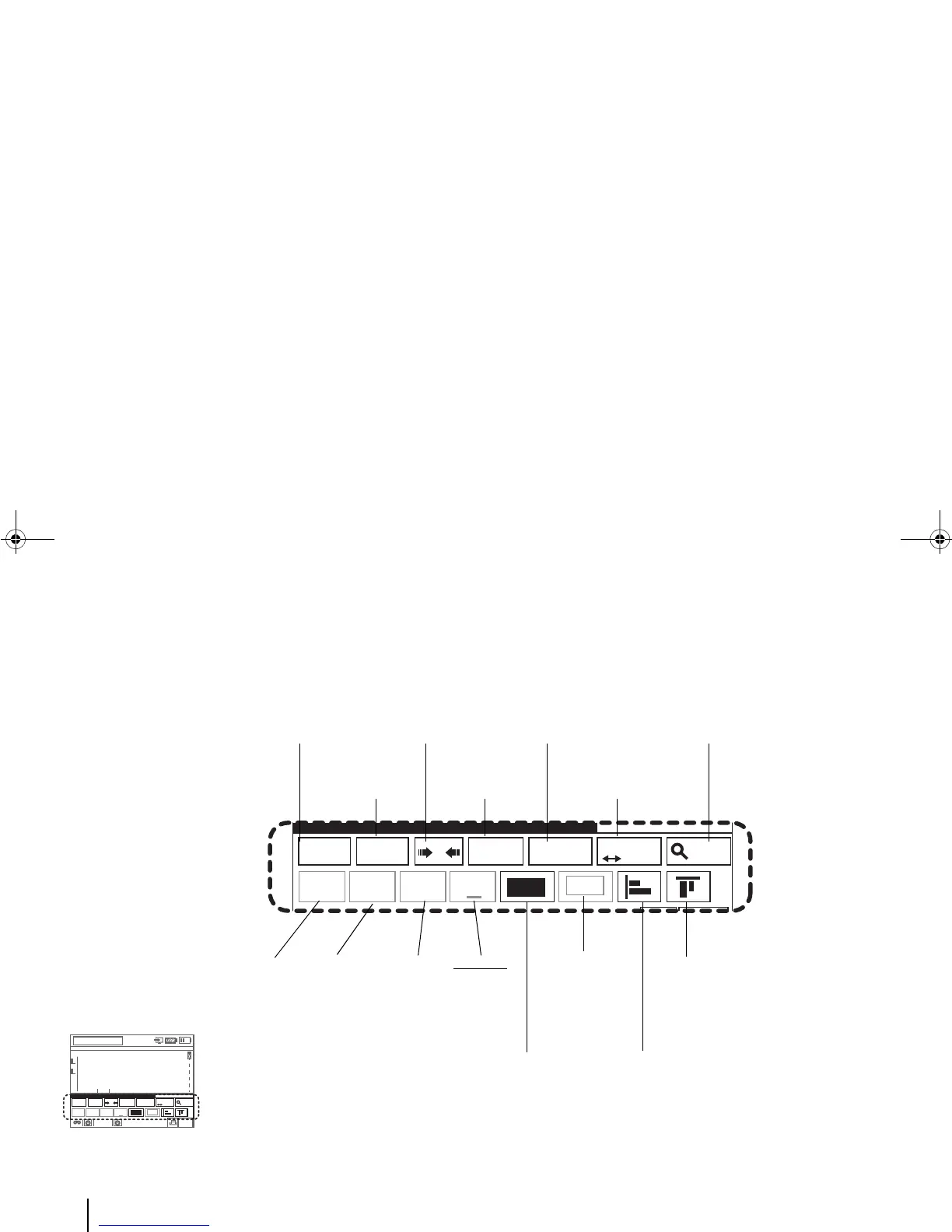
Language:
English text is
being entered.
Font Size: Either
fixed text (here)
or auto-text.
Character scaling: The
characters in this tag will
be widened by 50%.
CAPS:
Caps-lock
is on here.
Auto-sized tag icon:
Segment length will be
set automatically.
Text spacing: Spacing
between characters.
Preview Zoom Ratio:
100 percent in this tag.
Bold text
effect
(Inactive)
Italic
text
effect
(Inactive)
Underline
text effect
(Inactive)
Superscript
text effect
(Inactive)
Text orientation: In this
tag, set to “Horizontal”.
Frame icon:
Rectangular
frame
(Inactive)
Vertical text alignment: Left-Bottom aligned.
Horizontal text
alignment:
Center-Top
aligned.
BMP91UG.book Page 14 Friday, October 14, 2011 7:56 PM

Table of Contents

Related product manuals