Wraptor A6200 User Manual 24
Setup
Rewinder Accessory
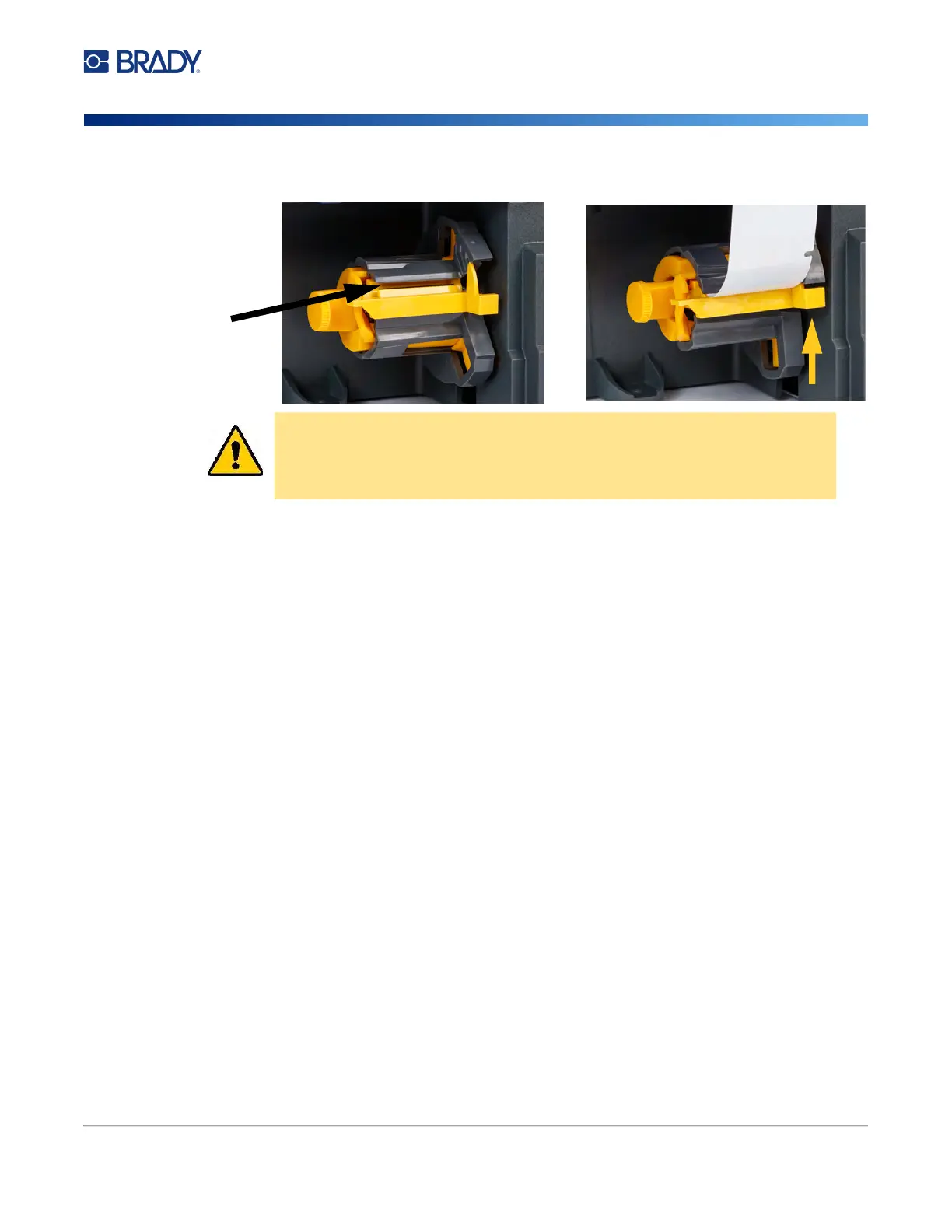
4. Flip down the yellow bar on the spool and insert the end of the label backing into the slot
above the bar. Flip the yellow bar back up to secure the backing on the spool.
Removing Spent Label Backing
Always unload the spool when changing the label supply in the printer.
To remove spent material from the spool:
1. Use the tear blade to separate spent backing from the label roll.
2. Open the door on the front of the rewinder.
3. Pull out the yellow knob on the left side of the spool. This releases the material and slides it off
the spool.
4. Remove the spent material.
CAUTION! Do not tape together partial rolls in the rewinder. Too much label
backing accumulating on the spool could damage the motor. Always
remove spent material from the spool when starting a new or partial
roll of labels.
Insert label
backing here.



 To Next Page