Wraptor A6200 User Manual 15
Setup
Loading Ribbon
Loading Ribbon
Ribbon can be loaded with the power on or off. The Wraptor A6200 printer uses BMP71 series R4300
ribbon, part number M71-R4300.
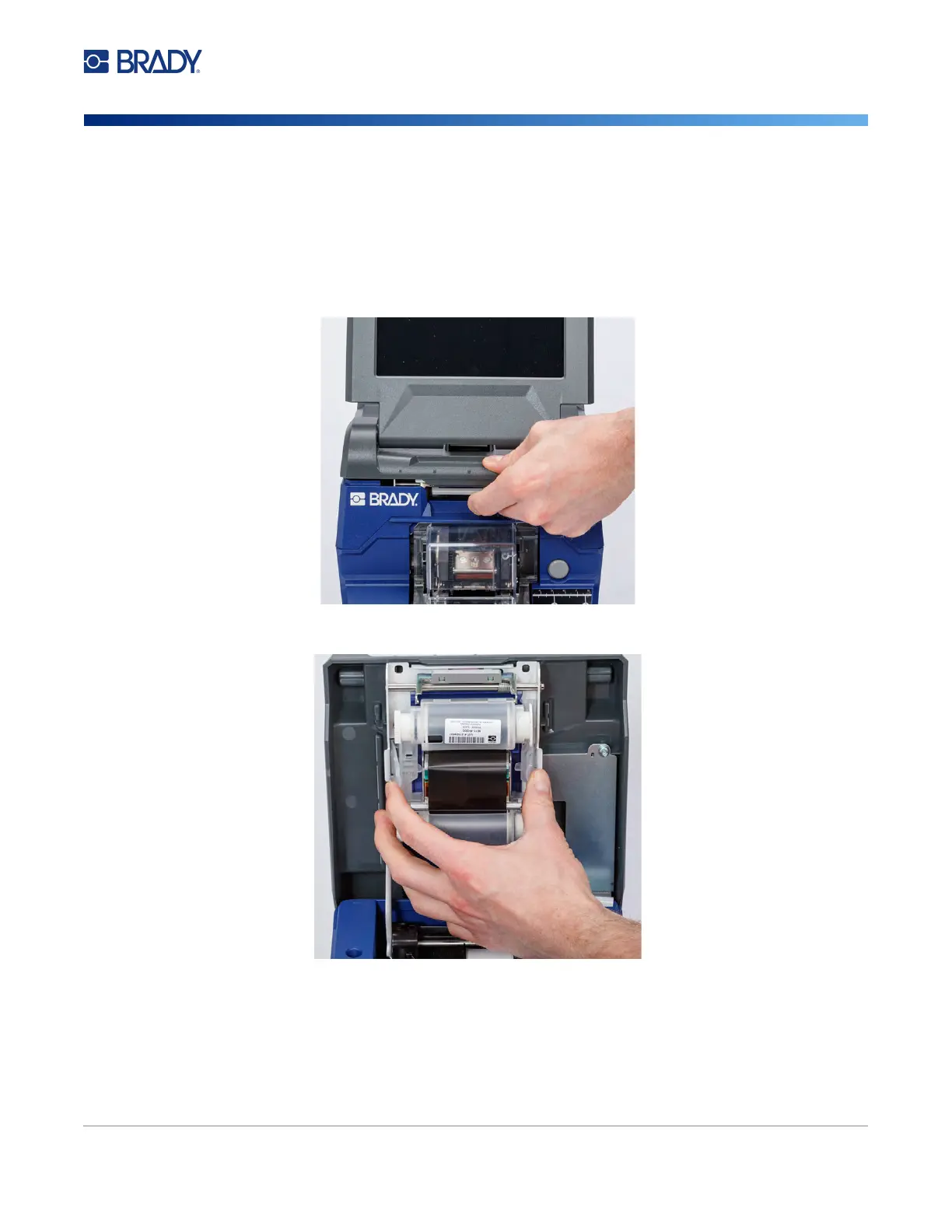
To change the ribbon:
1. Pull up on the latch and lift open the cover on the printer.
2. To remove the ribbon in the printer, pinch together the tabs on either side of the ribbon
cartridge and pull the ribbon cartridge out of the printer.
If the ribbon is spent, recycle the cartridge according to local regulations. If the ribbon is not
spent, store it in a cool, dry place. Unused ribbon will last up to six months before deterioration
sets in.



 To Next Page