Wraptor A6200 User Manual 40
Maintenance
Cleaning
3. Dip a cotton swab in isopropyl alcohol.
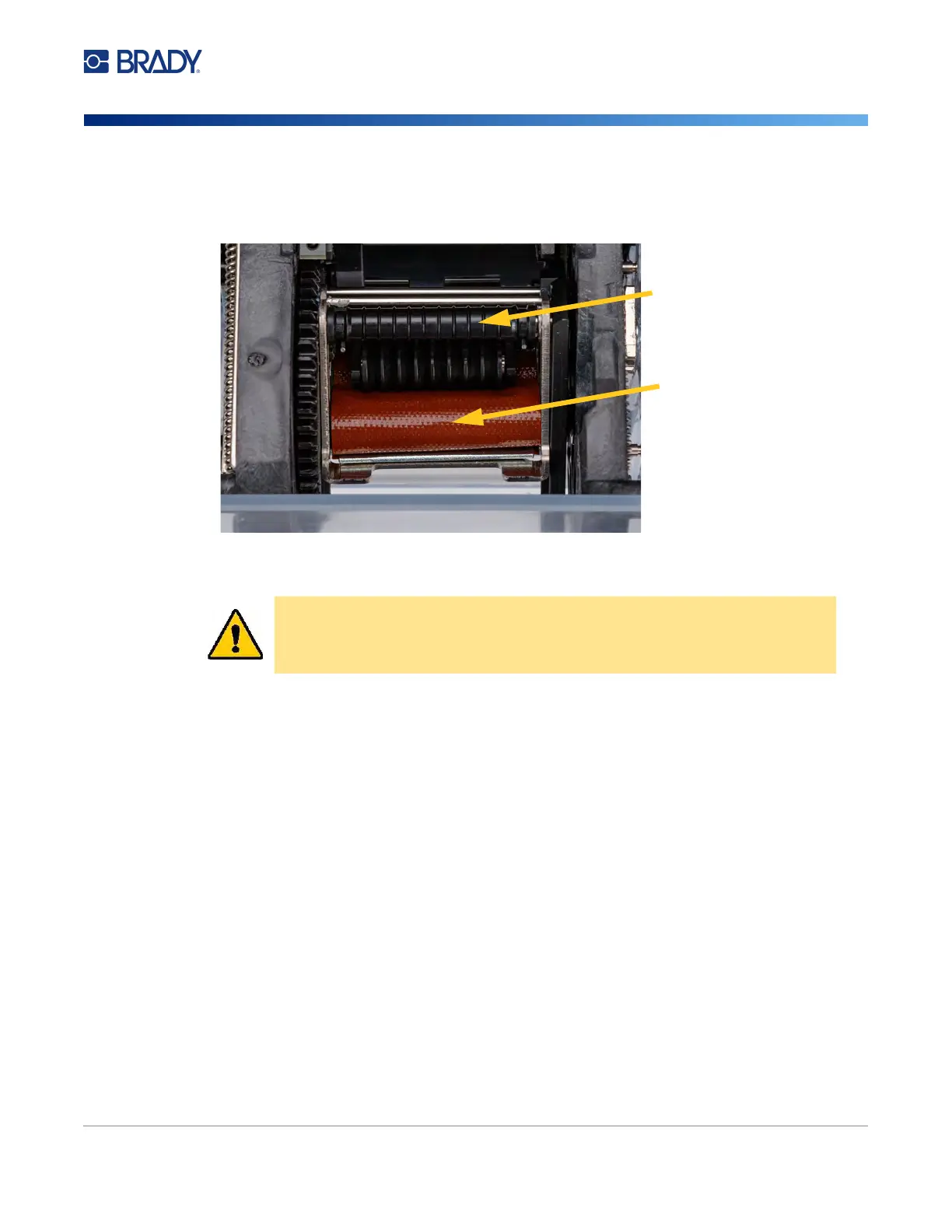
4. Rotate the wrapper mechanism so that the tarp is facing toward the printer. Push the grooved
roller shown below towards the tarp. This moves the tarp away from the lower ridged roller so
you can access the tarp for cleaning.
5. Using the moistened swab, clean the tarp. Make sure the tarp is free of dust, debris and label
adhesive build-up.
6. Close the wrapper module.
Cleaning the Print Head
To clean the print head:
1. Turn off the printer and unplug it.
2. Open the top cover.
3. Remove the ribbon to expose the print head. See “Loading Ribbon” on page 15.
4. Dip a cotton swab in the isopropyl alcohol.
CAUTION! Failure to remove adhesive build-up will cause labels to jam on the
tarp.
Push here to hold open
for cleaning.
Tarp



 To Next Page