Wraptor A6200 User Manual 28
General Operation
Printing: Quick Start
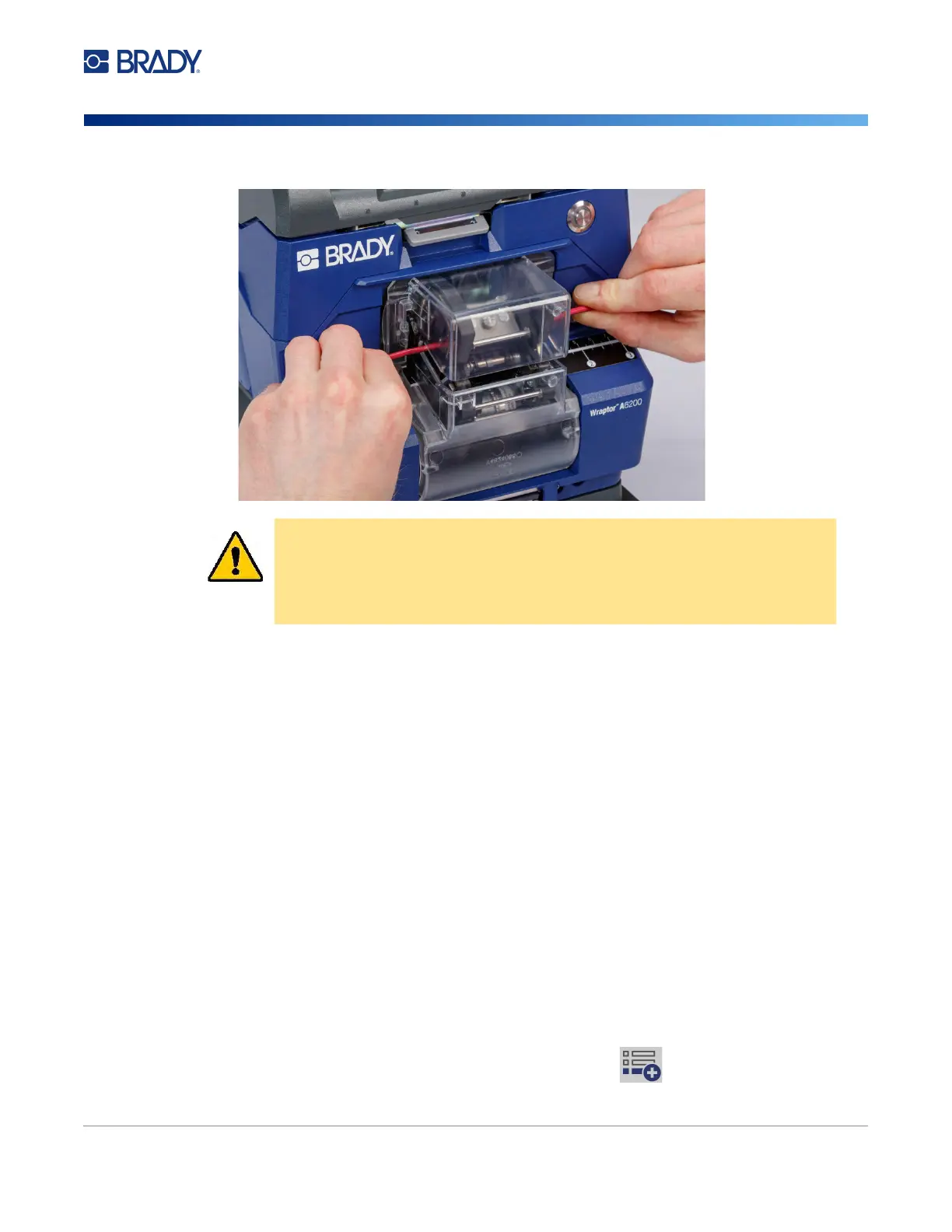
Wrap Quality
Please heed the following tips as not doing so may effect the quality of your wrap:
• Make sure to hold the wires tight and straight during wrapping. Kinked or curved wire may cause
spiraling or bubbling.
• Make sure to use the correct size label for the wire you intend to wrap.
• Do not use wire jackets with greasy coatings or the label will not wrap properly.
• Inspect the peel plate area—especially below—to ensure there are no stuck labels.
• Clean rollers to ensure that there is no adhesive build-up. See
“Cleaning the Rollers and Peel
Plate” on page 41
for cleaning and maintenance recommendations.
Printing Without Wrapping (Print Only)
On your computer:
1. Design labels on your computer using Brady Workstation software.
2. Send your completed labels to the printer with the Print command.
On the printer:
1. On the home screen, tap Print Jobs.
2. Tap the check box for a job to select it and then tap Add.
CAUTION! The maximum wire diameter that can be used in the Wraptor A6200
printer, INCLUDING the wire's outer jacket, is 0.25 inch. Exceeding
this diameter will jam and potentially damage the machine. If a wire
diameter less than 0.06 inch (including wire jacket) is used, the label
may not wrap successfully.



 To Next Page