Wraptor A6200 User Manual 25
3 General Operation
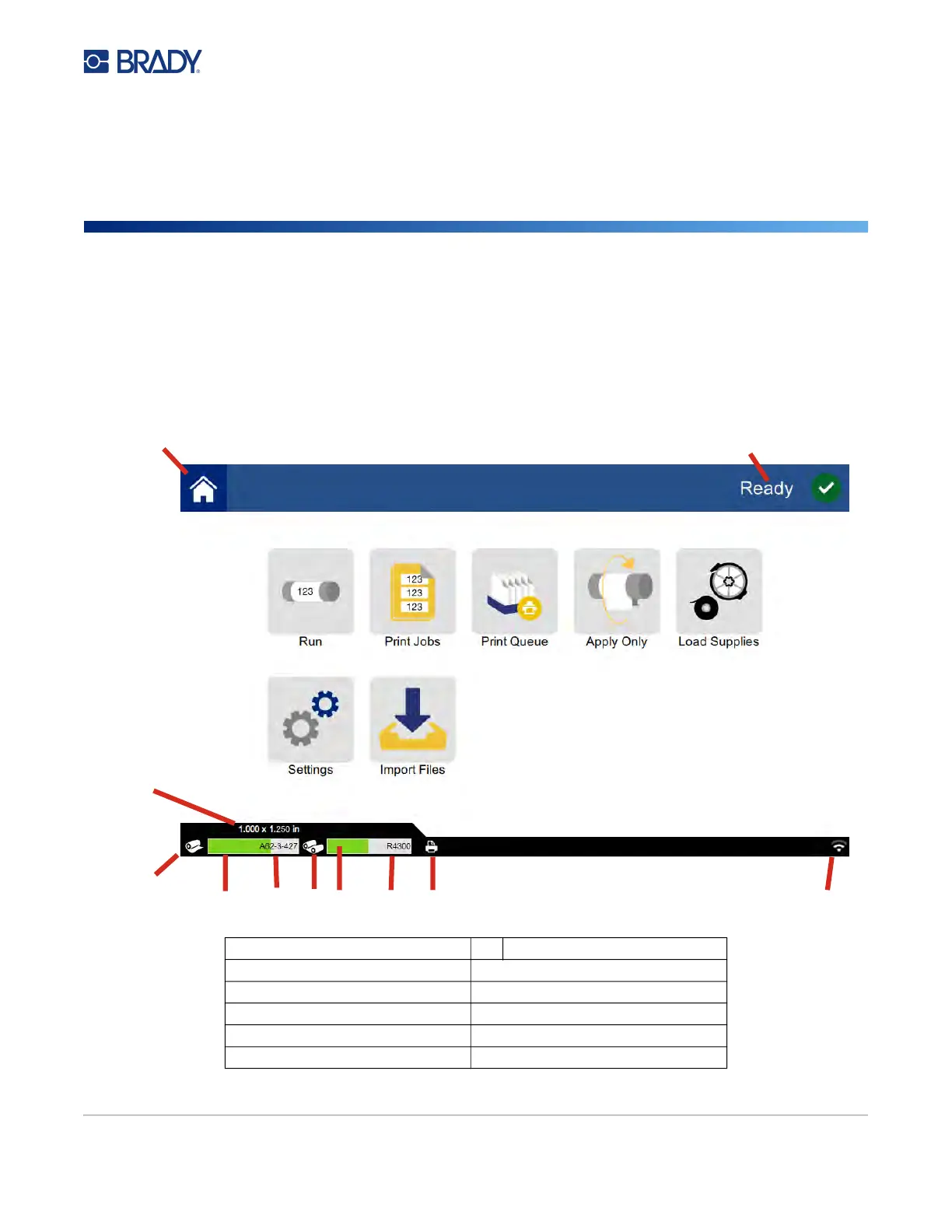
Using the Touch Screen
Use the printer’s touch screen to configure settings, check status, and print and wrap labels, among
other functions. Touch the screen with your finger to make a selection. The screen is hinged so that
you can adjust the viewing angle up or down.
Note: Do not use a writing pen or other sharp object. Doing so may mar the touch screen surface.
1
Home
7
Ribbon status
2
Printer status
8
Ribbon remaining
3
Supply size
9
Ribbon part number
4
Supply status
10
Print job status
5
Supply remaining
11
Wi-Fi on and signal
6
Supply part number
1
2
3
4
5
6 7
8 9 10
11



 To Next Page