Wraptor A6200 User Manual 46
Maintenance
Cleaning
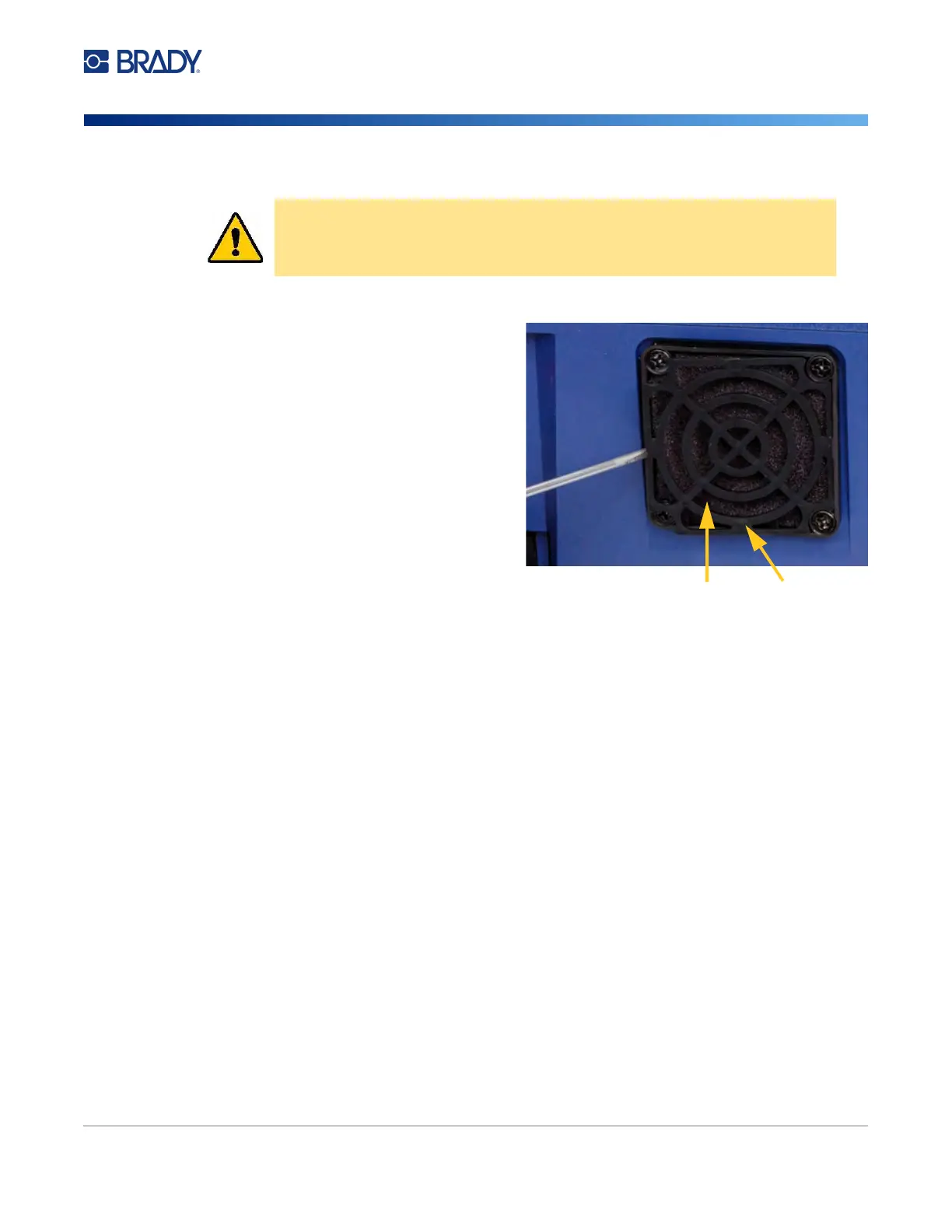
Cleaning the Fan Filter
To clean the fan filter:
1. Use a tweezers or flat-head screwdriver to
pull the grate off the fan located on the
back of the printer.
2. Remove the filter.
3. Clean the filter using either of these
methods:
• Blow clean air through it.
• Wash it with a mild detergent and allow it
to dry.
4. Replace the clean filter.
5. Snap the grate back into place over the
fan.
The fan filter is a replacement part that you can
order.
CAUTION! You must clean the fan filter of accumulated dust.
Filter
Grate



 To Next Page