Confidential
2-60
4.2.2 Paper is not fed from manual feed slot
User Check
- Check that recording paper is loaded correctly in the manual feed slot.
- Check thickness of recording paper is within tolerance of each type.
- Check only a single recording paper enters.
4.2.3 Two or more sheets of paper fed at a time
User Check
- Check that recording paper is loaded correctly in the paper tray.
- Check that the set number of recording paper loaded in each recording paper tray is within
specified volume.
- Try reversing the recording paper in each recording paper tray, or rotating direction of the
paper for 180 degrees.
- Check thickness of recording paper is within tolerance of each type.
- Shuffle recording papers thoroughly and then reload them in the recording paper tray.
4.2.4 Paper feeding at an angle
User Check
- Check that recording paper is loaded correctly in the paper tray.
- Adjust the paper guide to match the recording paper size.
- Check thickness of recording paper is within tolerance of each type.
- Check if too much paper is loaded in the paper tray.
- Clean the paper pull-in roller.
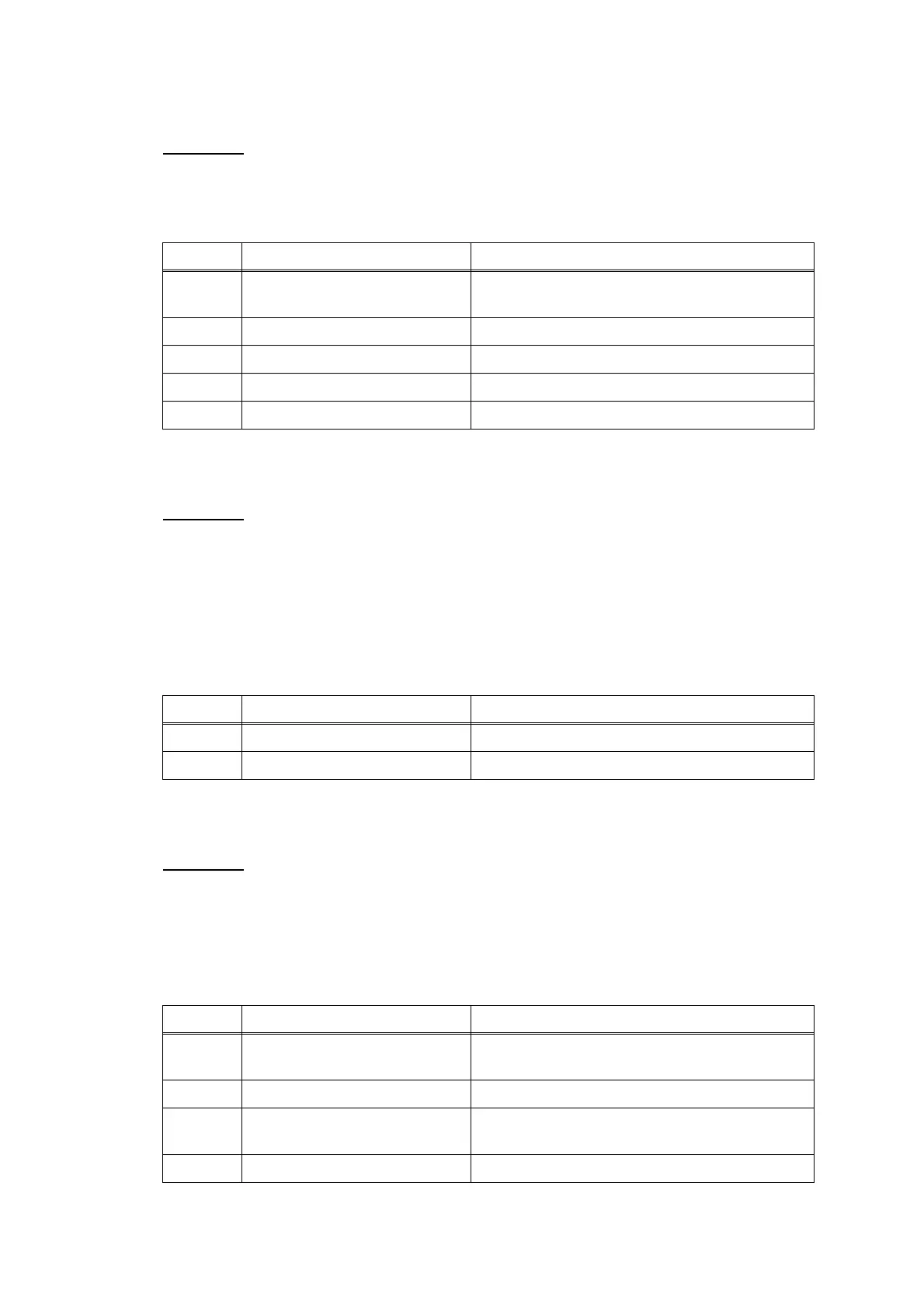
Step Cause Solution
1 Paper feed motor harness
connection failure
Reconnect the paper feed motor harness.
2 Registration actuator out of place Set the registration actuator into place.
3 Registration sensor defective Replace the registration sensor PCB ASSY.
4 Paper feed motor defective Replace the paper feed motor.
5 Main PCB defective Replace the main PCB ASSY.
Step Cause Solution
1 Bank ASSY worn out Replace the bank ASSY.
2 Base pad worn out Replace the base pad.
Step Cause Solution
1 Paper pull-in roller not mounted
in place
Set the paper pull-in roller into place.
2 Bank ASSY out of place Set the bank ASSY into place.
3 Paper feeding path parts out of
place
Set the feeding path parts into place.
4 Main PCB defective Replace the main PCB ASSY.


 To Next Page
 Loading...