Brother PC-FAX Software (MFC models only)
105
5
Setting up a group for broadcasting 5
You can create a group to send the same PC-FAX to several recipients at one time.
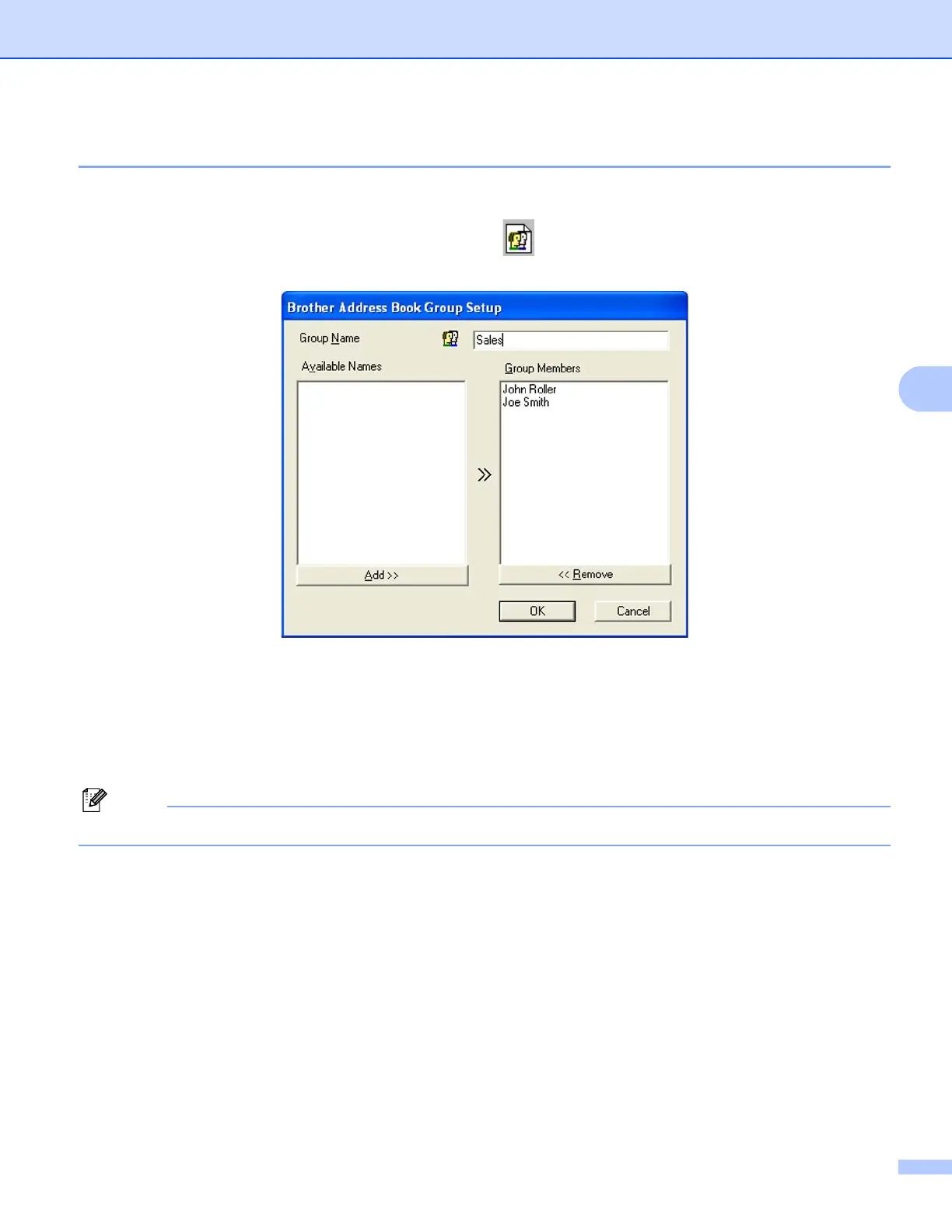
a In the Brother Address Book dialog box, click the icon to create a Group.
The Brother Address Book Group Setup dialog box appears:
b Enter the name of the new group in the Group Name field.
c In the Available Names box, choose each member to be included in the group, and then click Add >>.
Members added to the group appear in the Group Members box.
d After all the members you want have been added, click OK.
You can have up to 50 members in a group.

















 To Next Page