Brother PC-FAX Software (MFC models only)
112
5
Setting up your computer 5
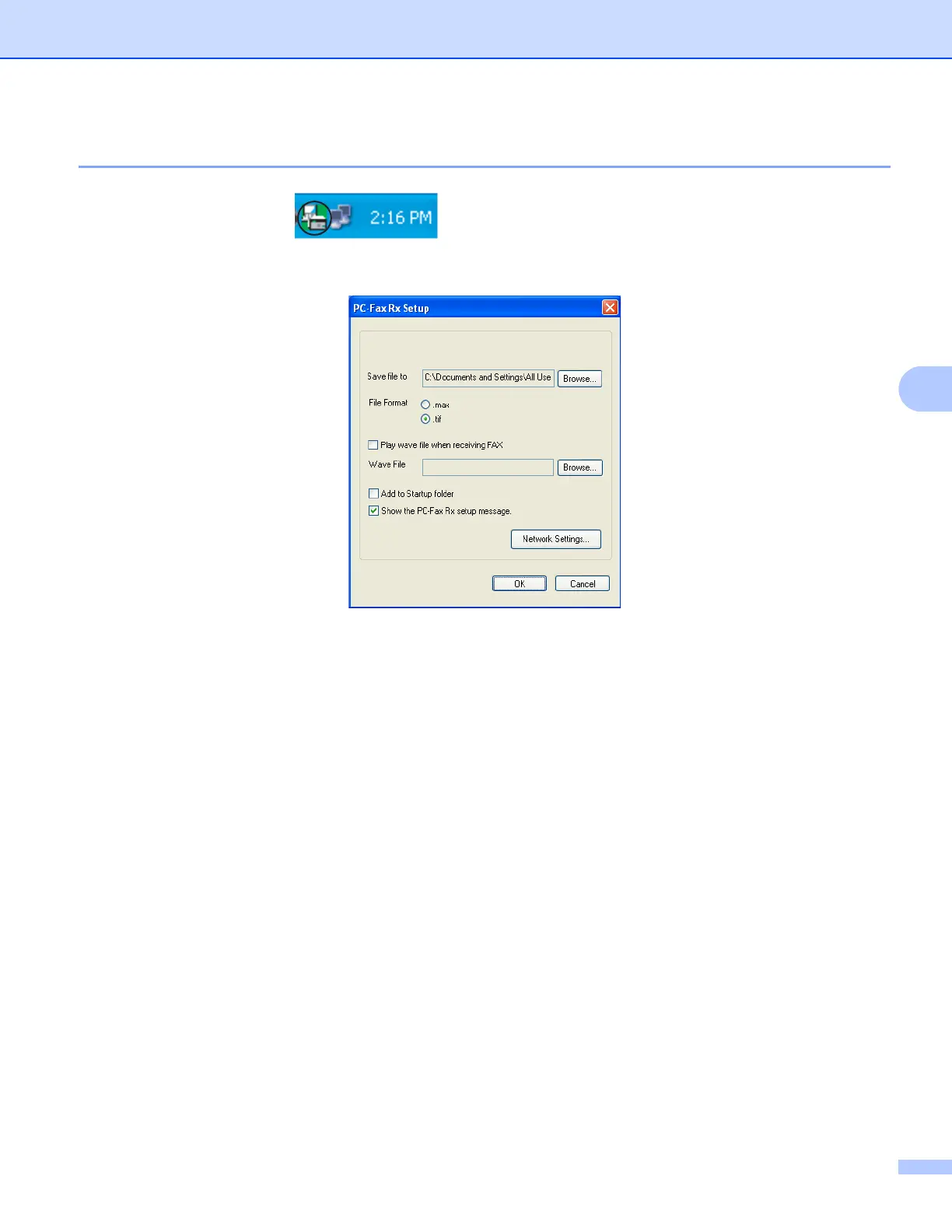
a Right-click the PC-FAX icon on your computer’s tasktray, and then click
PC-Fax Rx Setup.
The PC-Fax Rx Setup dialog box appears:
b In Save file to, click Browse if you want to change the path where PC-FAX files are saved.
c In File Format, choose .tif or .max as the received document format. The default format is .tif.
d To play wave files (.wav sound files) when receiving a fax, check Play wave file when receiving FAX,
and enter the path of the wave file.
e To automatically start the PC-FAX receiving software when you start Windows
®
, check
AddtoStartupfolder.
f If you want to use the PC-FAX Receiving software over your network, see Configuring the Network
PC-FAX Receiving Settings uu page 113.

















 To Next Page