Printing
27
1
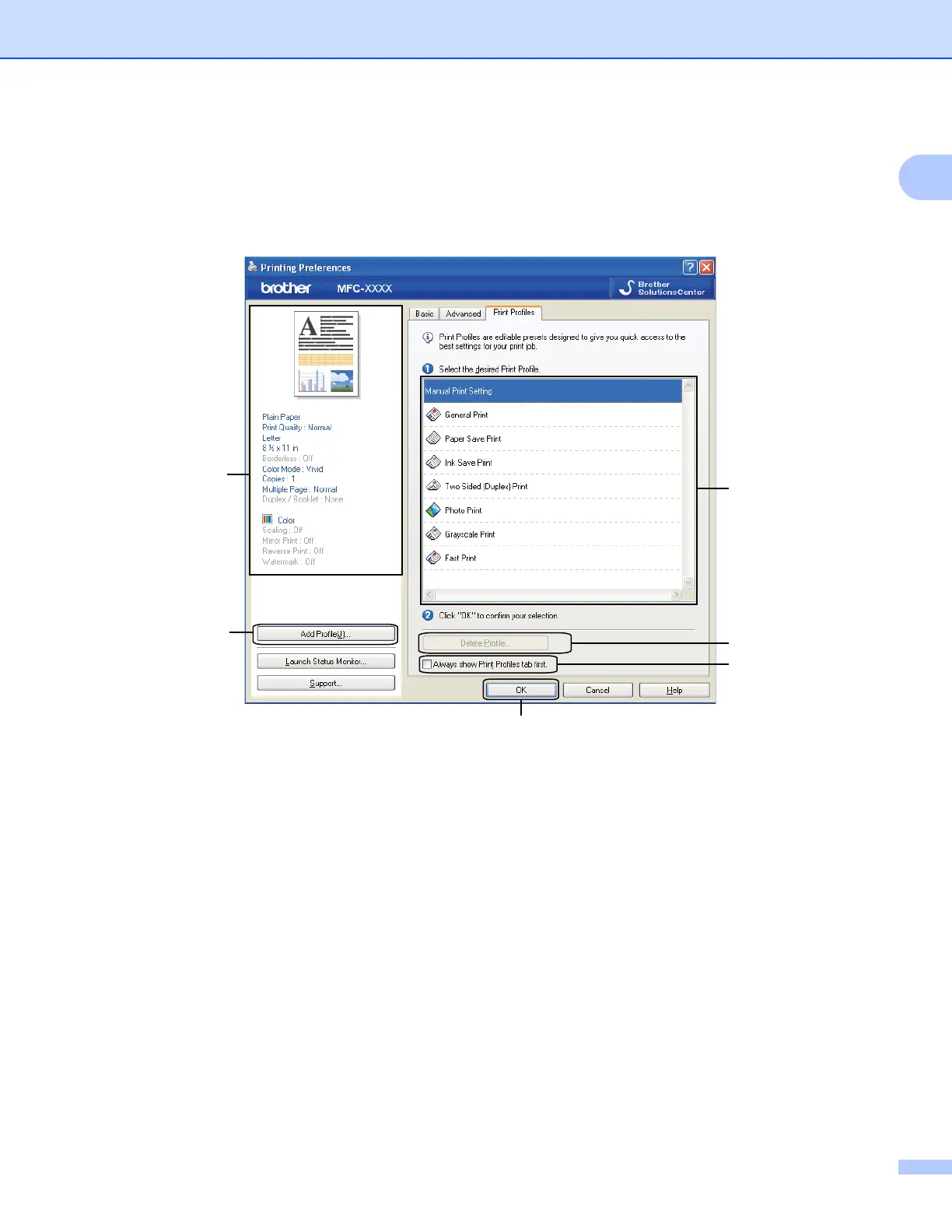
Print Profiles tab 1
Print Profiles are editable presets designed to give you quick access to frequently used printing
configurations.
1 Print profile list box
2 Delete Profile button
3 Always show Print Profiles tab first check box
4 OK button
5 Add Profile button
6 Current print profile view
a Choose your profile from the print profile list box.
b If you want to display the Print Profiles tab at the front of the window from the next time you print, check
Always show Print Profiles tab first.
c Click OK to apply your chosen profile.
1
2
3
4
5
6

















 To Next Page