Printing
7
1
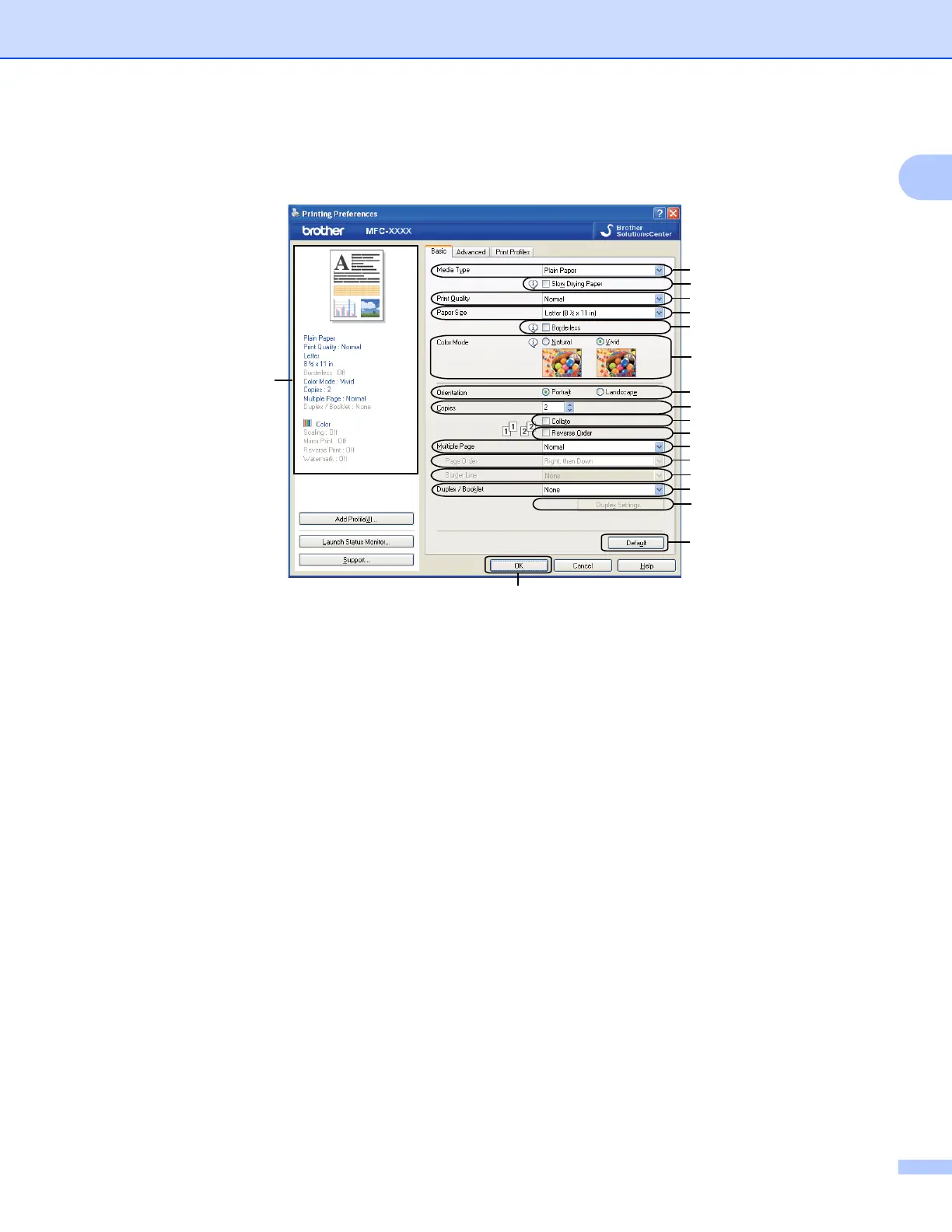
Basic tab 1
1 Media Type drop-down list
2 Slow Drying Paper check box
3 Print Quality drop-down list
4 Paper Size drop-down list
5 Borderless check box
6 Color Mode option
7 Orientation option
8 Copies option
9 Collate check box
10 Reverse Order check box
11 Multiple Page drop-down list
12 Page Order drop-down list
13 Border Line drop-down list
14 Duplex / Booklet drop-down list
15 Duplex Settings button
16 Default button
17 OK button
18 Current settings view
1
2
3
4
5
6
7
8
9
10
11
12
13
14
15
17
18
1
2
3
4
5
6
7
8
9
10
11
12
13
14
15
16

















 To Next Page