Scanning
40
2
e Choose TWAIN: TW-Brother MFC-XXXX or TWAIN: TW-Brother MFC-XXXX LAN from the
Available Scanners list.
(Where XXXX is your model name.)
f Check the Display scanner dialog box on the Scan or Get Photo panel.
g Click Scan.
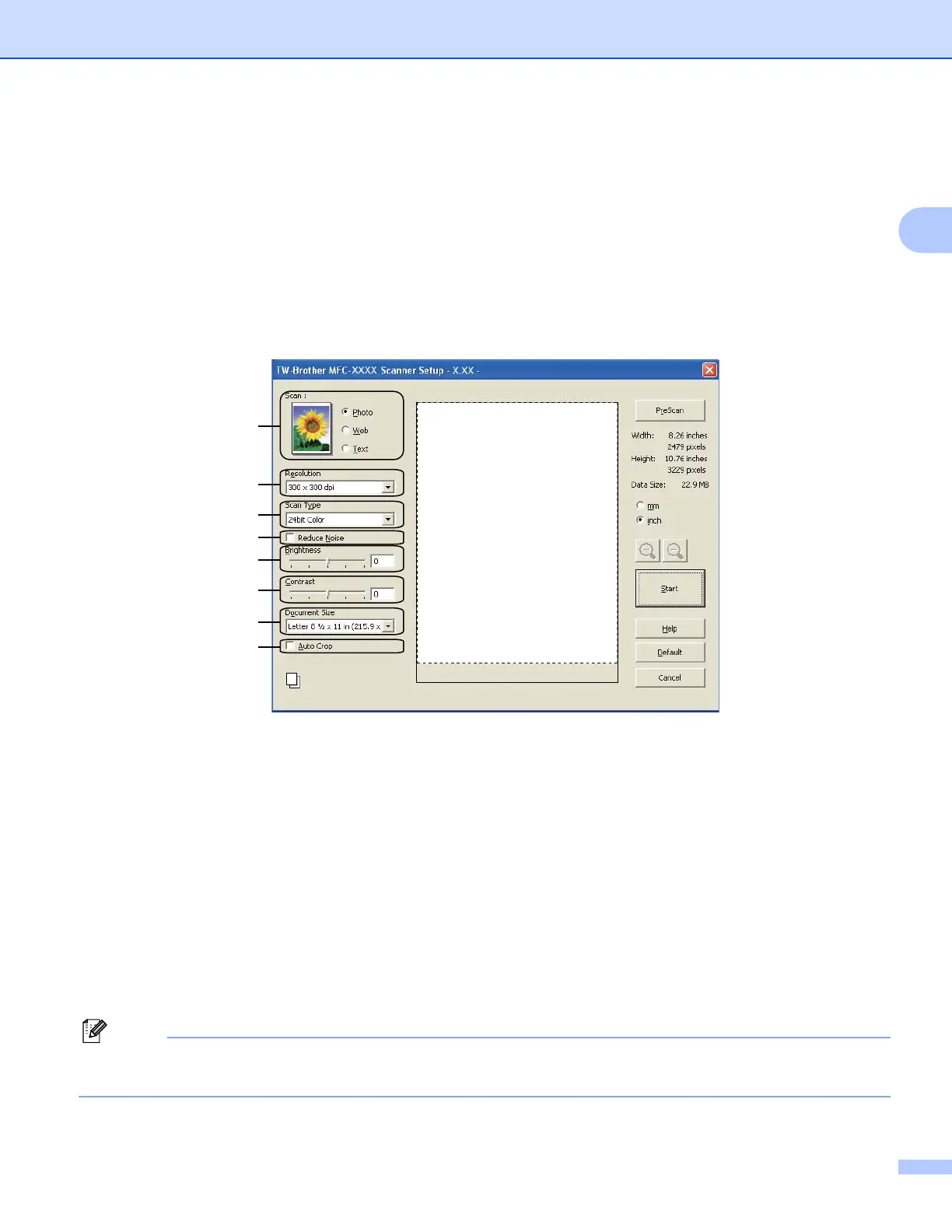
The Scanner Setup dialog box appears.
h Adjust the following settings, if needed, in the Scanner Setup dialog box:
1 Scan (Image Type)
2 Resolution
3ScanType
4 Reduce Noise
5 Brightness
6 Contrast
7 Document Size
8AutoCrop
i Click Start.
When scanning is finished, click Cancel to return to the PaperPort™12SE window.
After you select a document size, you can adjust the scanning area further by clicking the left mouse button
and dragging it. This is required when cropping an image for scanning.

















 To Next Page