MAINTENANCE PROCEDURES
This section includes instructions for
basic maintenance procedures.
WARNING
Turn off the engine, remove tether
cord cap and follow these mainte-
nance procedures when perform-
ing maintenance. If you do not
follow proper maintenance pro-
cedures you can be injured by hot
parts, moving parts, electricity,
chemicals or other hazards.
WARNING
Should removal of a locking device
be required (e.g. lock tabs, self-
locking fasteners, etc.) when un-
dergoing disassembly/assembly,
always replace with a new one.
Air Intake Silencer
Prefilter
Air Intake Silencer Prefilter
Verification
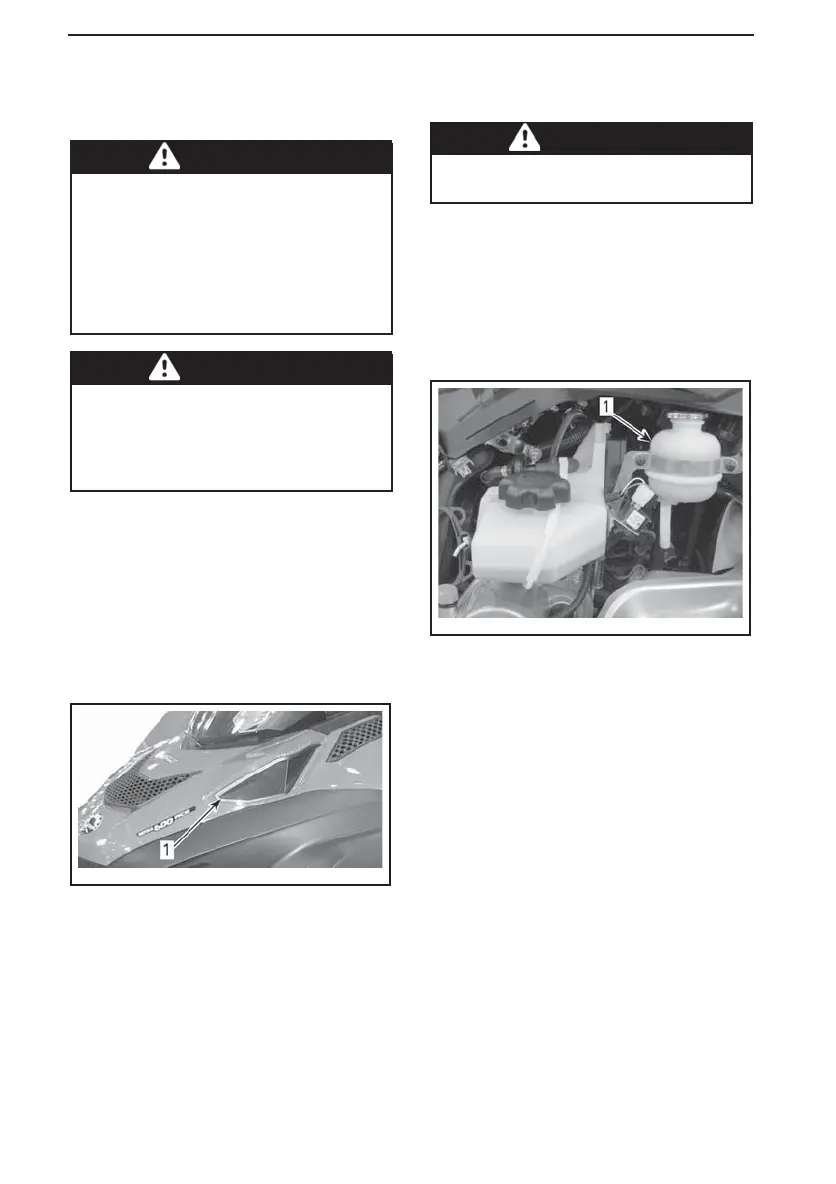
Ensure that air intake silencer prefilter
is properly installed, clean and in good
condition.
fmo2012-003-019_a
1. Prefilter
To remove prefilter, simply pull it out.
To install prefilter, pus h it back in place
making sure it is properly secured.
Engine Coolant
WARNING
Never open c oolant tank cap when
engine is hot.
Engine Coolant level
Remove the upper RH side panel. Re-
fer to
SIDE PANELS
in
CONTROLS, IN-
STRUMENTS AND EQUIPMENT
.
The cold level line is just above the re-
taining clamp.
mmo2009-004-028_b
TYPICAL
1. Cold level line
Check coolant level at room temper-
ature with the cap removed. Liquid
should be at cold level line (engine cold)
of coolant tank.
NOTE: When checking coolant level at
low tempe rature it may b e slig htly be-
low the cold level line.
To add coolant, remove front coolant
tank fixation and slightly pull the tank
outwards to m ake room for the cap.
If additional a large amount of coolant
has to be added or if entire system has
to be refilled, refer to an authorized
Lynx dealer, repair shop, or person of
your own choosing.
102
______________



 To Next Page