Sensor Configuration and Numbering
SMART MATRIX QUILT 2 - 8
Sensor Configuration and Numbering
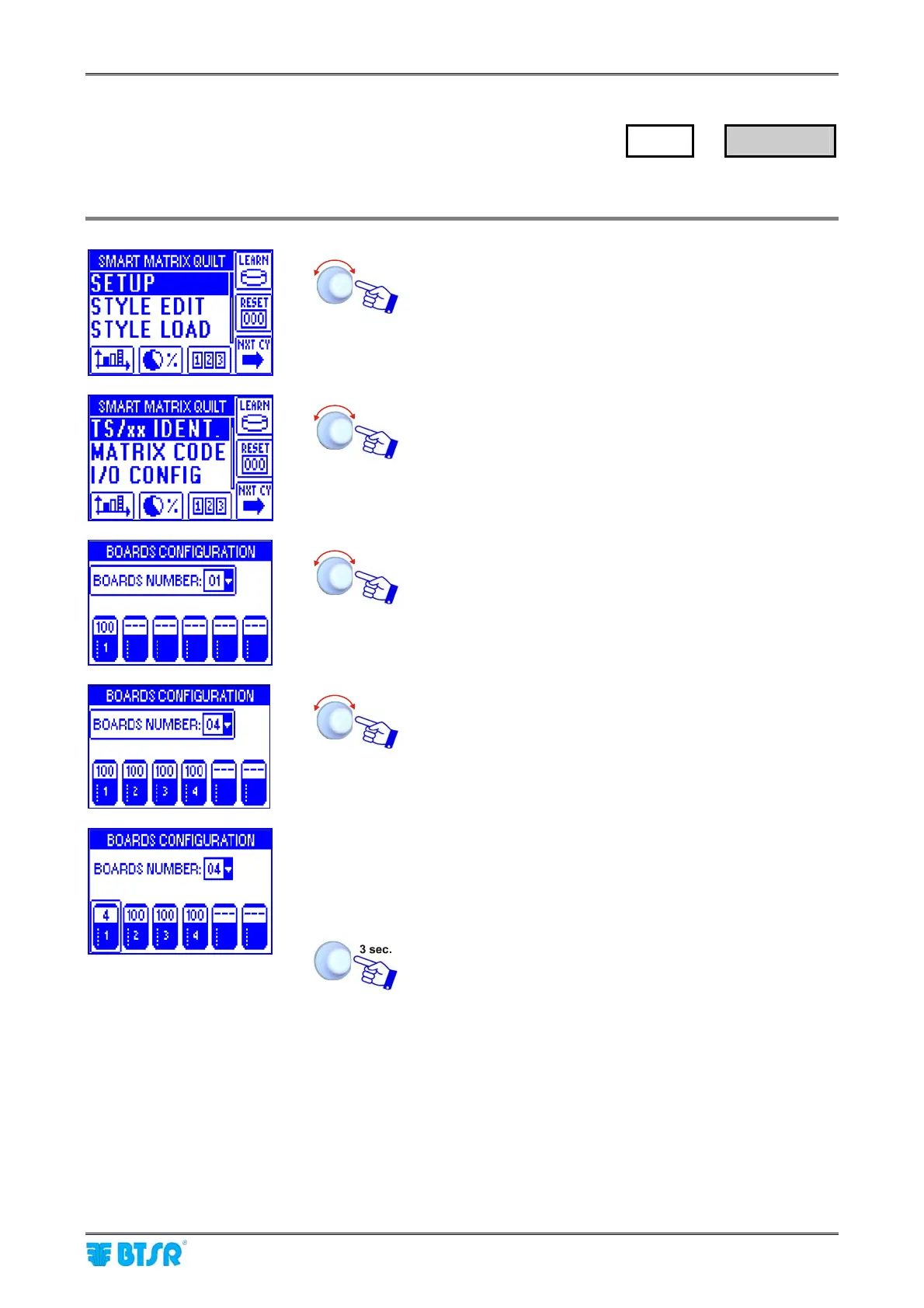
This function allows you to univocally identify each TS5/TS7 device connected to SM-DIN QUILT Boards.
Enter the SETUP menu.
Select TS/xx IDENT.
• Point and select BOARDS NUMBER:
• Set the number of SM-DIN QUILT Boards used [1..10]
• Point the symbol of 1
st
Board.
• Select the field indicating the number of sensors
connected to Board 1 (default 100).
• Set the number of sensors actually connected to Board
1 (e.g. 12) and confirm.
• Point the symbol of 2
nd
Board and so on for all the
Boards used.
Once you have configured all the Boards.
For instance, let suppose now to configure an application comprising 4 TS5 sensors only, distributed
along two needle bars (2 sensors per bar).
SETUP
→
TS/xx IDENT.












 To Next Page