Style Loading
SMART MATRIX QUILT 2 - 30
Style Loading
This function allows you to load, to the TS5/TS7 sensors, one of the styles available in the database, or to
unload the style currently loaded in the sensors.
Style Loading
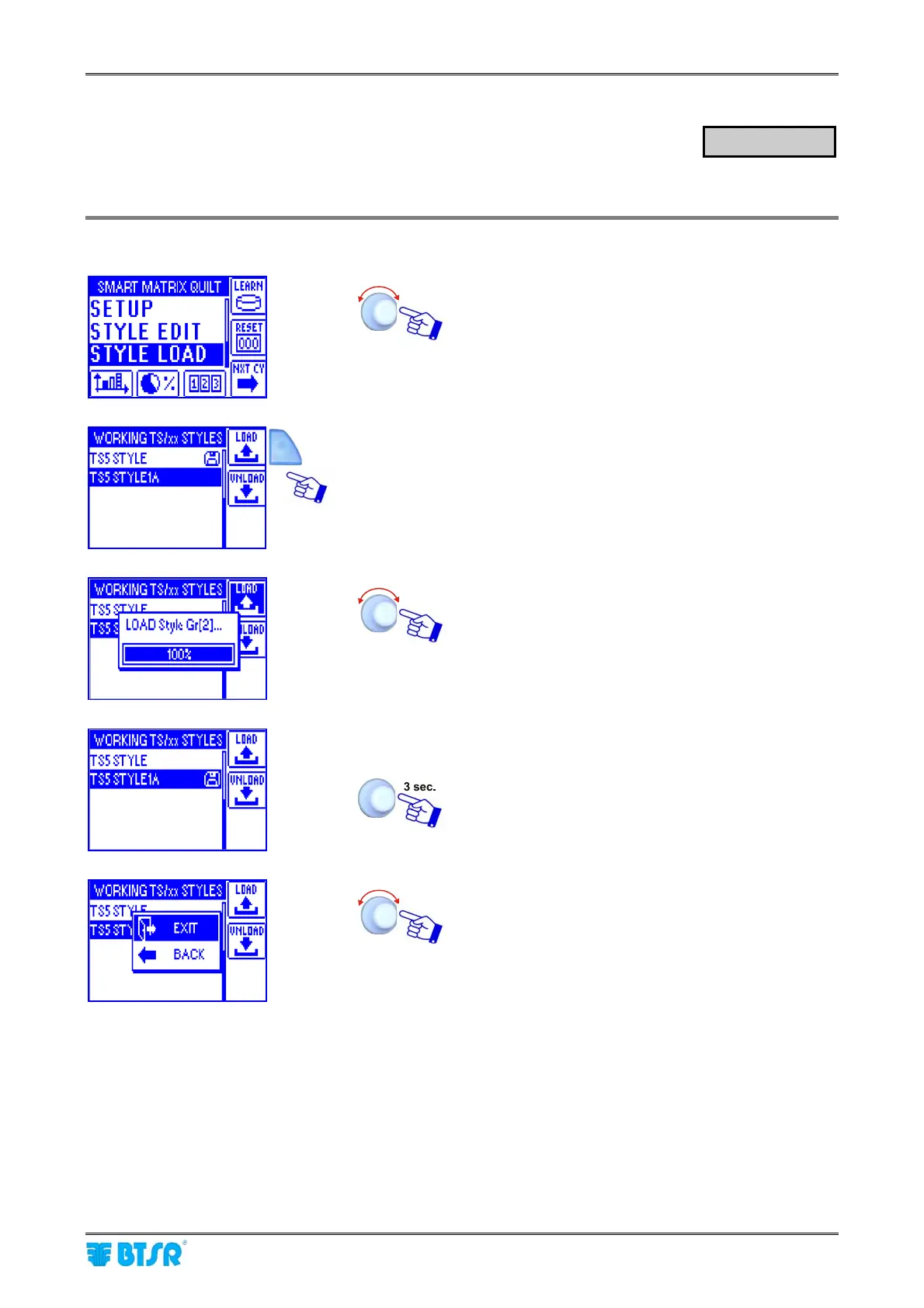
Select the STYLE LOAD menu item.
Once you have activated the STYLE LOAD function
from main menu, choose the style you want to load
(e.g. TS5 STYLE1A) and press LOAD.
A temporary LOAD Style Gr [N] window will appear.
At the end of the loading operation the style list will
automatically re-appear.
TS5 STYLE1A style loaded!
To leave the function.
EXIT to return to main menu.
STYLE LOAD












 To Next Page