Comunication Test
SMART MATRIX QUILT 2 - 17
Communication Test
This function allows you to check:
- The efficiency level of communications between SMART MATRIX and SM-DIN Boards and between SM-
DIN Boards and Sensors.
- The correct operation of Sensors.
Communication Efficiency
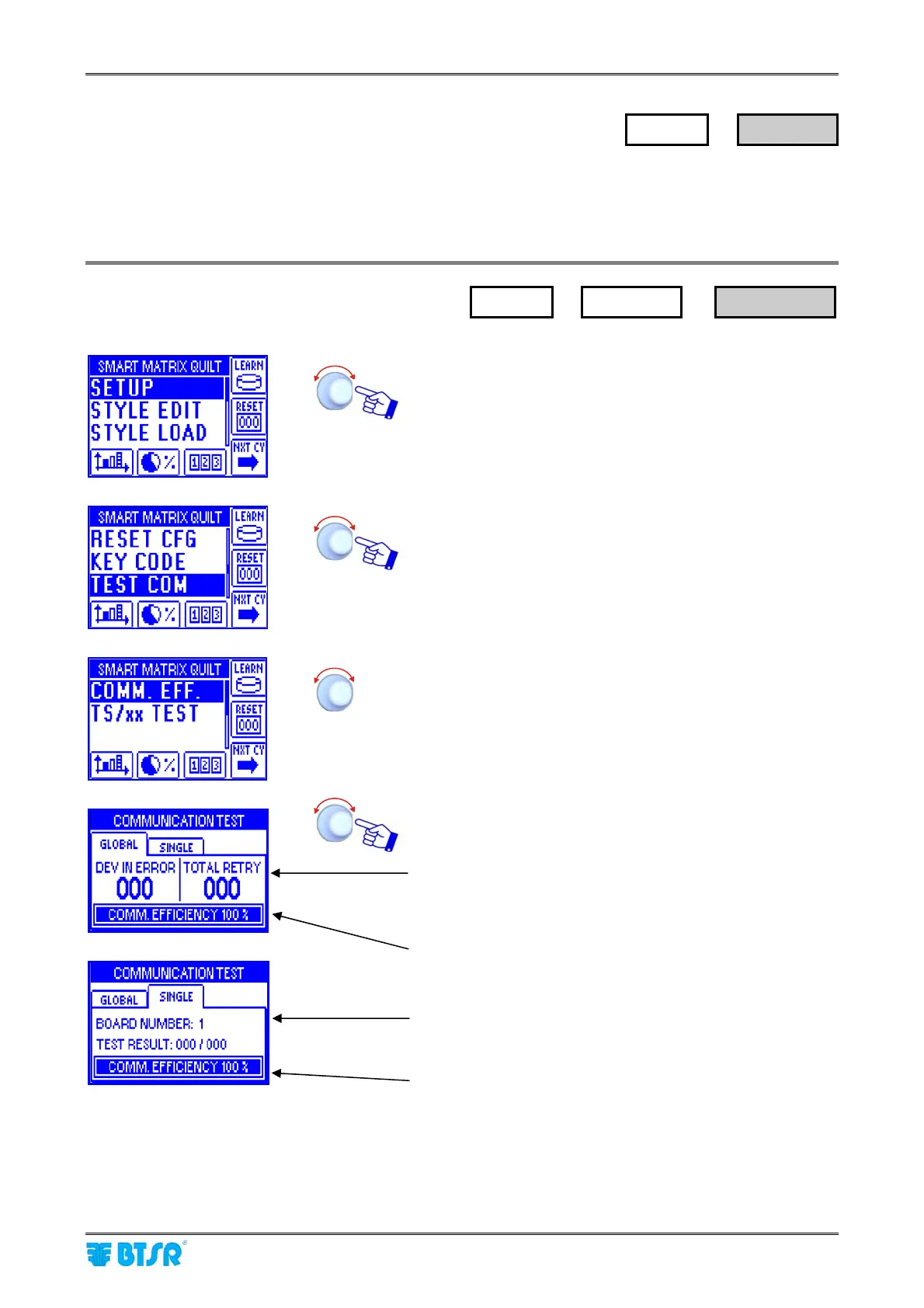
Enter the SETUP menu.
Select TEST COM.
Select COMM. EFF. to check the efficiency level of
communications.
Select GLOBAL or SINGLE (single Board).
Number of sensors on which communication errors
occurred (DEV IN ERROR) and total number of
transmission repeated as result of detected errors (TOTAL
RETRY). A maximum of 5 transmission are repeated for
each sensor.
Global efficiency index.
Like for GLOBAL option, but referred to the selected Board
only. (e.g.: BOARD NUMBER:1)
Efficiency index of Board 1.
SETUP
→
TEST COM
→
COMM. EFF.
SETUP
→
TEST COM












 To Next Page