Parameters that Affect the TS5/TS7 Sensor Detection Features
SMART MATRIX QUILT 3 - 5
Parameters that Affect the TS5/TS7 Sensor Detection Features
The TS5/TS7 series sensors are microprocessor based electronic sensors capable of detecting the most
common types of yarn tension failures:
# Positive/negative threshold levels exceeded
# Positive/negative peak levels exceeded (control not performed on QUILT application)
# Missing Yarn (control not performed on QUILT application)
The yarn running inside the sensor touches the loading cell that moves horizontally depending on the tension
applied to the yarn itself.
In normal working conditions, the loading cell is pushed inside the sensor by an amount which is proportional
to the yarn tension. The position of loading cell (i.e. the yarn tension) is first converted into an analogue
signal and then into a digital signal by the sensor electronics.
The built-in sensor’s processor performs a real-time processing of such digital signal through a special
program loaded into the sensor memory, which controls the quality level of the yarn running inside the
sensor and detects / discriminates the presence of the above mentioned failures. The variables of this
program are represented by the settings related to the article which is being controlled, i.e. the settings that
can be defined, changed and loaded into the sensors by means of the SMART MATRIX program:
# TENS (Nominal Reference Tension)
# TENS H (Max Tension Threshold)
# TENS L (Min Tension Threshold)
TENS (for QUILT application it is represented by Working Tens parameter within the EDIT Group N
PARAMETERS screen)
This parameter indicates the nominal tension value, i.e. the reference (SETPOINT) tension according to
which the threshold minimum and maximum errors will be calculated.
TENS H (for QUILT application it is represented by High parameter within the EDIT Group N
PARAMETERS screen)
This parameter indicates the Max Threshold Value (expressed as positive percentage value) with respect to
the reference tension TENS, above which a failure condition will be signaled. The following two values must
be specified:
# ERROR % = Positive error percentage (max threshold) with respect to the nominal tension TENS
# TIME = Minimum duration of error condition to signal the failure.
TENS L (for QUILT application it is represented by Low parameter within the EDIT Group N
PARAMETERS screen)
This parameter indicates the Min Threshold Value (expressed as negative percentage value) with respect to
the reference tension TENS, below which a failure condition will be signaled. The following two values must
be specified.
# ERROR % = Negative error percentage (min threshold) with respect to the nominal tension TENS
# TIME = Minimum duration of error condition to signal the failure.
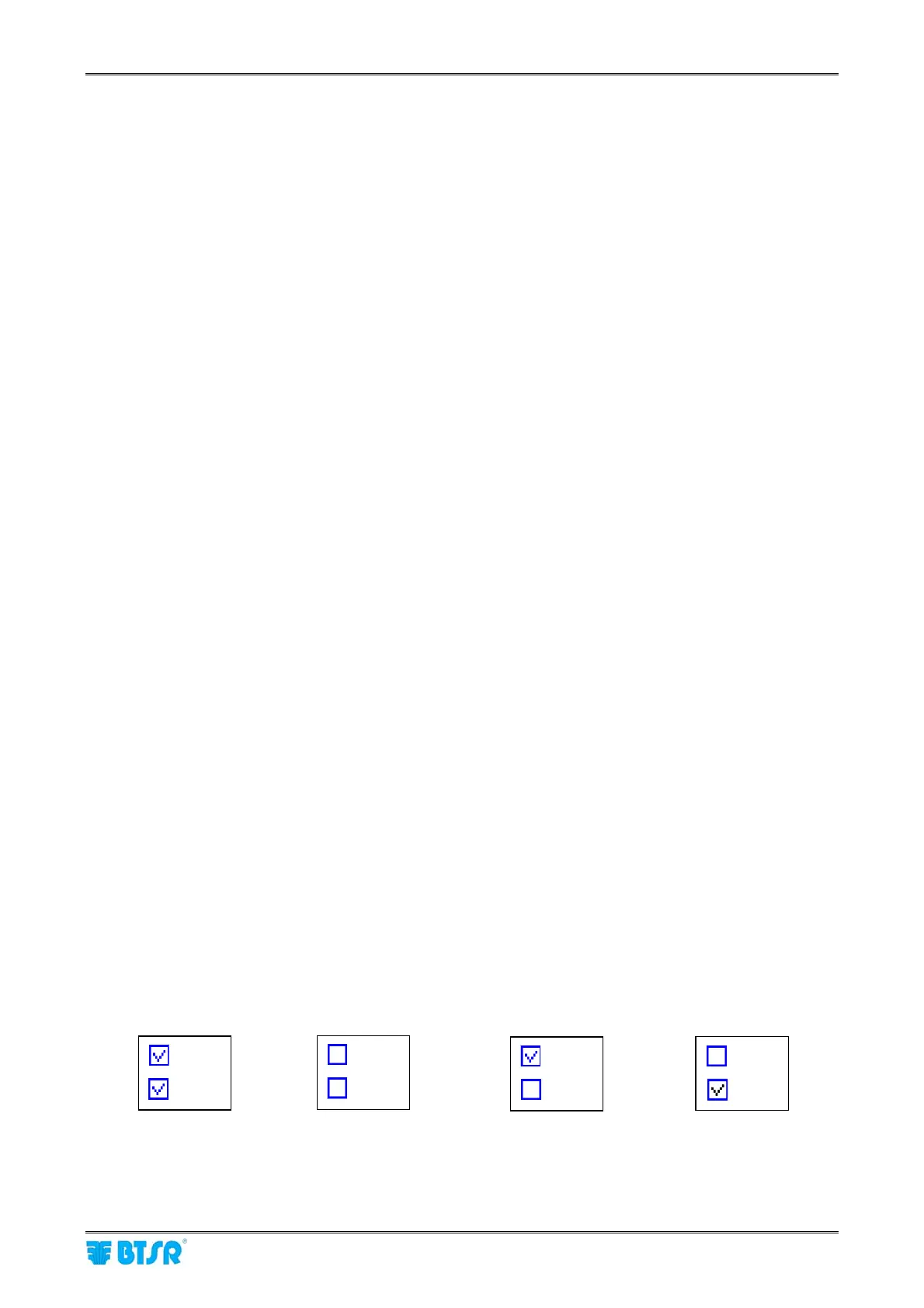
In the EDIT Group N PARAMETERS screen, the Low and High parameters can be either enabled or
disabled, as indicated be low:
Both enabled Both disabled (sensors
excluded from control)
Low enabled,
High disabled
Combination not
allowed: if you disable
Low, the High option too
will be disabled
Low
High
Low
High
Low
High
Low
High












 To Next Page