Style Programming (TS5/TS7)
SMART MATRIX QUILT 2 - 26
Style Programming (TS5/TS7)
This function allows you to program the operation parameters of TS5/TS7 devices.
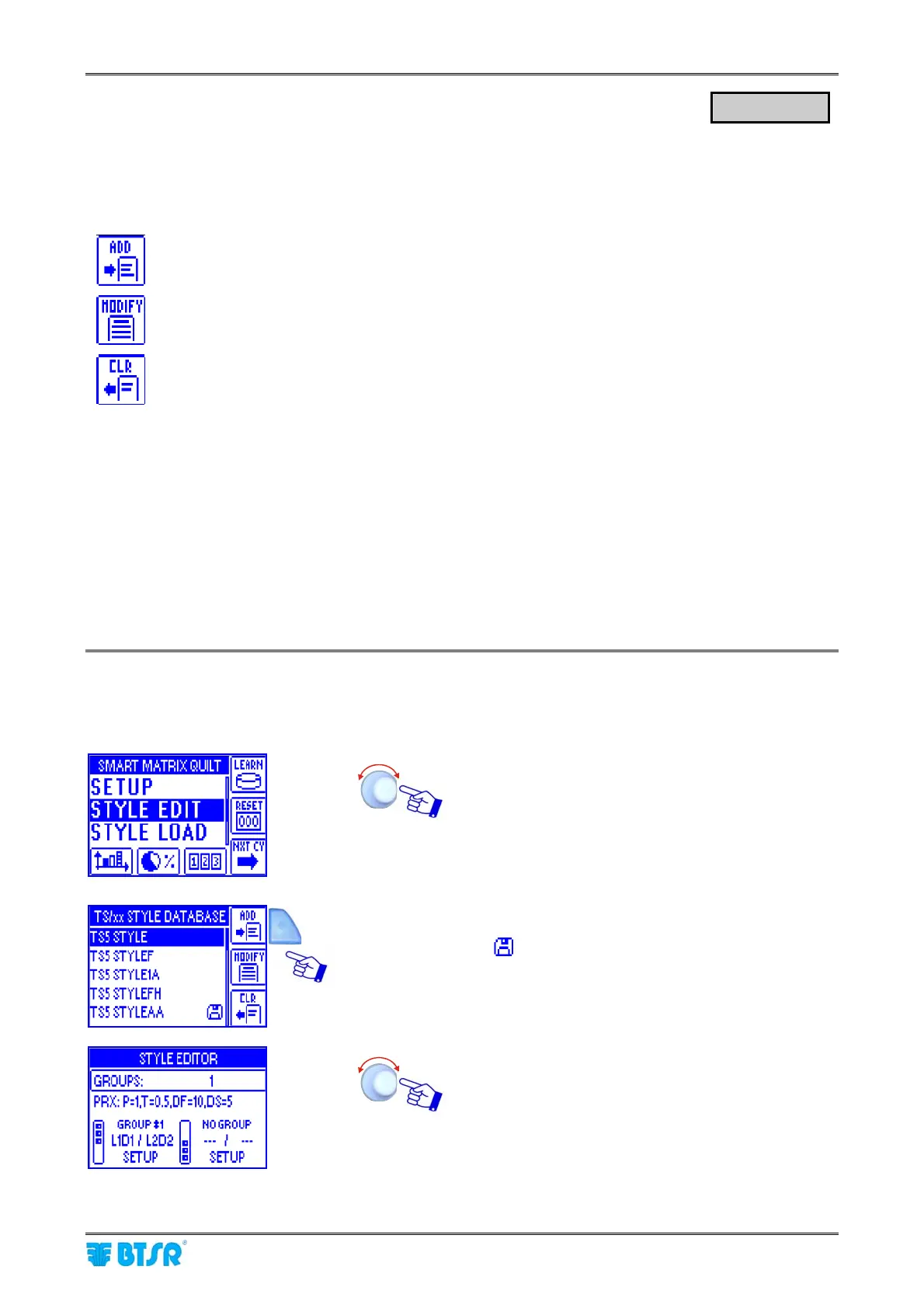
The STYLE EDIT function provides 3 options selectable using the immediate activation buttons.
To create a “new” style and add it to the style database.
To either change the parameters of an existing style, or to create a new style starting from a
similar already existing style.
To remove a style from the database.
All the connected DIAPER FEEDER devices can be configured with the same parameters or, (to increase
the system flexibility) you may create multiple device groups, up to a maximum of 10 groups, configuring
each group with different parameters.
In case of multiple groups, the identification number of the first device belonging to the first group
(GROUP#1) will always be L1D1 (Level 1, Device 1) and you will only have the possibility of setting the
identification number of the last device belonging to the first group (L1DN); the first device of the second
group will automatically be set as L2D1 (Level 2, Device 1) ……. and so on .
Exsample: 4 TS5/TS7 devices grouped into 2 groups (GROUP #1 ~ GROUP #2) with 2 devices per group:
GROUP #1: L1D1/L1D2 – GROUP #2: L2D1/L2D2
On each group, you shall configure the device operation parameters using the SETUP option.
Programming a New Style
This example shows how to create a new style (TS5 STYLEBB) with 4 TS5/TS7 devices distributed on 2
groups (2 devices per group).
Select STYLE EDIT.
Press ADD
(the
symbol indicates that TS5 STYLEAA is the style
currently loaded on the devices)
Select GROUPS and set the number of desired groups (2
(2 for our example)
STYLE EDIT












 To Next Page