Style Programming (TS5/TS7)
SMART MATRIX QUILT 2 - 27
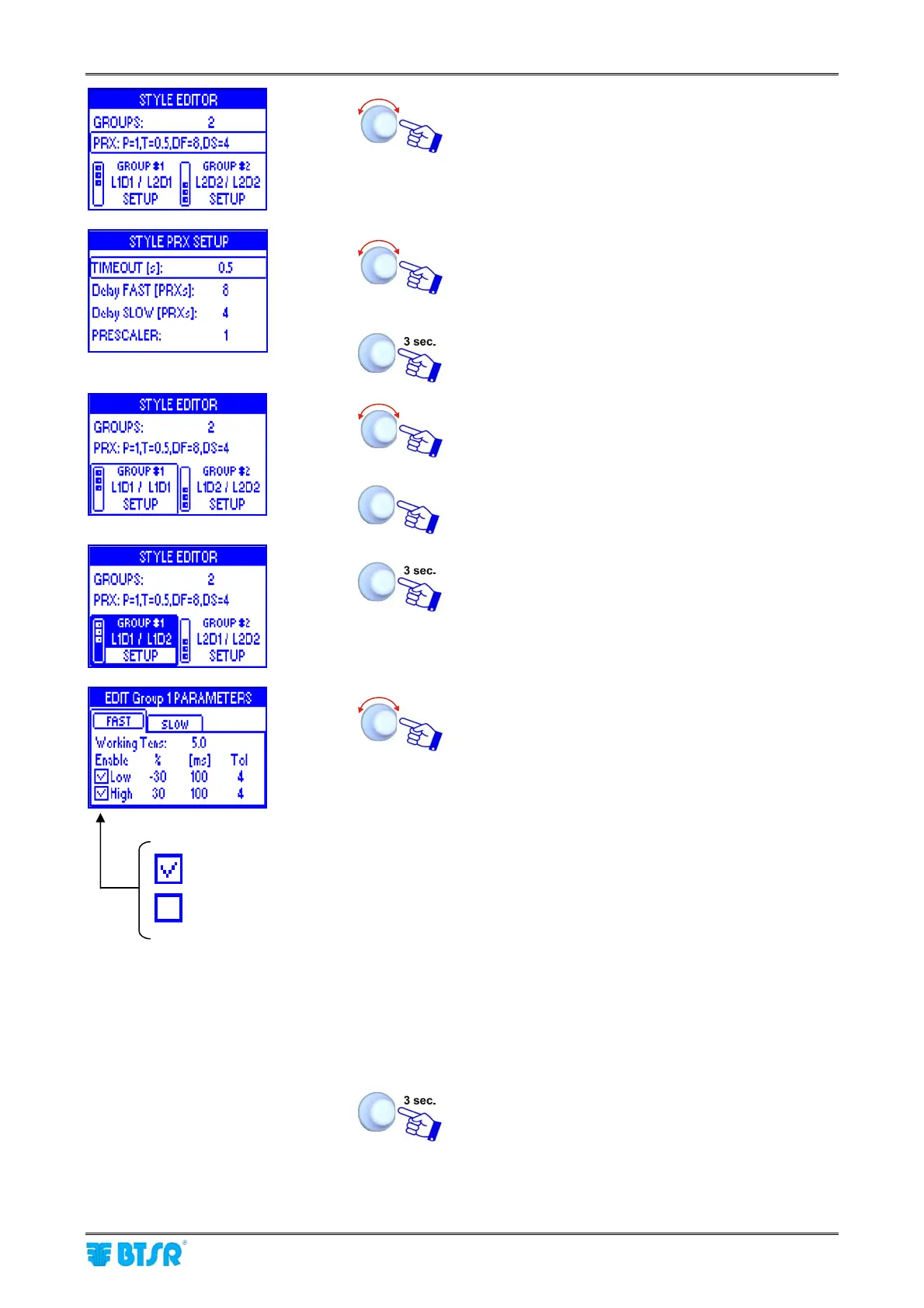
Select the row PRX:P=1…
Set the desired values: TIMEOUT, Delay FAST
[PRXs], Delay SLOW [PRXs], PRESCALER.(For the
detailed meaning of these parameters, please refer
to section 3)
To confirm che desired option and return to previous
menu.
Select GROUP#1
Set the identification number of the last device
belonging to the first group (L1D2) and confirm.
To start setting the parameters related to group 1
(GROUP #1).
Set desired values in the FAST window:
- Working Tens: = work tension [set point] [0.1
÷
4.000 gr]
- LOW (%):minimum tension value, below which
an alarm will be generated
[-1
÷ -100% of the setpoint value]
- LOW (ms): running time with tension ≤ LOW
after which an alarm will be generated [10
÷
5.000 ms].
- Tol (Tolerance): [1
÷ 250] (*)
- HIGH (%): maximum tension value, above
which an alarm will be generated
[1
÷ 999% of the setpoint value]
- HIGH (ms): running time with tension ≥ HIGH
after which an alarm will be generated [10
÷
5.000 ms].
- Tol (Tolerance): [1
÷ 250] (*)
To move to the setting of parameters related to next
group (GROUP#2) or to save the style to the
database once you have setup all the parameters.
(*) The alarm will be generated only if the contitions specified with LOW / HIGH (%) and LOW / HIGH (ms) parameters
persist for the number of PRX pulses specified with this parameter.
=alarm enabled
=alarm disabled












 To Next Page