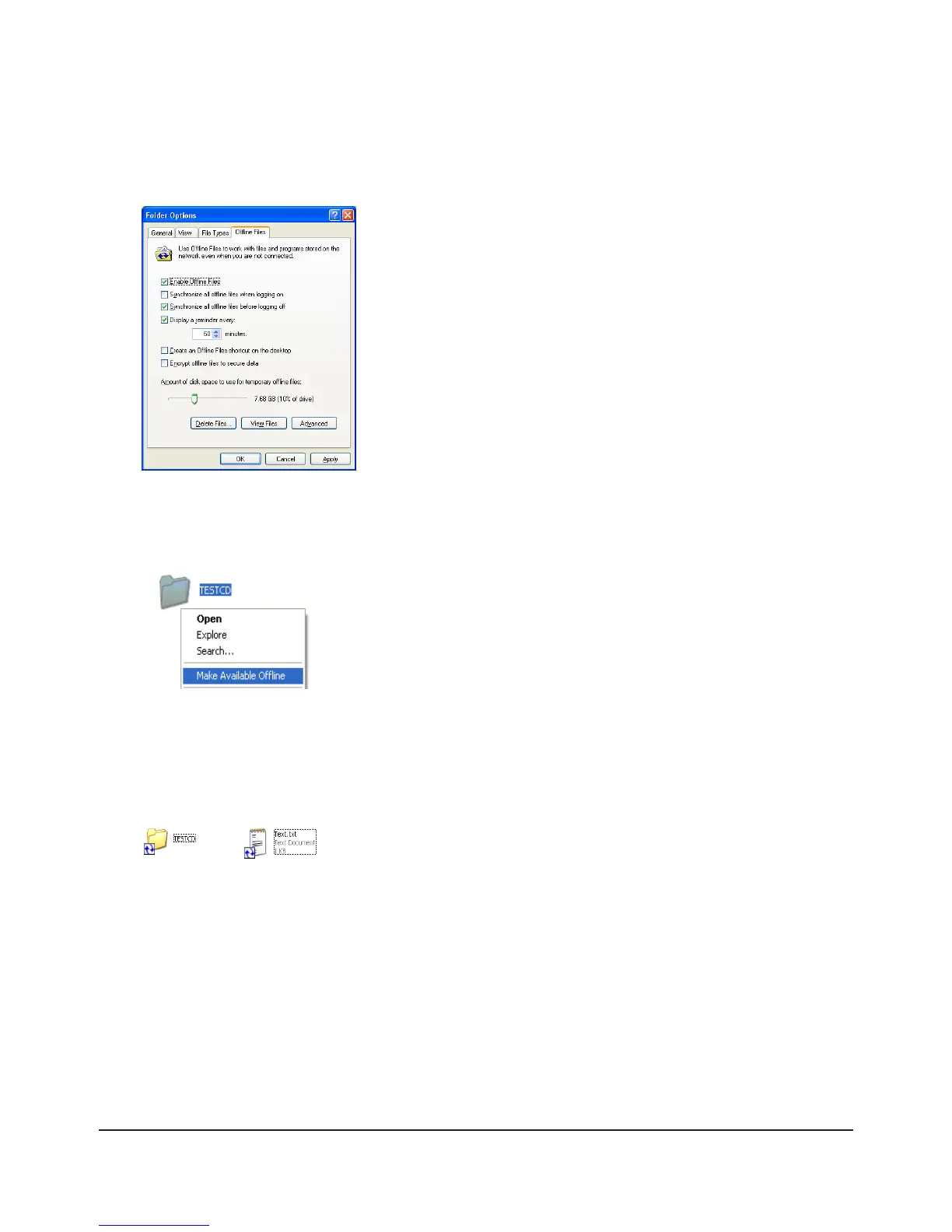
Open Windows folder. Select [Folder Options] from the [Tool] menu.4
Note:
Select [Control Panel] - [Folder Options] in Windows 2000 Server.
5
Note:
If [Fast User Switching] in Windows XP is enabled, the screen above will not be displayed. In such a case, open
[User Accounts] in the [Control Panel] and uncheck [Use Fast User Switching].
6
When the Oine File Wizard opens, follow the instructions on the screen to congure. For more information, 7
refer to the Windows Help File.
After conguration, your oine les and folders display as below (from Windows XP). 8
Click [Oine Files] tab.1
Click [Enable Oine Files].2
Click [OK].3
Right-click on the icon of the shared folder on the TeraStation you have 1
set the oine feature for.
Click [Make Available Oine].2

















 To Next Page