49
Replacing the OTA
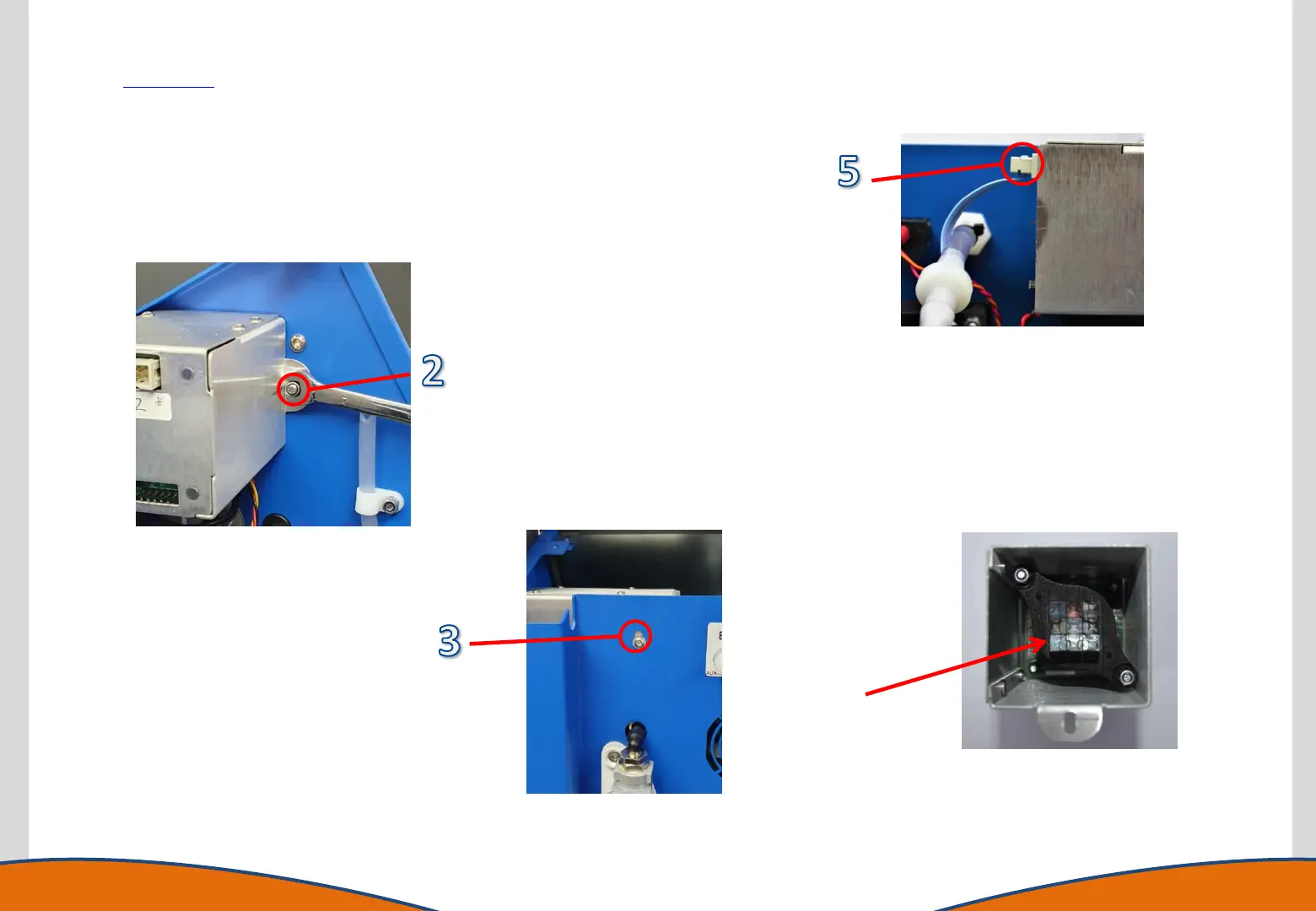
1. Gain access to the instrument enclosure as previously described.
2. Remove internal fixing screw using a 7mmAF spanner or nut spinner.
3. Remove the screw in the rear panel fixing using a T20 Torx driver.
4. Remove the Optical Train Assembly, taking care not to touch the optical face.
5. Disconnect the ribbon cable.
6. To replace, reverse the procedure.
Optical face
DO NOT TOUCH



 To Next Page