76
Upgrading to ‘AFHS enabled’
1. Gain access to the instrument enclosure as previously described.
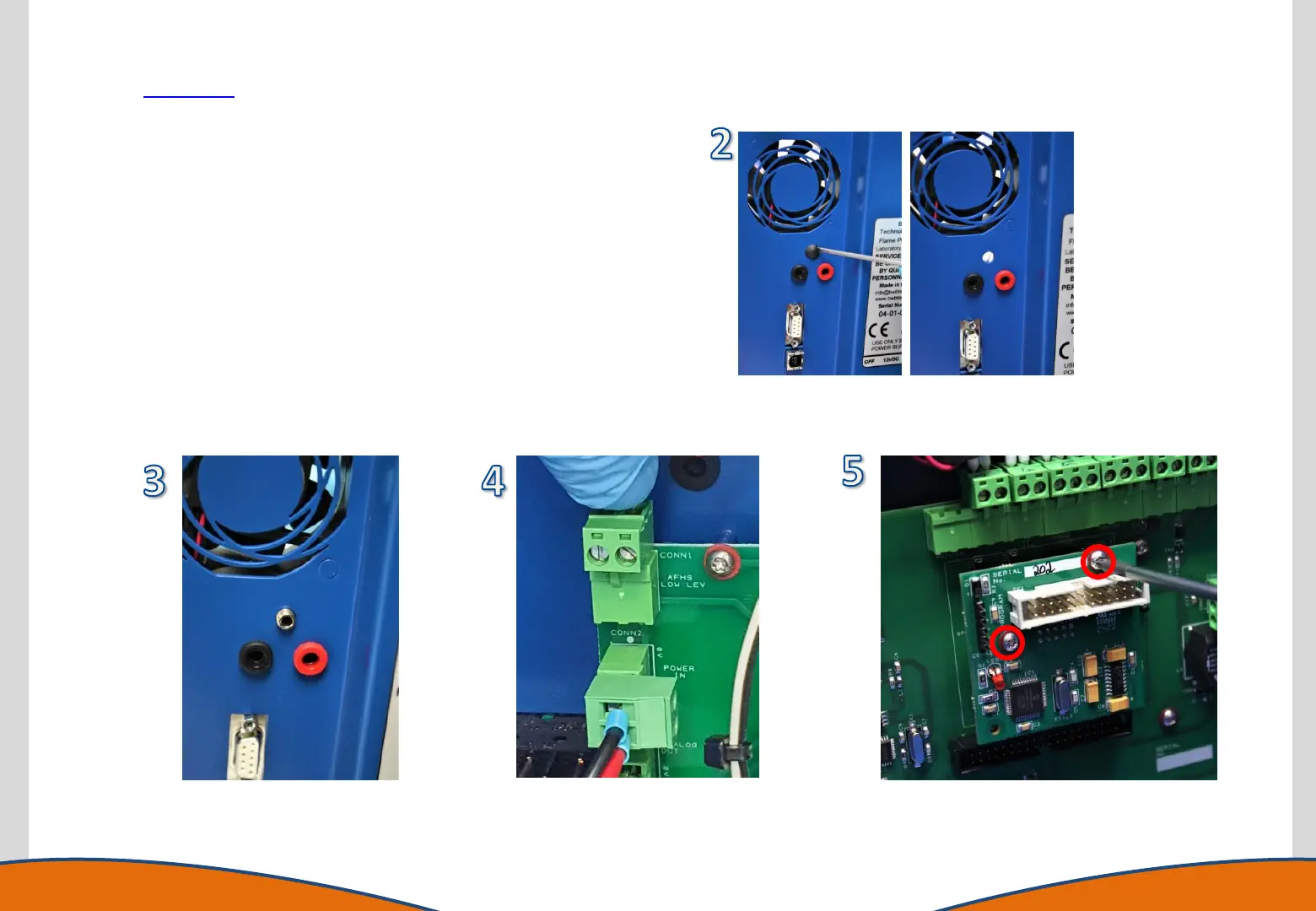
2. Remove the blanking grommet from the rear of the instrument by
pushing it out from the inside.
3. Insert the AFHS Reservoir Low Level socket assembly as provided in the
kit of parts. Secure this using the supplied nut.
4. Plug the low level socket into the connection on the marshalling board
as identified.
5. Plug the AFHS interface PCB into the socket on the marshalling board
and secure it in place using the 2 supplied screws in the holes as
identified in the image.
6. Reassemble the instrument.
7. The AFHS functionality will need enabling in the Interfaces menu within
the menu structure of the instrument.



 To Next Page