75
Replacing the Printer
1. Gain access to the instrument enclosure as previously described.
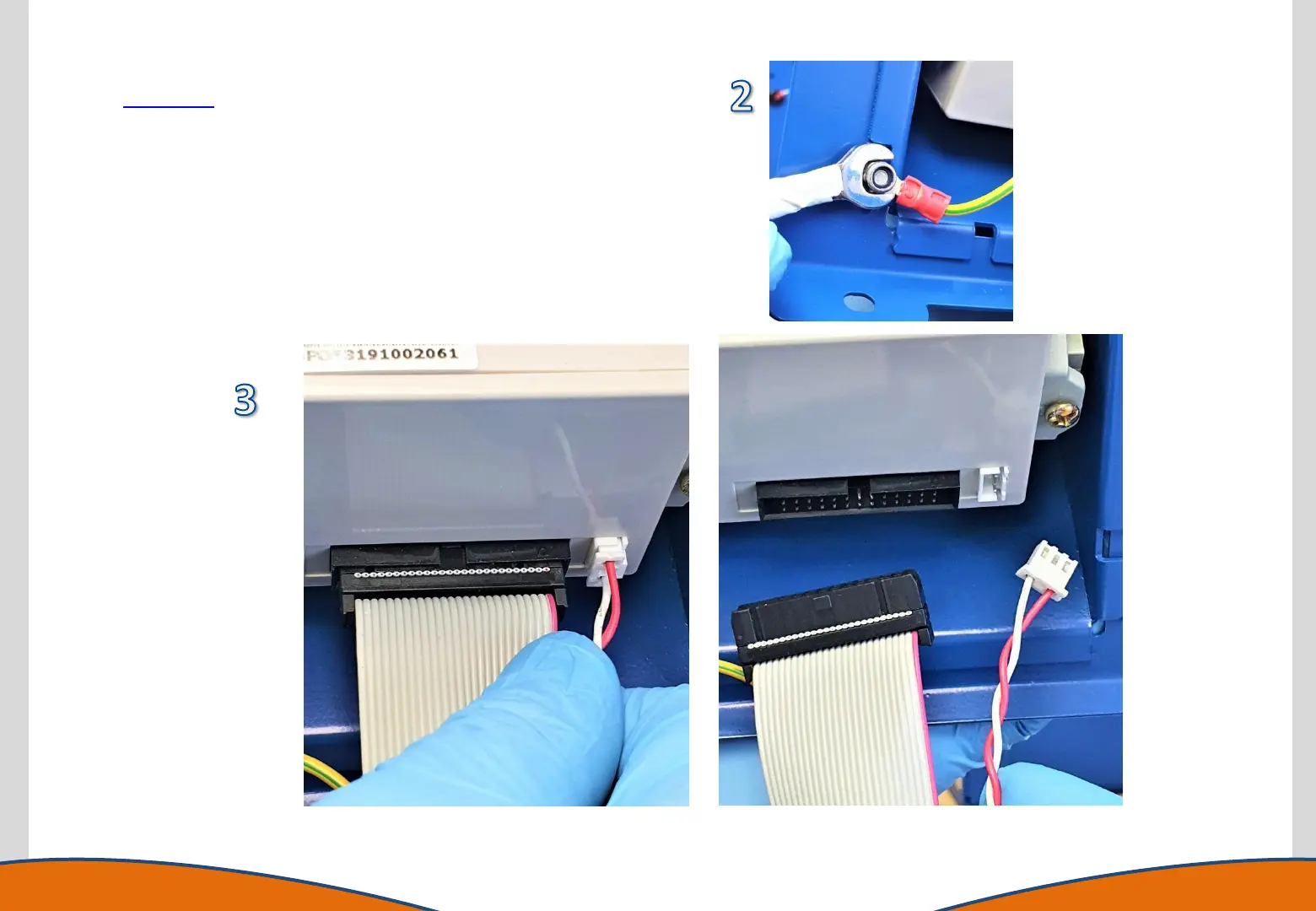
2. Remove the earth cable from the printer housing.
3. Disconnect the power cable and ribbon cable from the printer.
4. Replace the printer enclosure with the new component.
5. Refit the earth cable and cable connections.
6. Reassemble the instrument.



 To Next Page