52
Replacing the Air Compressor
1. Gain access to the instrument enclosure as previously
described.
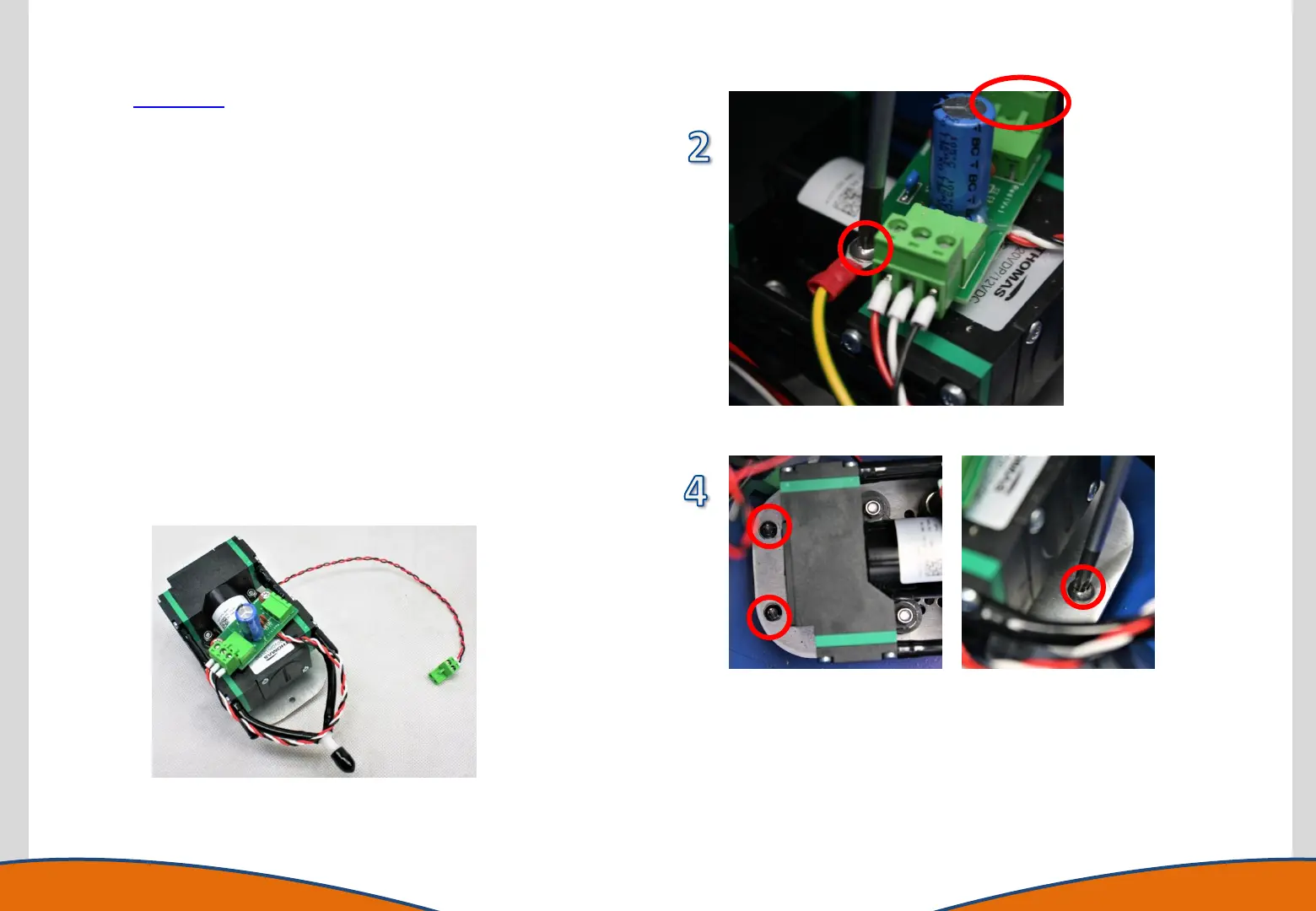
2. Disconnect the power to the pump and remove the earth
cable
3. Disconnect the pump fan from the Marshalling PCB.
4. Cut the cable tie and remove the air inlet air outlet tubes.
5. Identify the 3 securing screws and remove the pump
assembly using a T20 Torx driver.
6. Replace the pump assembly and refasten the screws.
7. Reconnect the inlet and outlet tubes
8. Reconnect the electrical supply to the pump.
9. Reconnect the Pump Fan power supply to the Marshalling
PCB.
It is advised that an operational test of the pump is performed
before completely securing the instrument enclosure. Gently
place the Front Panel back into position and power the
instrument on. Navigate to the Maintenance Menu and Run
Compressor. Ensure the compressor runs as expected.
The instrument can now be closed and secured.
The Pump Assembly



 To Next Page