21
EN
Registration
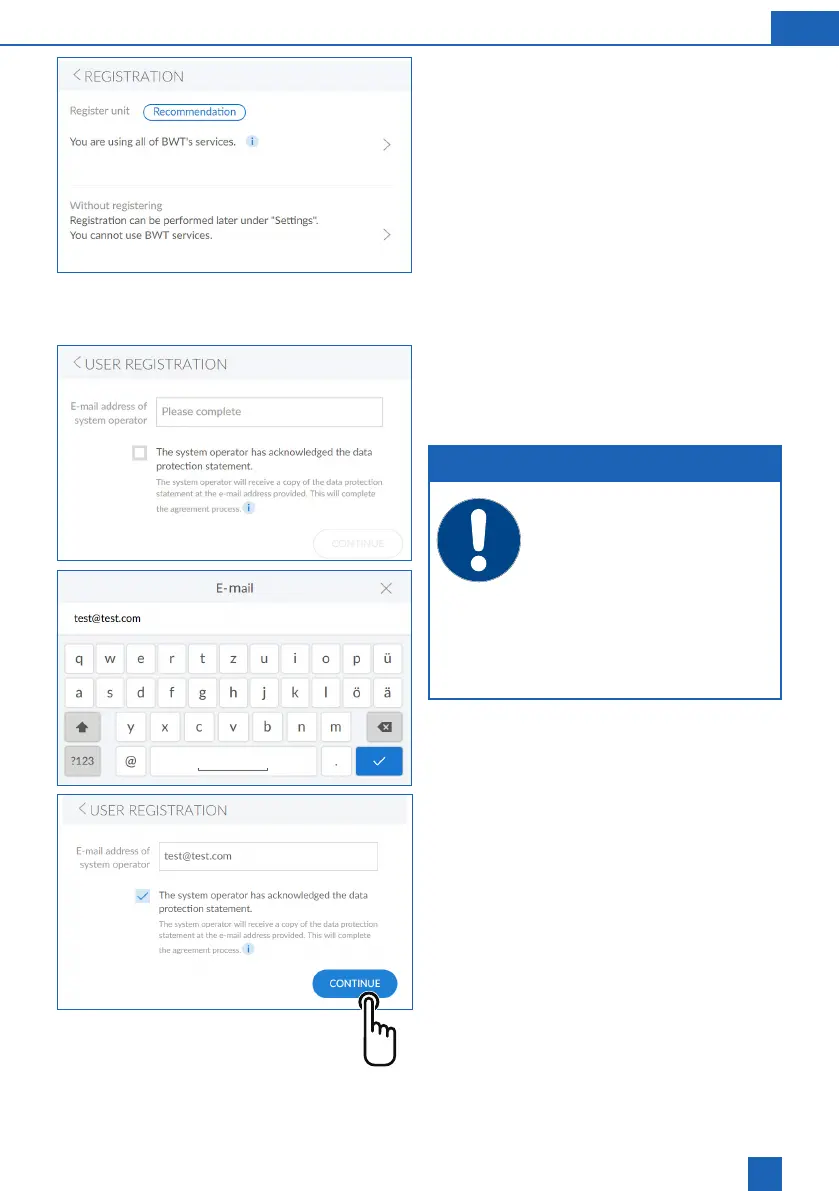
If you want to register your device now:
At the top right, press >
Following screen:
User registration
Registration can be skipped and resumed later.
If you do not want to register your device now:
At the bottom right, press >
User registration
Tap inside the text box. A keypad is displayed.
NOTE
If the registration was unsuccessful,
please wait one hour and then try again.
To successfully register, complete the
steps described in the e-mails you
receive.
To repeat the registration, this procedure
must be repeated in its entirety to con-
nect the device.
the e-mail address.
Select the privacy policy checkbox.
Press
CONTINUE
Following screen:
Entering the postcode



 To Next Page