20
EN
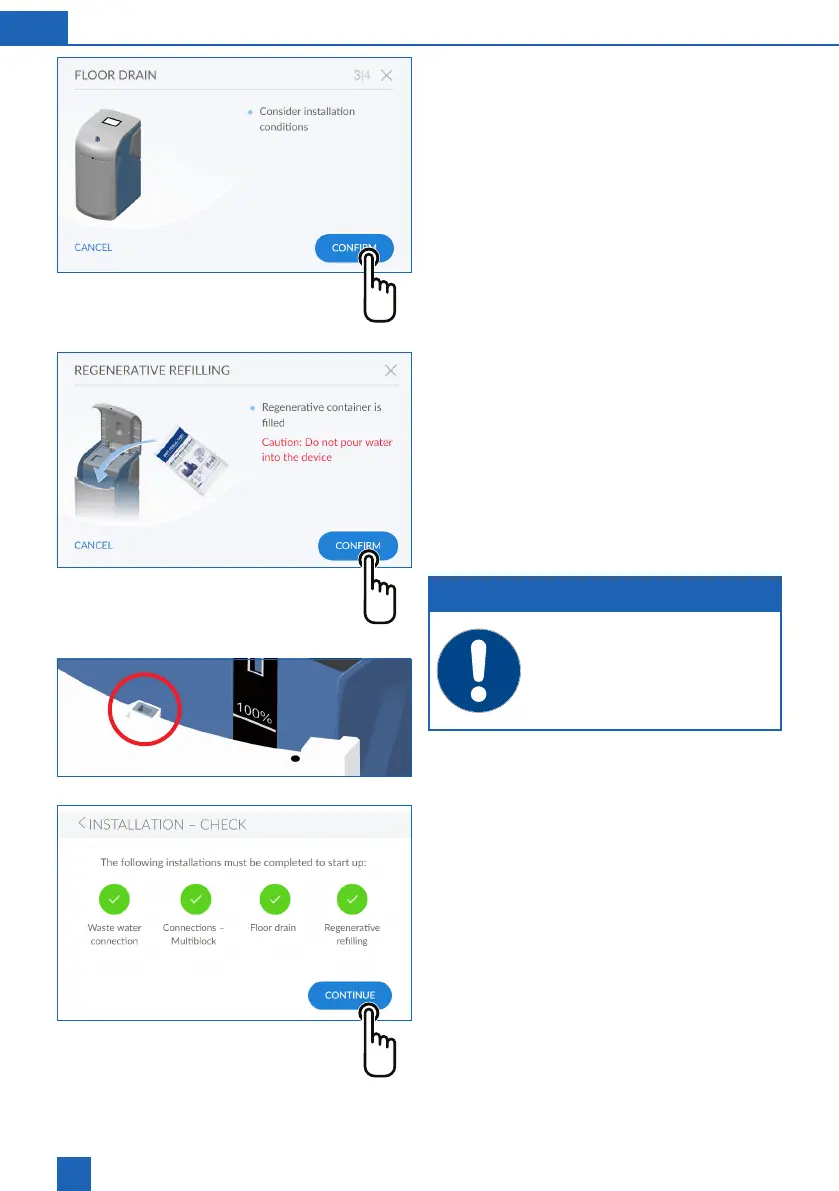
Installation check 3/4
Installation check 4/4
Check the level of the regenerative.
Caution: Do not pour water into the device!
Press
CONFIRM
Following screen:
Installation check
NOTE
When lling the regenerative, make sure
that no dirt gets into the locking mecha-
nism (red circle).
Installation check
The installation check is completed successfully
when all four icons are green.
Press
CONTINUE
Device registration begins.
The start-up rinse runs in the background (lasts
approx. 10 minutes).
Following screen:
Registration



 To Next Page