Section 2: Pump Setup and Programming
Pump Setup &
Programming
12
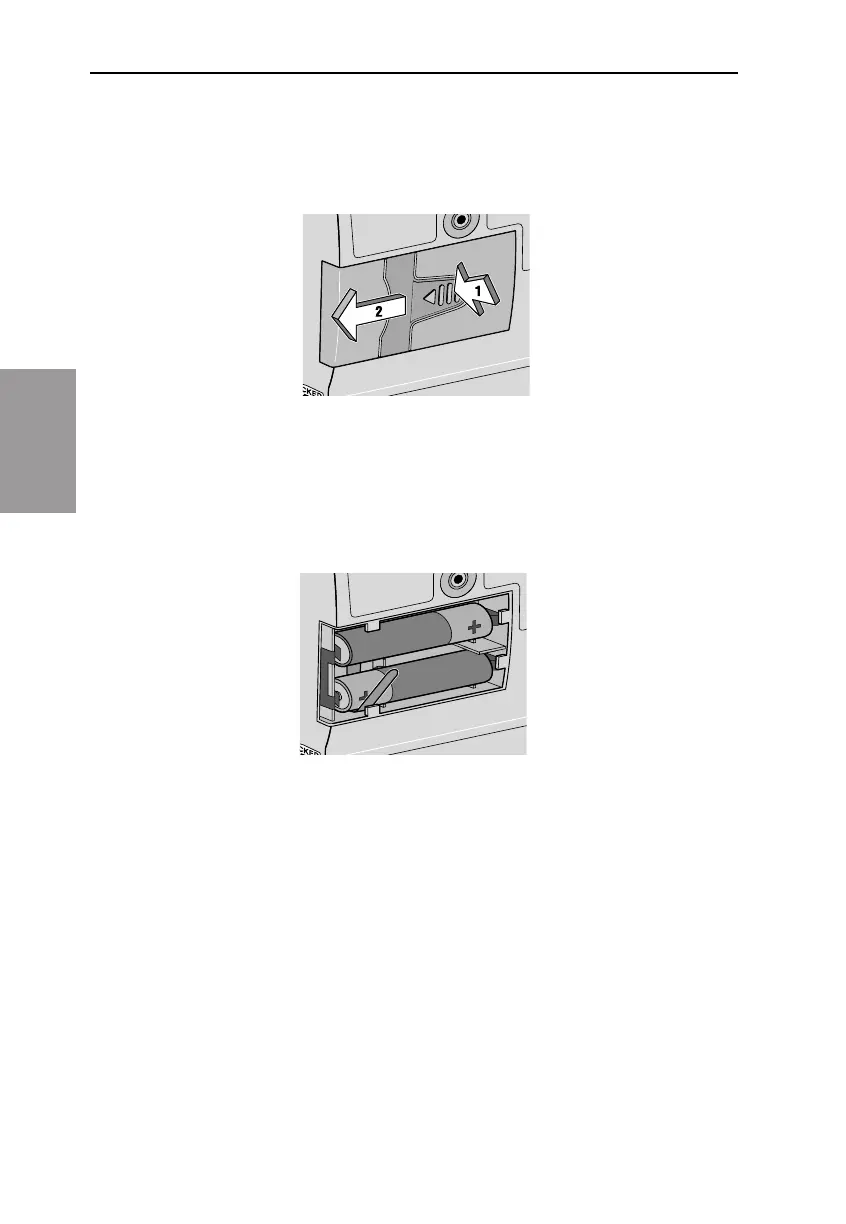
In order to install or replace the batteries, be sure the pump is Stopped.
en, follow these steps:
1. Push down and hold the arrow button while sliding the door o.
2. Remove the used batteries. Pulling on the end of the battery strap
will make battery removal easier.
3. Install the new batteries in the compartment, making sure the bat-
tery strap is positioned correctly under the batteries.
NOTE:
• Be sure to match the polarity markings of the new batteries (+ and –)
with those labeled in the battery compartment. If you put the batter-
ies in backwards, the display panel will be blank, and you will not
hear a beep.
• Use 2 new, AA (IEC LR6) alkaline batteries to power the pump. You
may use any alkaline batteries, including DURACELL® Alkaline and
EVEREADY® ENERGIZER® Alkaline, for example.



 To Next Page