Equipment Overview
6
CAECathLabVR
PN: 905K400652
Monitors
The CathLabVR comes standard with two flat screen monitors. This dual monitor setup allows users
to view their progress and different functions during the simulation with efficiency and accuracy.
Monitor Power Cable
The CathLabVR contains one monitor power cable with two female receptors, each connecting to a
separate monitor.
Monitor DVI Cables
The CathLabVR includes two monitor DVI cables which connect the monitors to the computer.
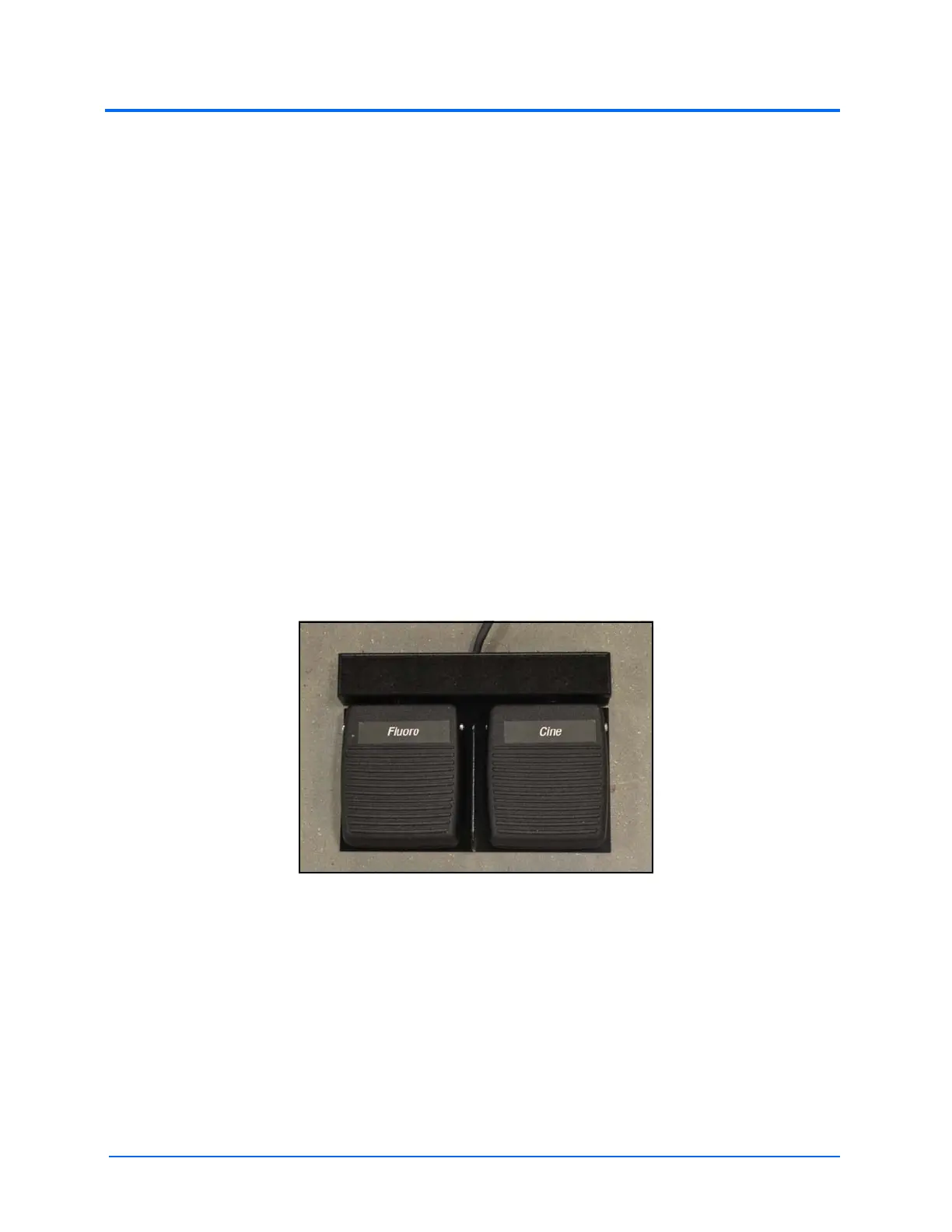
Foot Pedals
The dual foot pedals connect directly to the back of the manikin and serve as a necessary tool for
completing most simulations on the CathLabVR. The Cine (pronounced “sin-nee”) pedal captures
video clips of actions being performed during a procedure. The Fluro pedal controls the distribution
of x-ray from the C-Arm during a procedure.
Note: In all procedures of the CRDM module, the Fluoro feature is activated by the RIGHT pedal and
the Cine feature is activated by the LEFT pedal.
The Foot Pedals
Accessories
The CathLabVR base unit comes with three tool kits of accessories: the Embolic Protection Tool Kit,
Vascular Tool Kit and the CRDM Tool Kit. The accessories are provided for use in the different learning
modules.



 To Next Page