Using the Simulator
36
CAECathLabVR
PN: 905K400652
Using the Control Box
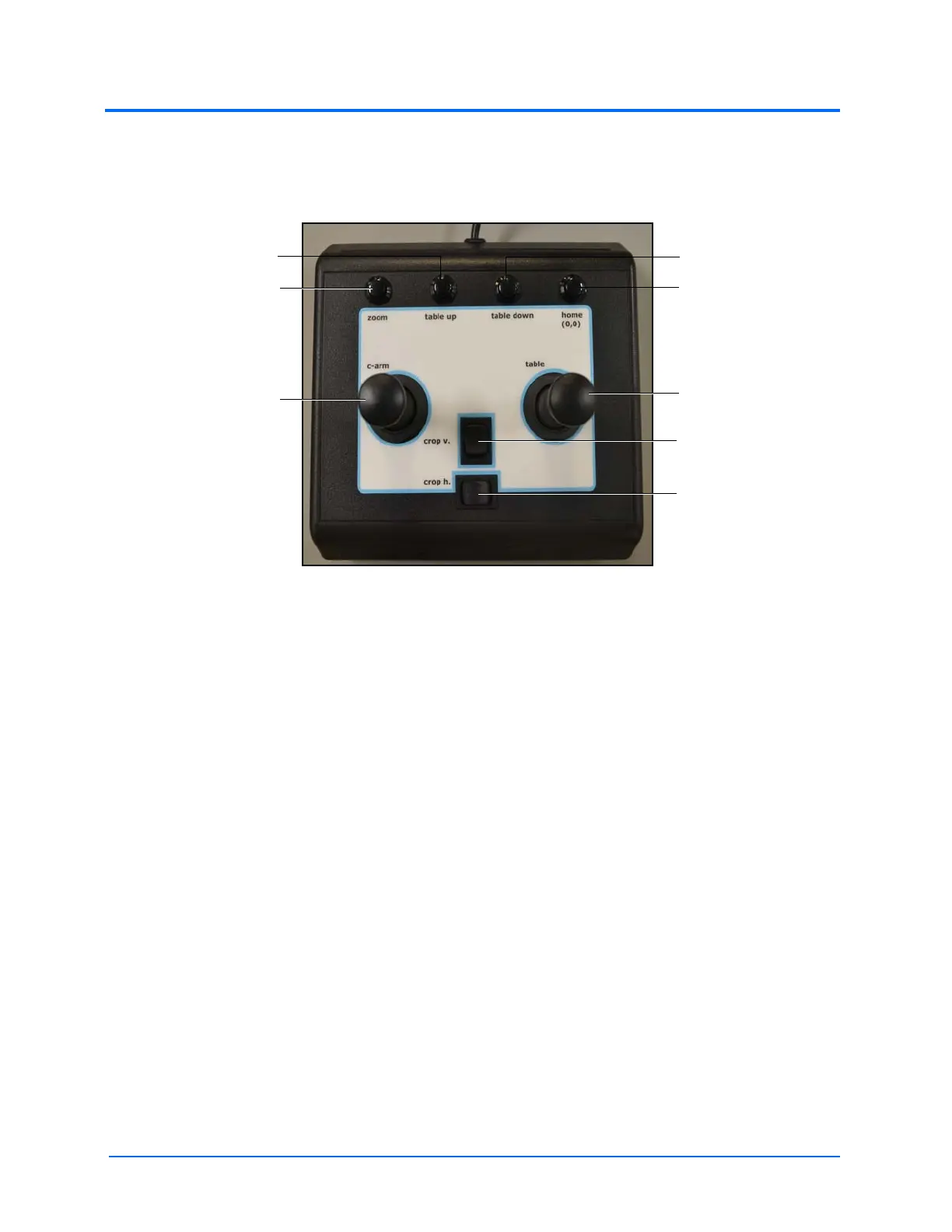
The control box allows users to adjust different C-Arm and Table settings.
The Control Box
• Push the Zoom button to zoom in on an x-ray image
• Push the Table Up button to raise the height of the table in the c-arm glyph
• Push the Table Down button to lower the height of the table in the c-arm glyph
• Push the Home button to return the C-arm and table to the home position
• Use the Crop V toggle switch to widen or narrow the shutter opening with respect to the
cranial/caudal axis
• Use the Crop H toggle switch to widen or narrow the shutter opening with respect to the
left/right axis
• Use the Table joystick to rotate the table position
• Use the C-Arm joystick to rotate the c-arm position
The crop vertical
toggle switch
The crop
horizontal
toggle switch
The table
joystick
The c-arm
joystick
The zoom
button
The home button
The table down button
The table up button



 To Next Page