EasyManua.ls Logo

CAE CathLabVR Simulator - Interface Overview

CAE CathLabVR Simulator
95 pages
Print Icon
To Next Page IconTo Next Page
To Previous Page IconTo Previous Page
Loading...
Using the Simulator
12
CAECathLabVR
PN: 905K400652
Interface Overview
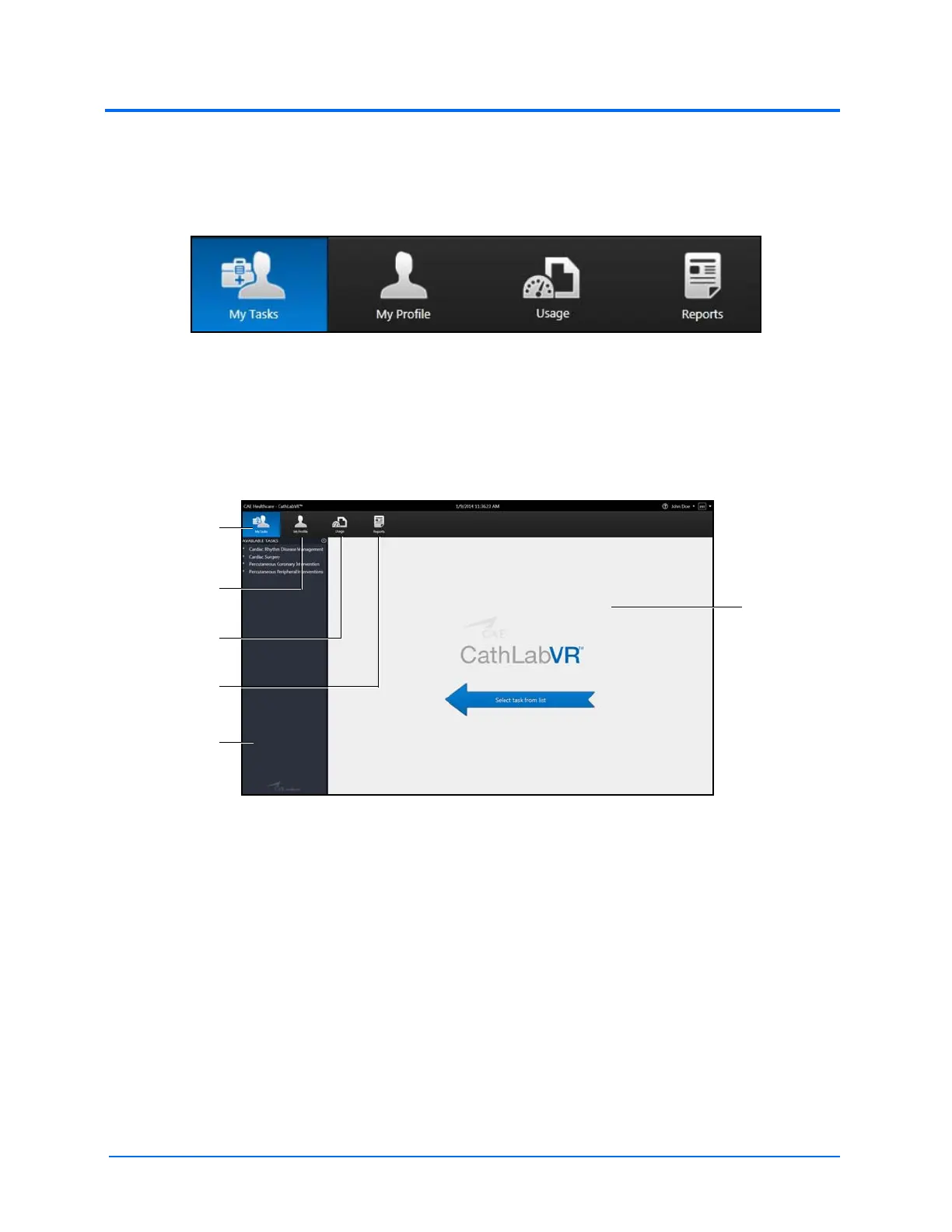
The CathLabVR user interface contains a dashboard of icons that represent the tools available to
users.
The Icon Dashboard
When an icon is selected, the icon will appear blue and the associated content will appear in the main
screen on the interface. The left panel contains is a list of options for users.
The My Tasks icon is selected by default and referred to as the Home screen when users first login to
the software.
The Home Screen
The My Tasks
icon
The My Profile
icon
The Usage
icon
The Reports
icon
The main
screen
The Available
Tasks panel

Table of Contents

Related product manuals