Using the Simulator
29
PN: 905K400652
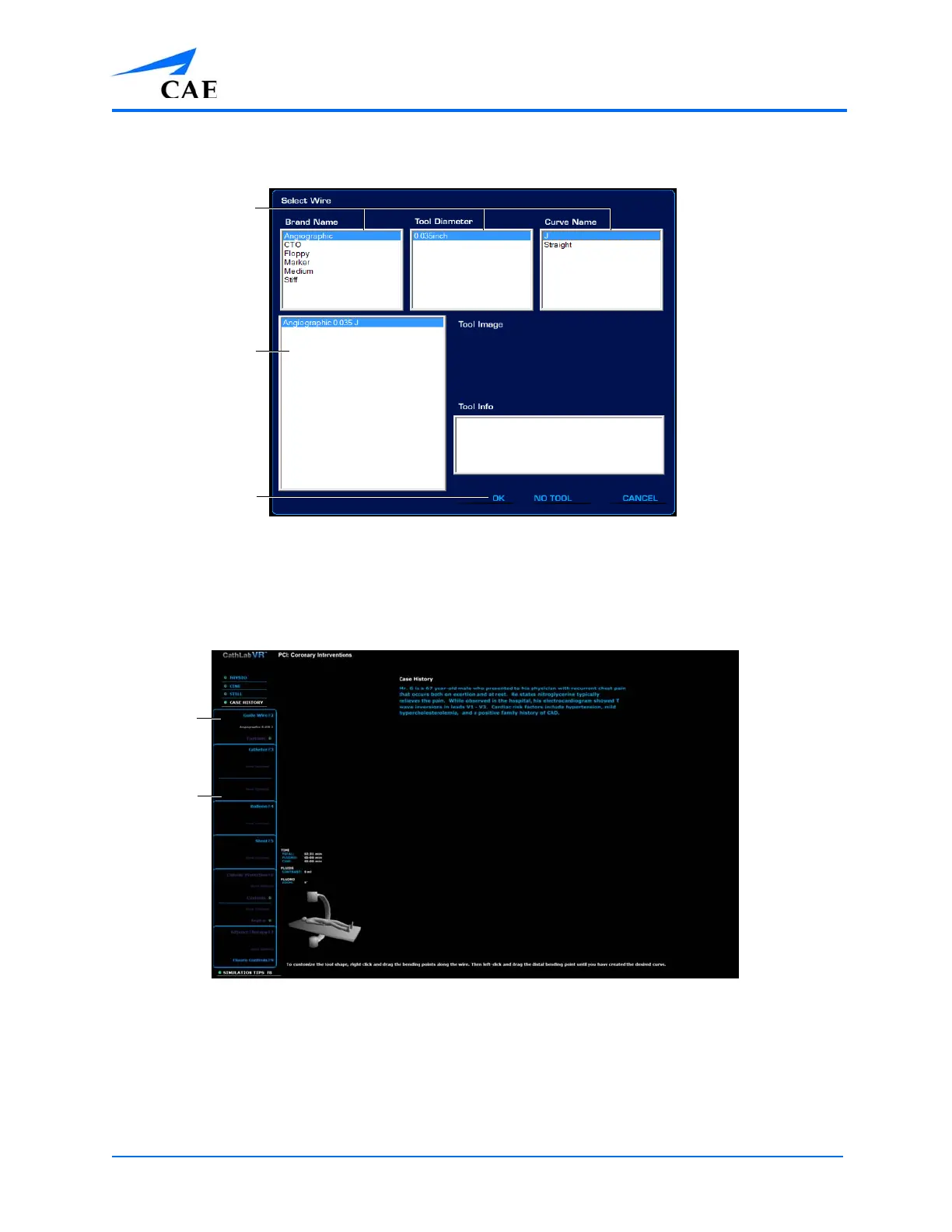
2. Select different options from the options panel to narrow the tool options in the filter
results panel
The Tool Selection Window
Users can also select a tool directly from the filter results panel without selecting
different options.
3. Click OK to select the tool
The Simulation Screen - Guidewire Selected
The physical tool can now be inserted into the simulator.
The options
panels
The filter
results panel
The OK button
The selected
guidewire
The tool
selection
panel



 To Next Page