©2023 CAE 905K600152 v1.4 77
Using Juno
To attach the alternate chest skin:
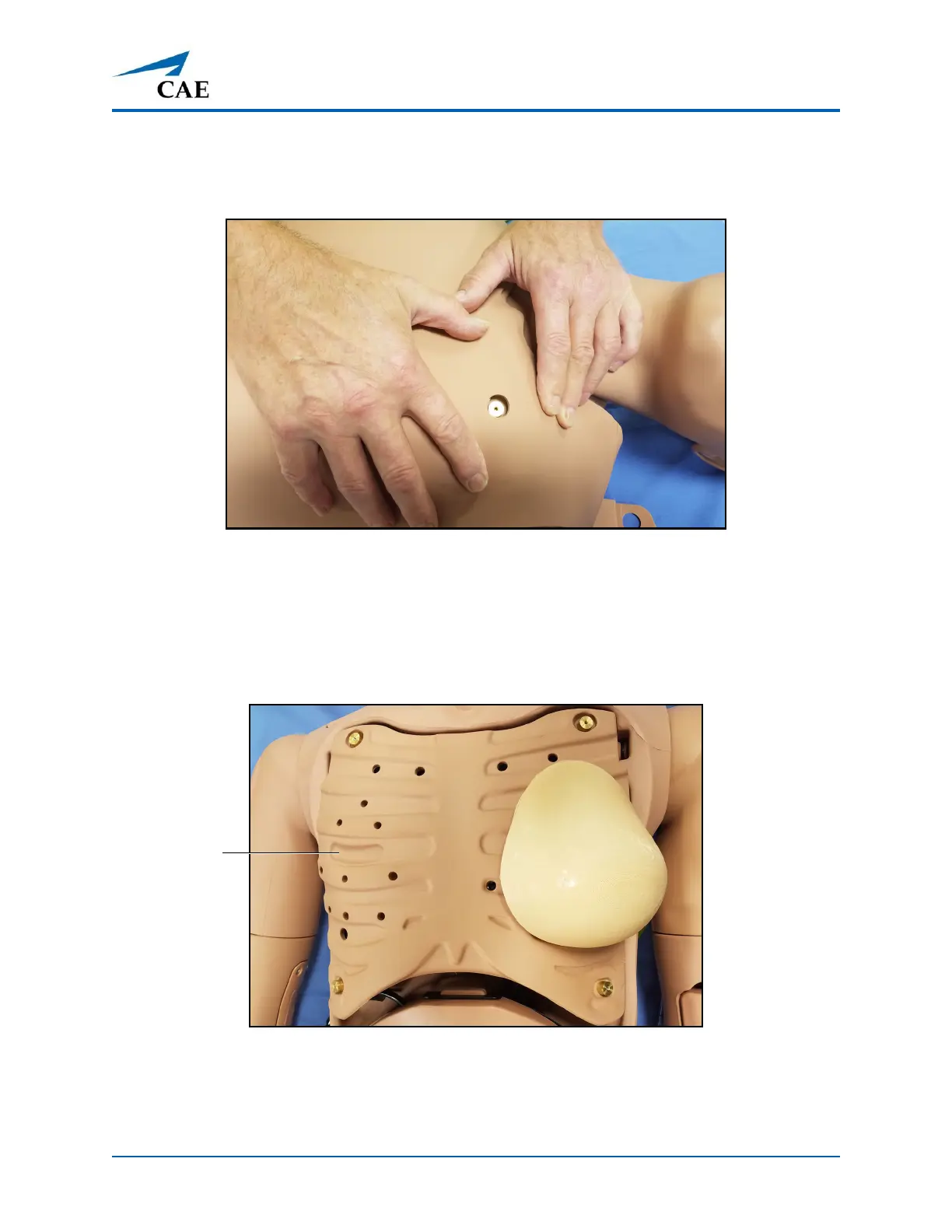
1. Position the new chest skin on the manikin and align the ECG holes.
Aligning the ECG Holes
2. Attach the upper skin tabs to the upper skin anchors.
Note: If converting from male to female, place and align the breast foam inserts on the female’s chest
prior to placing the chest skin. Use the breast foam alignment guides on the manikin to assist with
proper placement.
Breast Foam Alignment Guide
3. Attach the lower skin tabs to the lower skin anchors.
4. Replace the wig (optional).



 To Next Page