AVALON GALLERIA Rev. 8 04/2013
www.cafection.com (800) 561-6162
14
INSTALLATION AND SERVICE MANUAL for AVALON Galleria and Quatro
Initial Setup
3.7 Electrical connection
This equipment must be installed in compliance with applicable Federal, State, Provincial
and/or Local electrical codes having jurisdiction.
Make sure: - The equipment is OFF before plugging it in,
- The equipment has its own electrical outlet and
- NO extension cord is used.
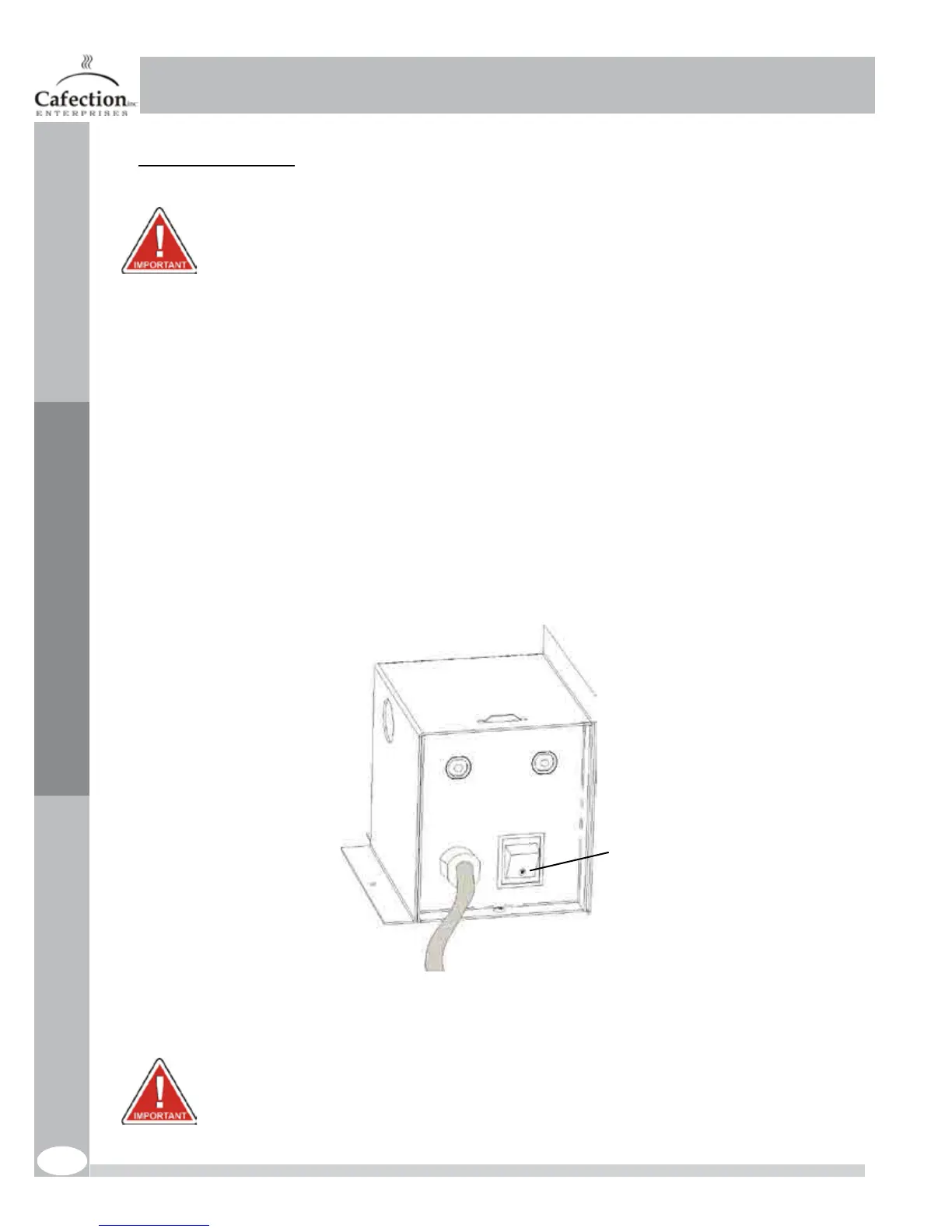
1. Make sure that the power switch in the back of the unit is in the OFF position before plugging in the unit;
2. Locate the unit’s 6 feet power cord and plug it into its own grounded electrical outlet;
3. Reach to the back of the brewer and toggle the power switch to the ON position. The front lights will turn
onandwaterwillautomaticallyenterthebrewer.Thetankwillllforupto2-3minutesmaximum.
4. Once the tank is full, it will take 10-15 minutes to heat the water to brewing temperature;
5. Oncethebrewingequipmentisready,theLCDwillindicate“Hi!MakeYourChoice”.
The main power switch turns the equipment ON and OFF. This switch should be turned
OFF when servicing any (AC line voltage) electrical components on the equipment.
OFFposition!



 To Next Page