AVALON GALLERIA Rev. 8 04/2013
INSTALLATION AND SERVICE MANUAL for AVALON Galleria and Quatro
47
www.cafection.com (800) 561-6162
Servicing Parts
7 SERVICING PARTS
This section is intended to assist you in servicing various parts of the unit.
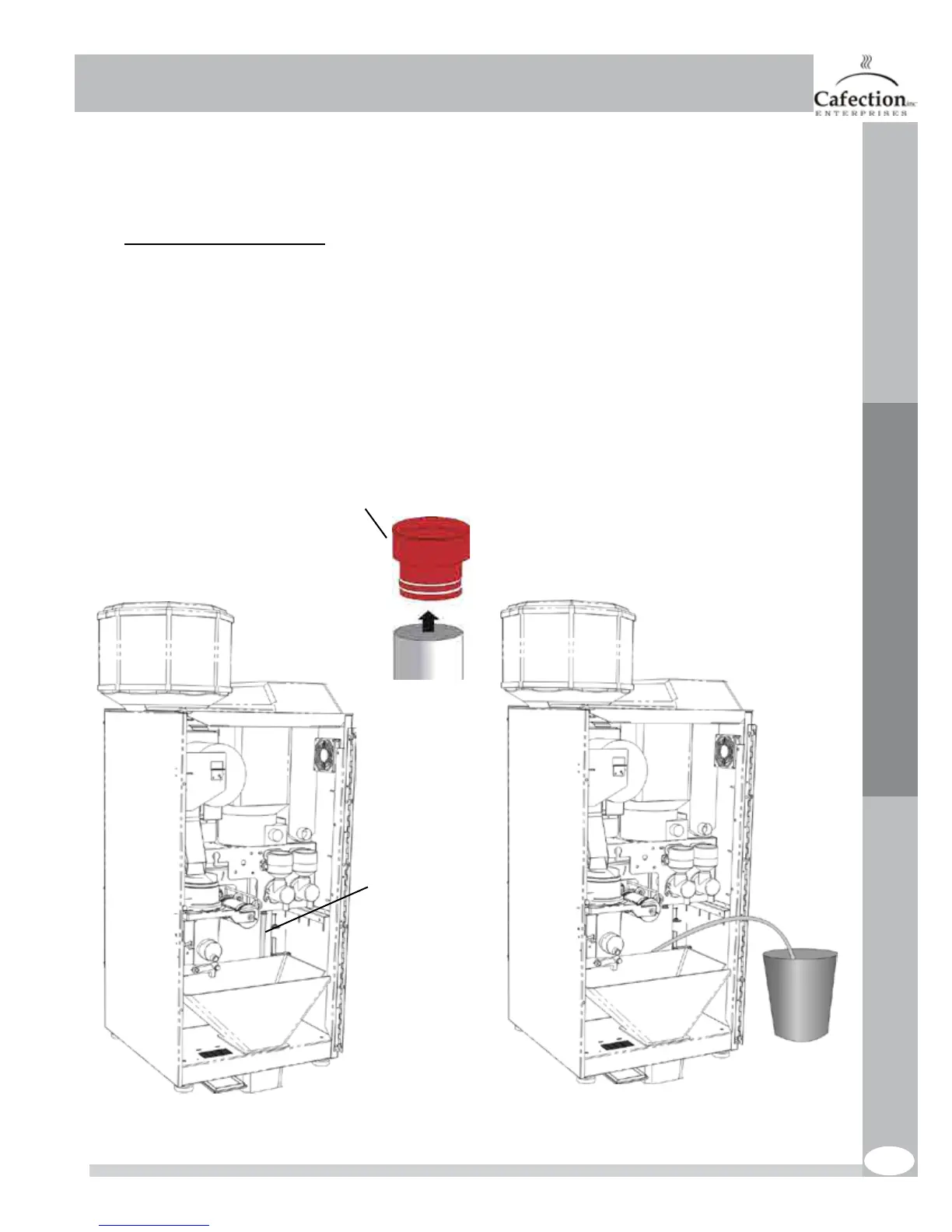
7.1 Draining the hot water tank
We recommend allowing 3 hours for the hot water to cool prior to emptying the tank. Make sure
you have a 0.8 gallon container suitable for holding hot water.
1. Turn off and unplug the brewer;
2. Turn off the main water supply to the machine;
3. Remove the back panel;
4. Locate the drain tube with a red plug;
5. Direct the tube into the pail and remove the red plug. Warning, water may be hot!;
6. Drain the water from the water tank completely;
7. Reinstall by repeating these steps in the reverse order.
Red plug
Drain tube



 To Next Page