2
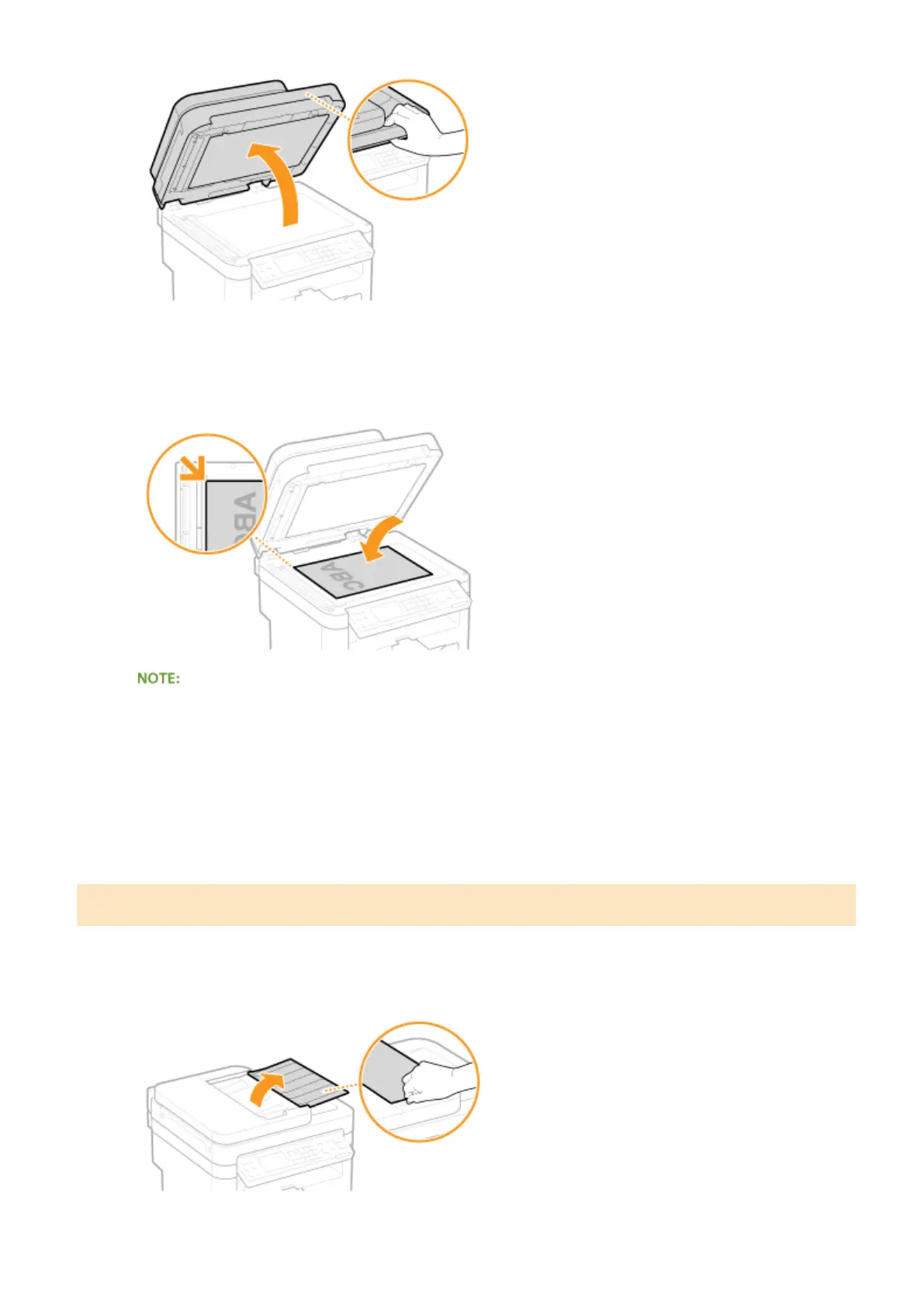
Place the document face down on the platen glass.
● Align the corner of the document with the top-left corner of the platen glass.
To scan transparent documents (for example, tracing paper or transparencies), cover them with plain white
paper.
3
Gently close the feeder or the platen glass cover.
● The machine is ready to scan the document.
● When scanning is complete, remove the document from the platen glass.
Placing Documents in the Feeder (MF244dw)
1
Open the document feeder tray.
Basic Operations
39












 To Next Page