Hard Disk
Managing Saved Jobs
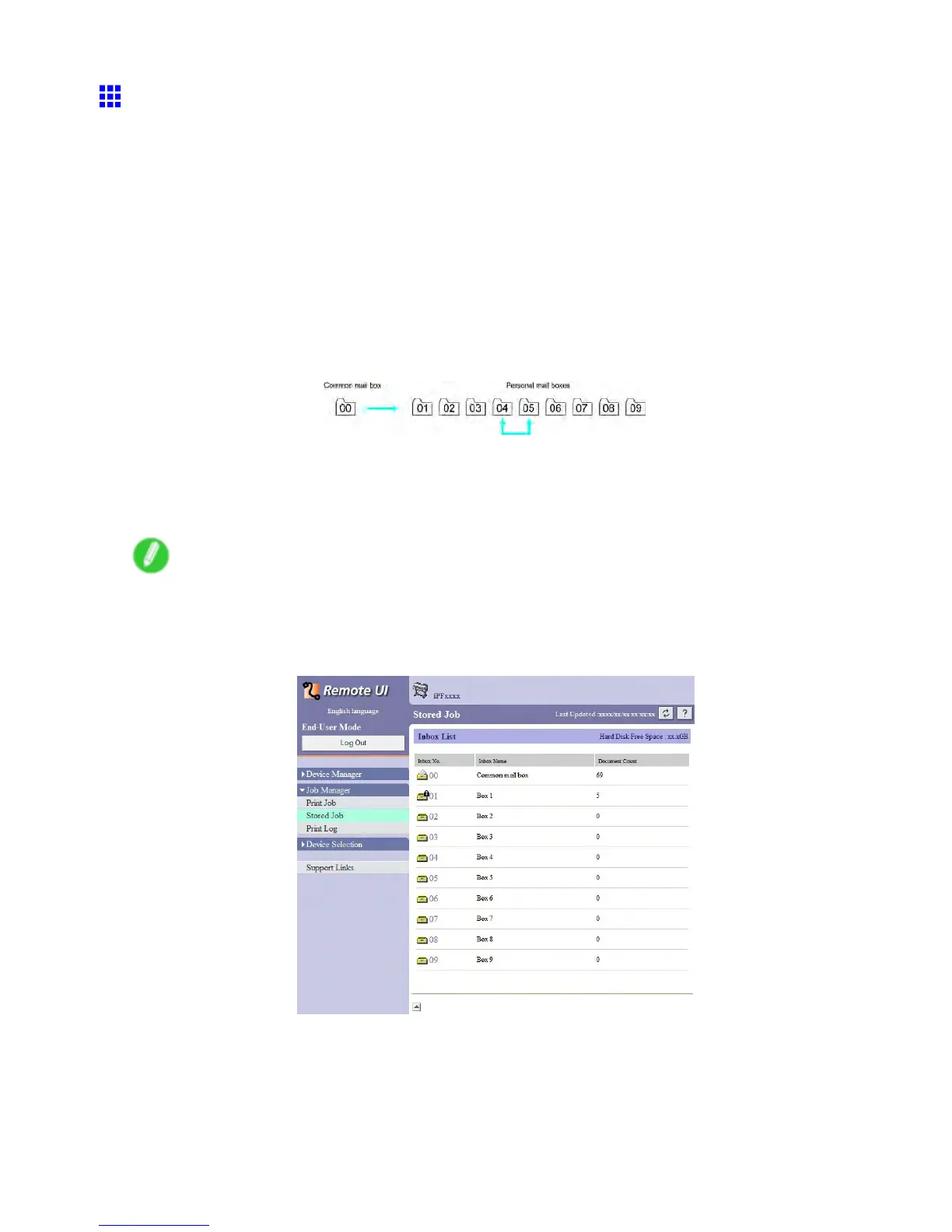
Moving saved jobs
Print jobs that you have saved in the Print format are saved in the Common Box, number “00” . However , jobs
in this mail box will be deleted one after another starting with the oldest job in the following situations.
• If there are more than 101 saved jobs in the Common Box and job queue combined
• If no more temporary storage space is available when jobs in the format Print or Print (auto delete)
are received
• If there is not enough space in the temporary or permanent storage area when jobs in the format
Save in mail box are received
Y ou can move jobs to Personal Boxes “01” to “09” to prevent them from being deleted. (Up to 100 jobs can
be stored here.)
Y ou can also move saved jobs from one Personal Box to another .
Y ou can move stored print jobs as follows.
• Using RemoteUI
• Using imagePROGRAF Status Monitor (Windows)
• Using imagePROGRAF Printmonitor (Macintosh)
Note
• Jobs saved in Personal Boxes cannot be moved to the Common Box.
(Using RemoteUI )
1. On the Stored Job page, choose the mail box.
90 Printer Parts


 To Next Page
 Loading...











