T iling and multiple pages per sheet
Printing Multiple Pages Continuously (Mac OS X)
This topic describes how to print multiple pages as a single continuous image, without margins between pages.
Important
• This feature is only available with rolls. It cannot be used when printing on sheets.
• During banner printing, settings for conserving paper , number of copies, borderless printing,
enlargement or reduction, and other layout-related settings are disregarded.
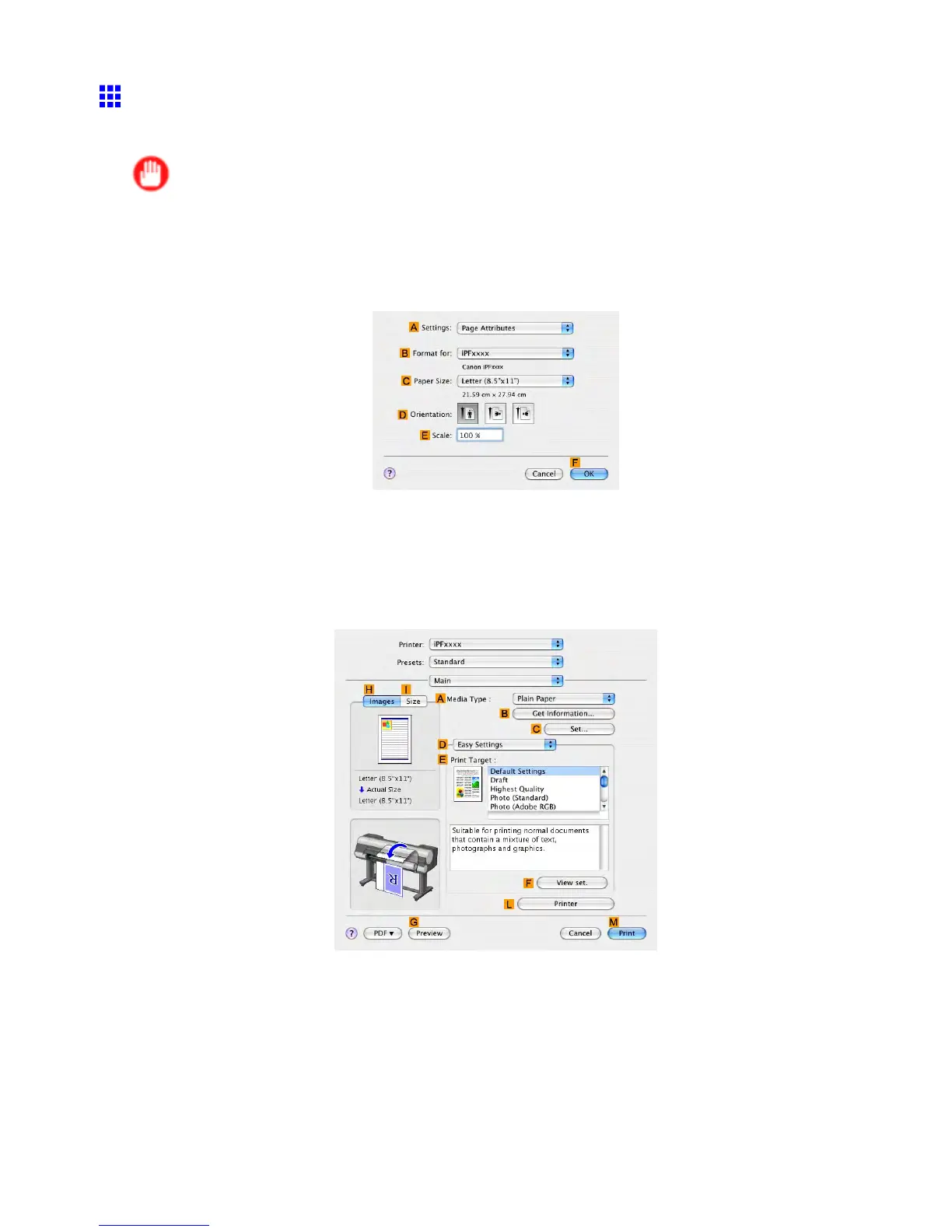
1. Choose Page Setup in the application menu to display the Page Attribute dialog box.
2. Select the printer in the B Format for list.
3. Click the original size in the C Paper Size list.
4. Click F OK to close the dialog box.
5. In the source application menu, choose Print .
6. Access the Main pane.
7. In the A Media T ype list, click the type of paper that is loaded.
8. Make your selection in the E Print T arget list.
430 Enhanced Printing Options



 To Next Page
 Loading...










