Centering originals
Printing Originals Centered on Sheets (W indows)
This topic describes how to reduce an original 50% for printing centered on a sheet.
• Document: Any T ype
• Page size: A4 (210.0 × 297.0 mm)/Letter (8.3 × 1 1.7 in)
• Paper: Sheets
• Paper type: Plain Paper
• Paper size: A4 (210.0 × 297.0 mm)/Letter (8.3 × 1 1.7 in)
1. Choose Print in the application menu.
2. Select the printer in the dialog box, and then open the printer driver dialog box. ( → P .538)
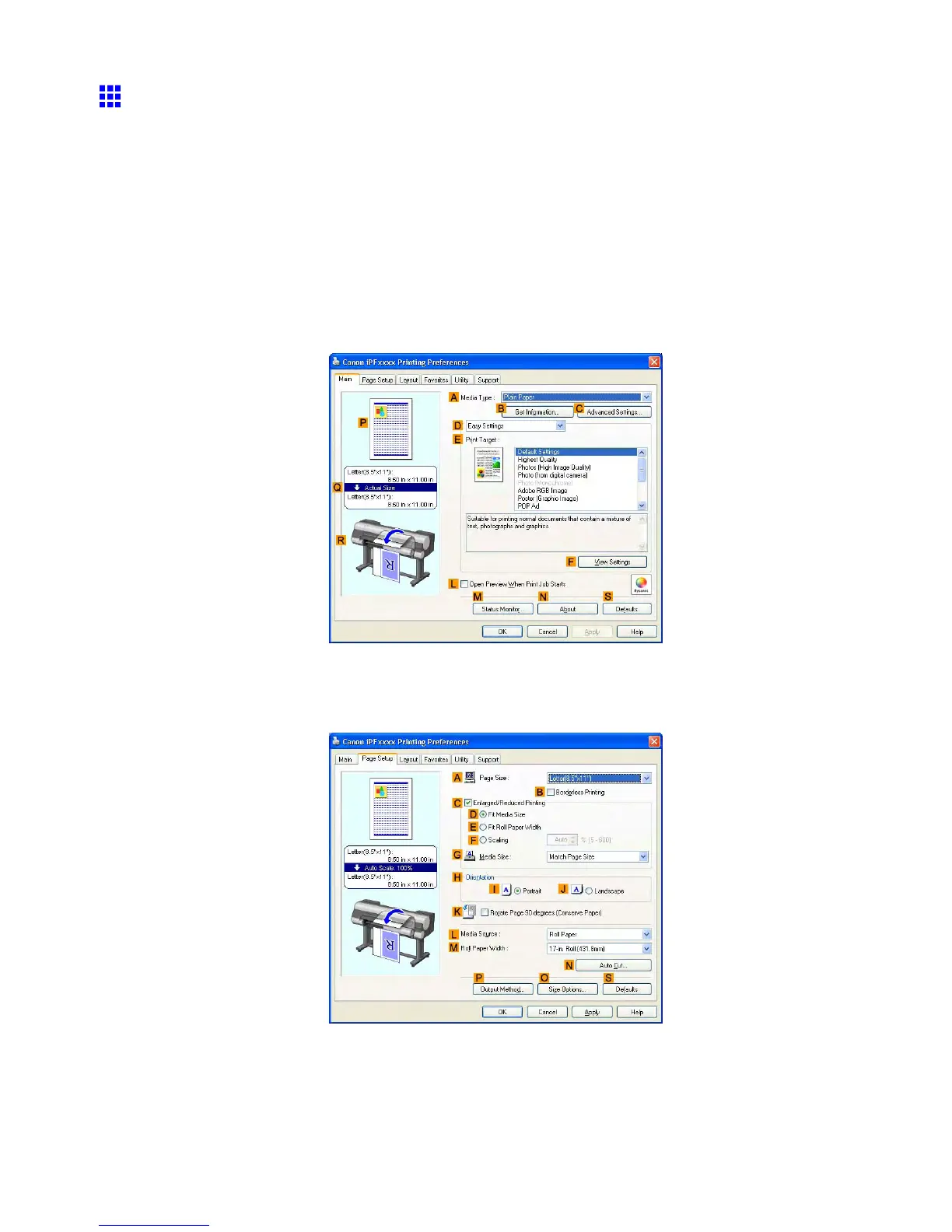
3. Make sure the Main sheet is displayed.
4. In the A Media T ype list, select the type of paper that is loaded. In this case, click Plain Paper .
5. Select the printing application in the E Print T arget list.
6. Click the Page Setup tab to display the Page Setup sheet.
7. In the A Page Size list, click the size of the original as specied in the application. In this case,
click ISO A4 or Letter (8.5"x1 1") .
452 Enhanced Printing Options



 To Next Page
 Loading...










