Handling rolls
Loading the Roll in the Printer
Note
• Remove any loaded paper that will not be used.
• Roll (→P .184)
• Sheet (→P .214)
• If the Platen is dirty , clean inside the T op Cover . ( → P .718)
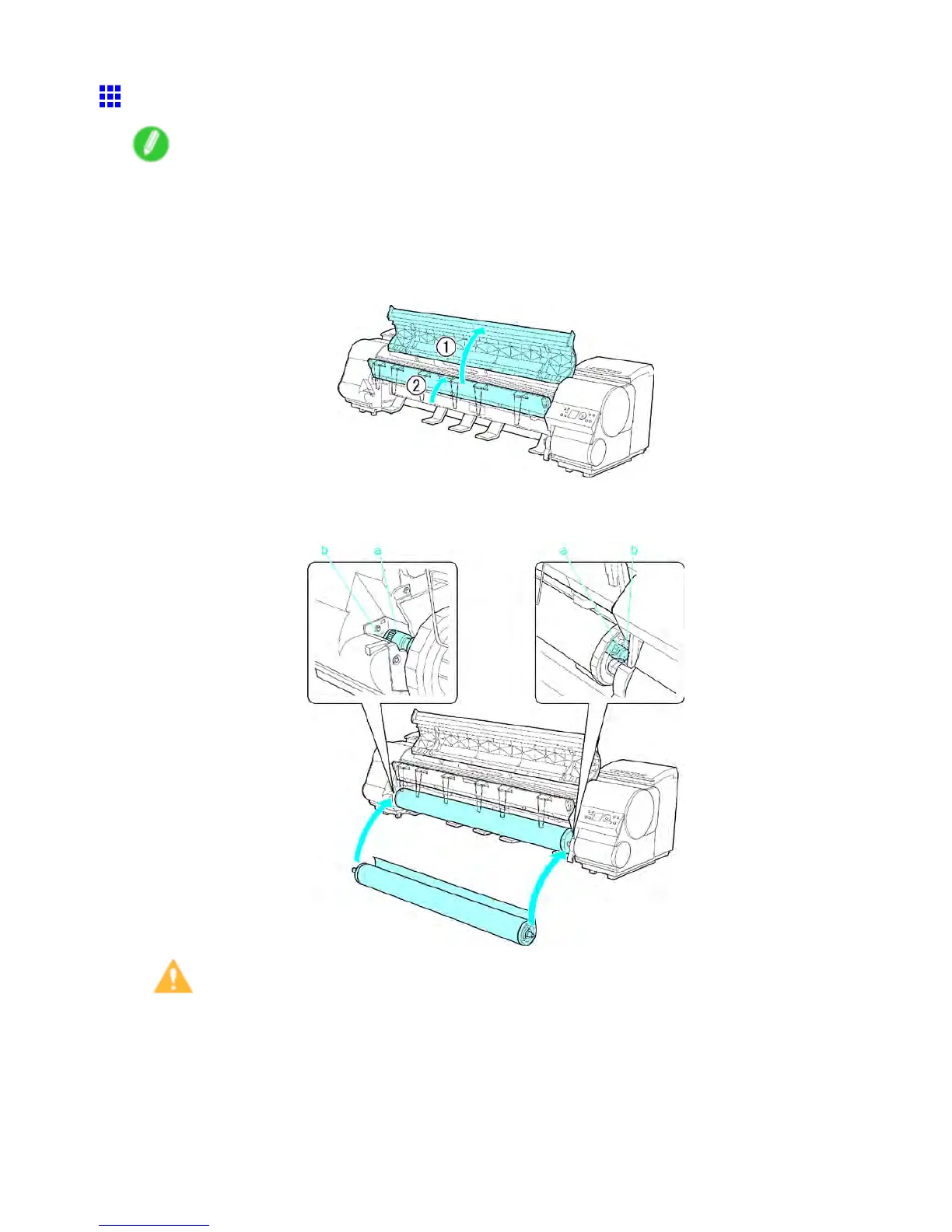
1. Open the T op Cover and lift the Ejection Guide .
2. With the edge of the roll paper facing forward as shown, insert the Roll Holder shaft (a) into the
guide grooves (b) of the Roll Holder Slot on both sides.
Caution
• Be careful not to drop a roll and hurt yourself when loading the roll.
• Be careful not to put your ngers between the guide grooves (b) and the Roll Holder shaft (a) when
loading roll. Otherwise, you may hurt yourself.
180 Handling Paper


 To Next Page
 Loading...











