Handling sheets for paper feed slots
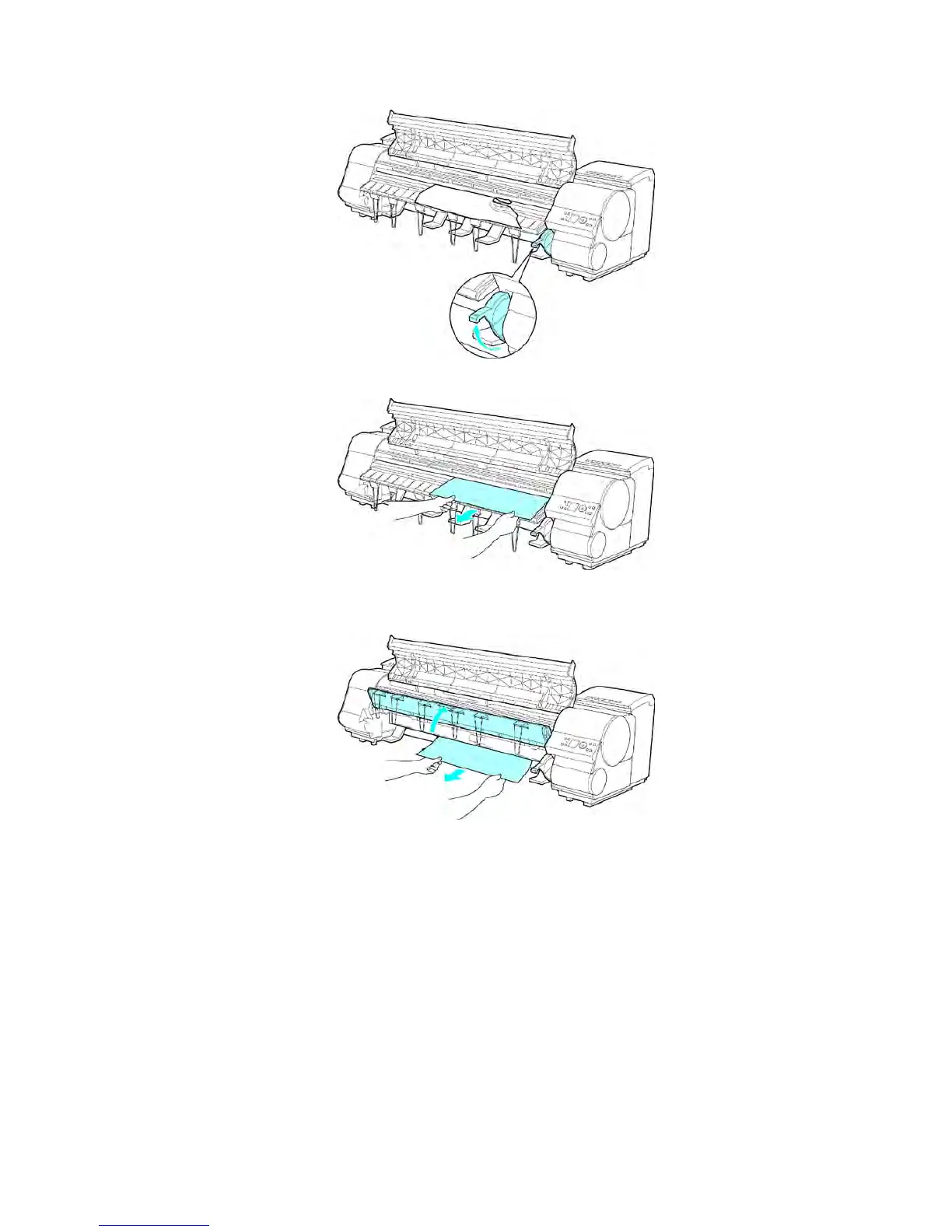
4. Lift the Release Lever .
5. If the paper is visible, grasp the paper and pull it forward.
6. If the paper is not visible, lift the Ejection Guide , remove the Roll Holder , and remove the
jammed paper from below .
After removing the paper , make sure there are no other scraps of paper in the printer , and
lower the Ejection Guide .
216 Handling Paper


 To Next Page
 Loading...











