Printing banners or at other non-standard sizes
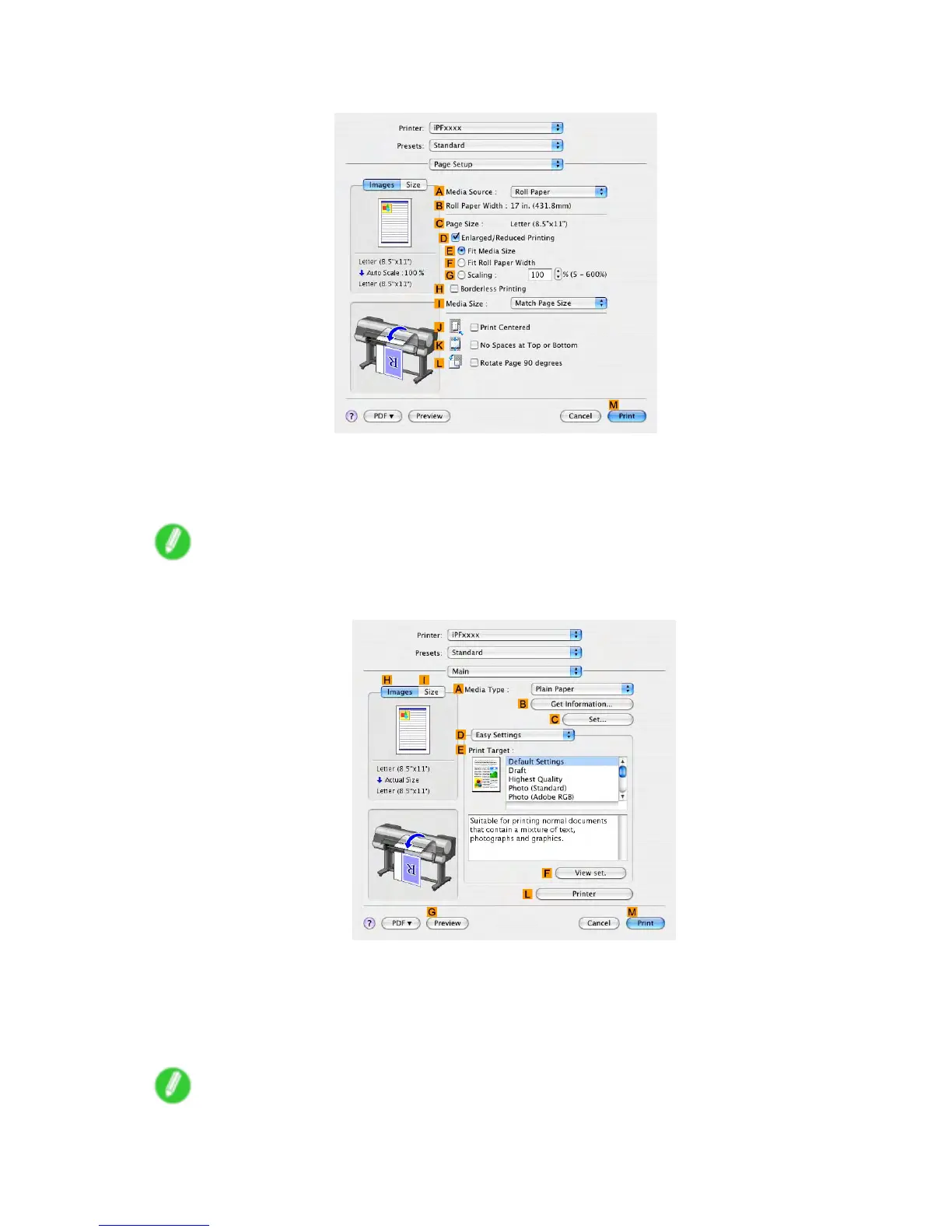
5. Access the Page Setup pane.
6. Click Roll Paper in the A Media Source list.
7. Make sure the width of the loaded roll is displayed in the B Roll Paper W idth list-in this case, 16
in. (406.4mm) .
Note
• If the width of the loaded roll is not displayed in B Roll Paper W idth , click L Printer Information on
the Main pane and update the printer information.
8. In C Page Size , make sure "100*500" is displayed, as registered in Page Setup .
9. Select the D Enlarged/Reduced Printing check box.
10. Click F Fit Roll Paper W idth .
1 1. Conrm the print settings, and then click M Print to start printing.
Note
• For tips on conrming print settings, see “Conrming Print Settings (Mac OS X)”. (→P .558)
Enhanced Printing Options 41 1


 To Next Page
 Loading...











