Network Setting (Macintosh)
Conguring the destination (Mac OS 9)
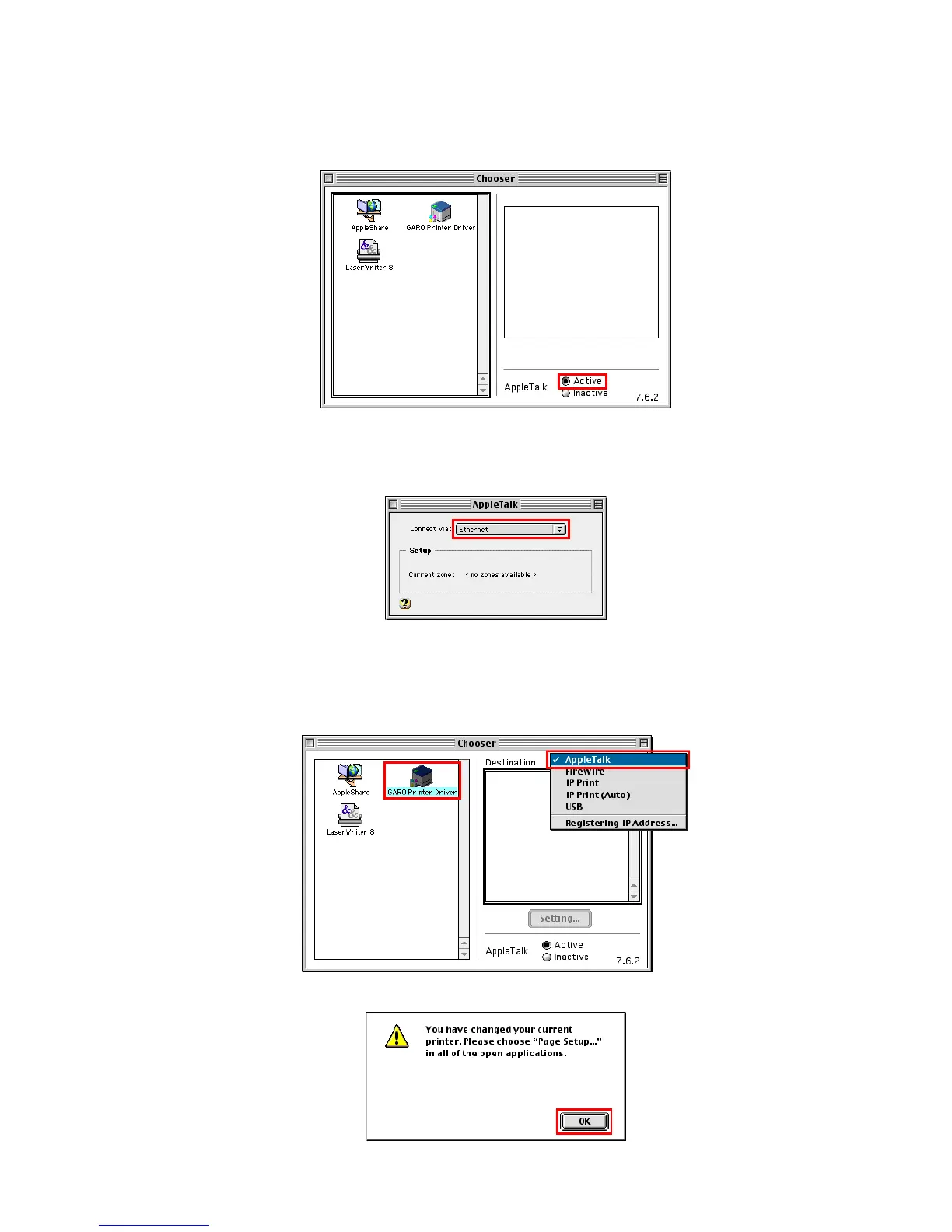
1. Choose Chooser from the Apple menu to display the Chooser window .
2. In AppleT alk , click Active .
3. Close the Chooser window .
4. Click AppleT alk under Control Panels to display the AppleT alk window .
5. In Connect via , choose Built-in Ethernet .
6. Close the AppleT alk window and save the settings.
7. Choose Chooser from the Apple menu to display the Chooser window .
8. In the list at left, click GARO Printer Driver .
9. In the Destination list at right, select AppleT alk , and then select the printer in the list below .
10. Close the Chooser window and click OK after the conrmation message is displayed.
640 Network Setting


 To Next Page
 Loading...











