Network Setting (Macintosh)
Conguring the Destination (Mac OS X)
Note
• The following procedures are based on Mac OS X 10.4. The method of conguring the destination
varies depending on the version of Mac OS X. If you use other versions, refer to the help for the Printer
Setup Utility (or the Print Center ).
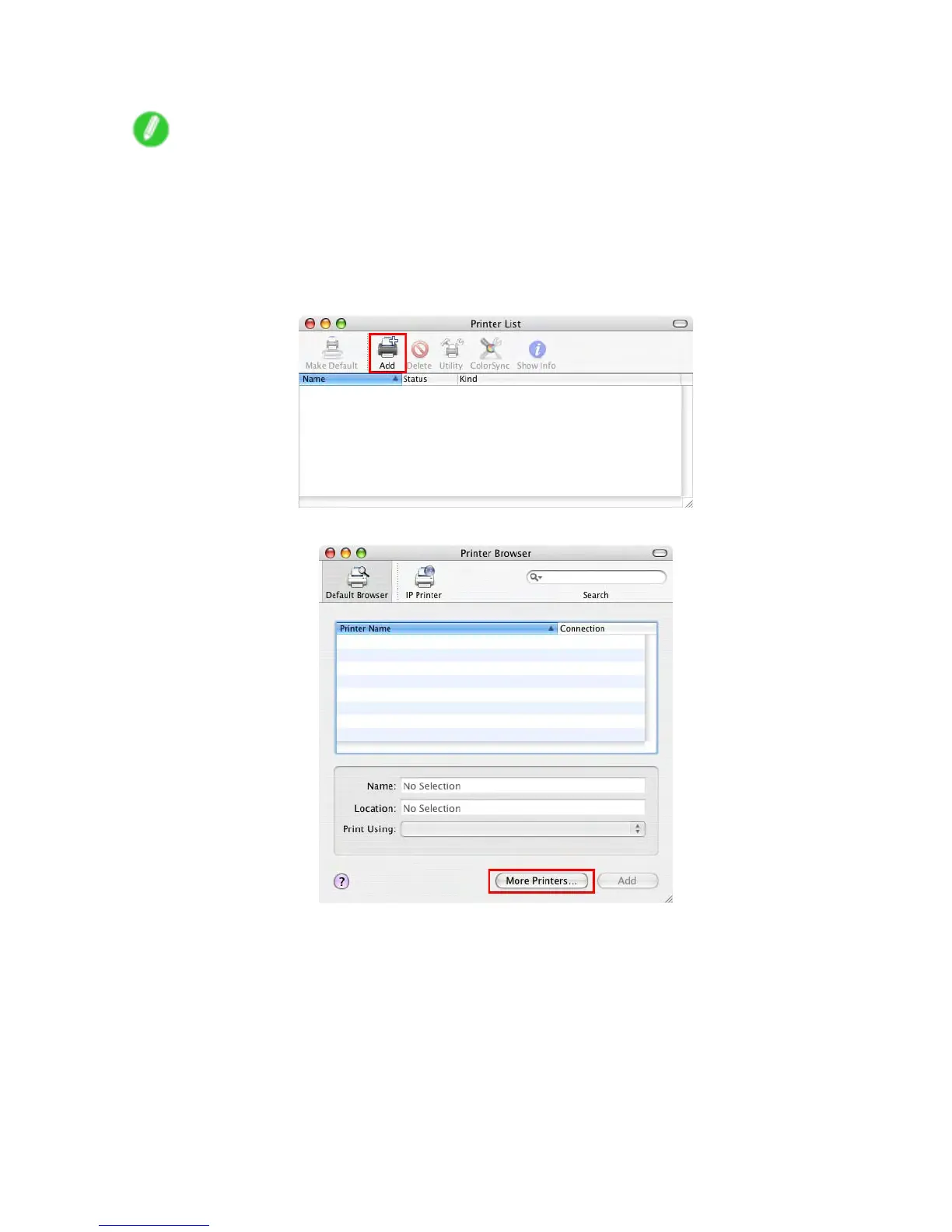
1. Choose Utilities (or Applications ) in the Go menu of Finder .
2. Click Printer Setup Utility (or Print Center ) in the Utilities folder .
3. Click Add to display the Printer Browser window .
4. Click More Printers .
Network Setting 645


 To Next Page
 Loading...











