Important
• When lengthening the basket arm, first return the basket to an unwound state while pressing the
basket rewind button on the right edge of the basket rod (tag side), and then make the change.
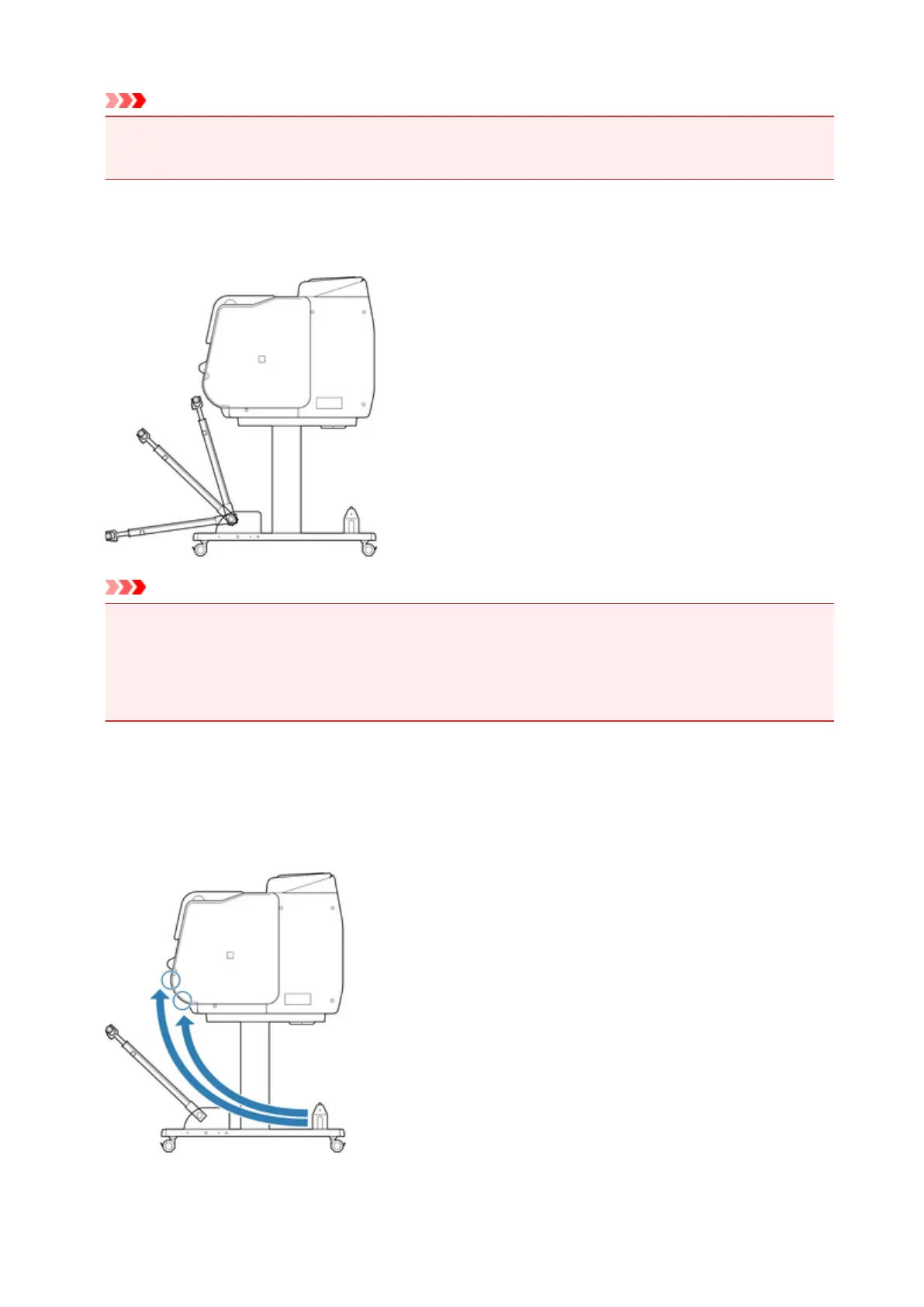
Changing Tilt of basket arm
You can change the tilt of the basket arm in three steps.
Important
• If you are changing the angle of the basket arm, make sure the thick part of the basket arm is pulled
out as far as possible.
• When changing the angle of the basket arm, hold the thick part of the left/right basket arm, and adjust
them.
Changing Attachment Position of basket
You can attach the basket rod (cord side) to the stand's rod holder or the front of the printer.
To attach, hang both sides of the basket rod (cord side) on the paired attachment locations shown in the
illustration.
107





 To Next Page