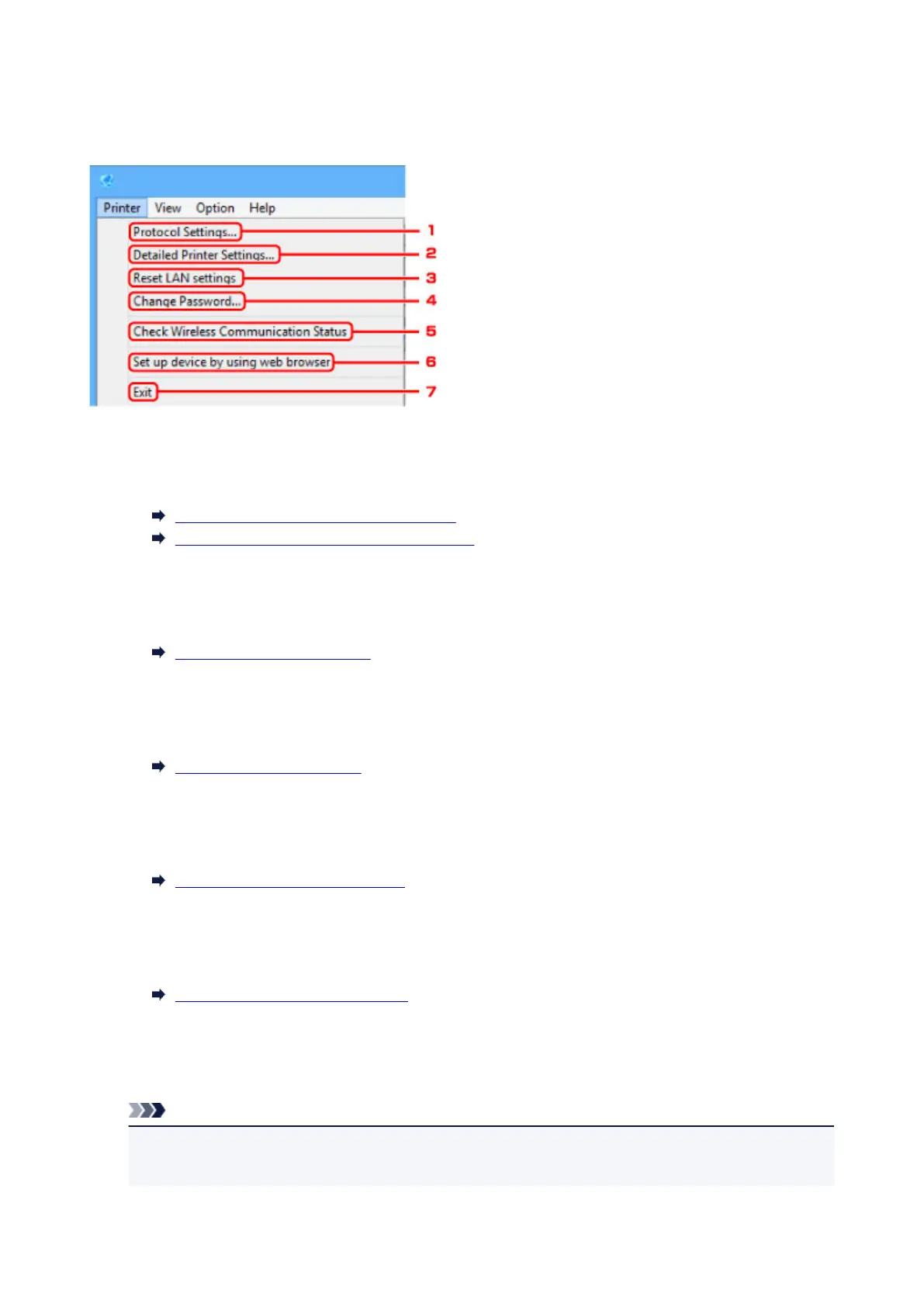
Printer Menu
This section describes the items displayed on the Printer menu.
1.
Protocol Settings...
Performs wired or wireless LAN settings.
Performing/Changing Wired LAN Settings
Performing/Changing Wireless LAN Settings
2.
Detailed Printer Settings...
Assigns the printer device name and location name.
Assigning Printer Information
3.
Reset LAN settings
Initializes the printer LAN settings.
Initializing Network Settings
4.
Change Password...
Changes the password specified for the printer.
Changing Administrator Password
5.
Check Wireless Communication Status
Check wireless LAN communication status.
Checking Wireless Network Status
6.
Set up device by using web browser
Check the printer information or perform settings in detail on the web page.
Note
•
You can use this function on the following the OS and the web browser.
OS: Windows Vista SP2 or later
281











 To Next Page