Adjusting Brightness
You can brighten or darken the colors of the overall image data during printing.
The following sample shows the case when light colors are darkened when the image data is printed.
No adjustment Darken light colors
The procedure for adjusting brightness is as follows:
1.
Open the printer driver setup window
2.
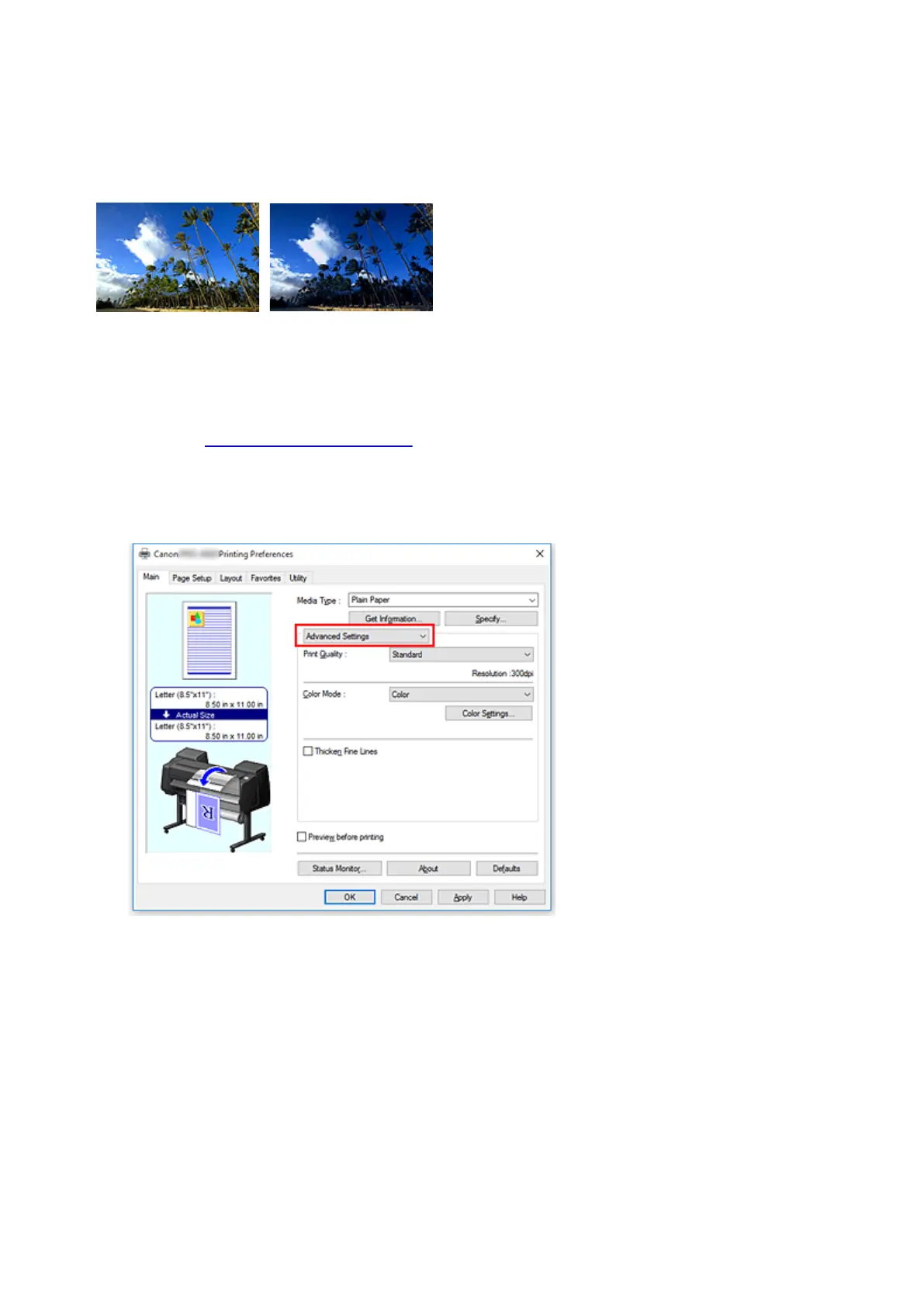
Select Advanced Settings
From the Main tab pull-down menu, select Advanced Settings.
3. Select color mode
For Color Mode, select Color, and then click Color Settings.
The Color Settings dialog box appears.
4. Adjust brightness
On the Color Adjustment tab, moving the Brightness slider to the right brightens (dilutes) the colors,
and moving the slider to the left darkens (intensifies) the colors.
You can also directly enter a value linked to the slider. Enter a value in the range from -50 to 50. The
current settings are displayed in the settings preview on the left side of the printer driver.
512






 To Next Page