Searching Printer by IP Address or Host Name During Setup
If the printer cannot be found on the Select Printer screen, search for the printer by an IP address or host
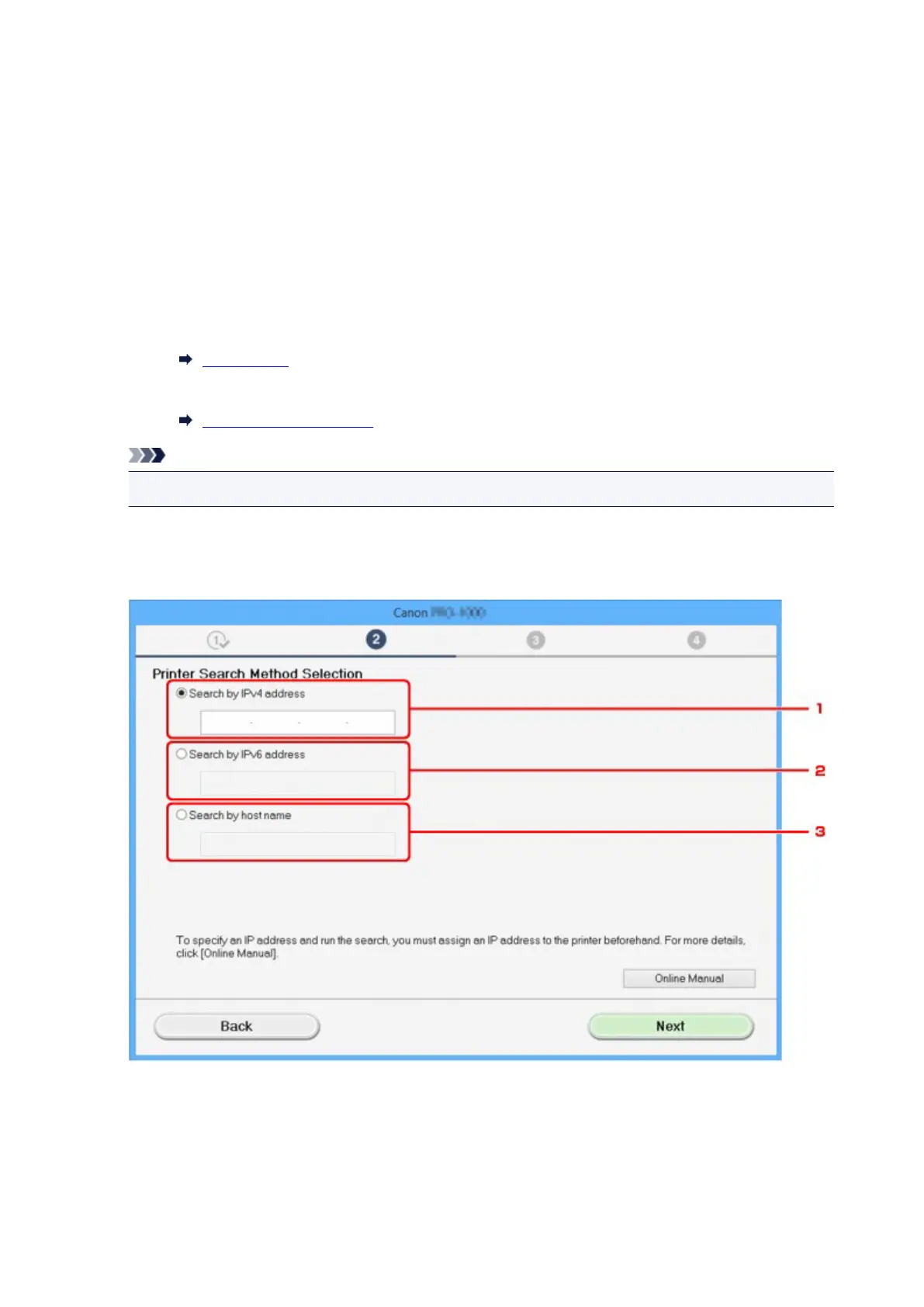
name. Select Specify the IP address and run the search radio button and click Next. The screen to select
searching criteria appears.
1. Check printer's IP address or host name.
To check the printer's IP Address or host name, print out the network settings information or use the
operation panel to display it.
•
Display on the touch screen.
LAN settings
•
Print the network settings.
Printing Network Settings
Note
•
If you use the printer in an office, ask the network administrator.
2.
Specify searching method.
Select one of the method below.
1.
Search by IPv4 address
Select to search for printers by IPv4 address.
2.
Search by IPv6 address
Select to search for printers by IPv6 address.
759











 To Next Page