Setting Accounting information
By setting accounting information, you add IDs to print jobs, and use the printer and cost management tool
to tabulate print history information for any ID.
The procedure for setting accounting information is described below.
1.
Select as described below:
• If you are using Windows 10, right-click the Start menu, and select Control Panel -> Hardware
and Sound -> Devices and Printers.
The Devices and Printers window is displayed.
•
If you are using Windows 8.1, Windows 8, Windows Server 2012 R2, or Windows Server 2012,
from the Desktop charms, select Settings -> Control Panel -> Hardware and Sound
(Hardware) -> Devices and Printers.
The Devices and Printers window is displayed.
•
If you are using Windows 7 or Windows Server 2008 R2, select the Start menu -> Control
Panel -> Hardware and Sound (Hardware) -> Devices and Printers.
The Devices and Printers window is displayed.
• If you are using Windows Vista or Windows Server 2008, select the Start menu -> Control
Panel -> Hardware and Sound -> Printers.
The Printers window is displayed.
2.
Display setup window
Right-click the "Your model name" icon, and select Printer properties (in Windows 10, Windows 8.1,
Windows 8, or Windows 7) or Properties (in Windows Vista).
The printer's Properties window appears.
3.
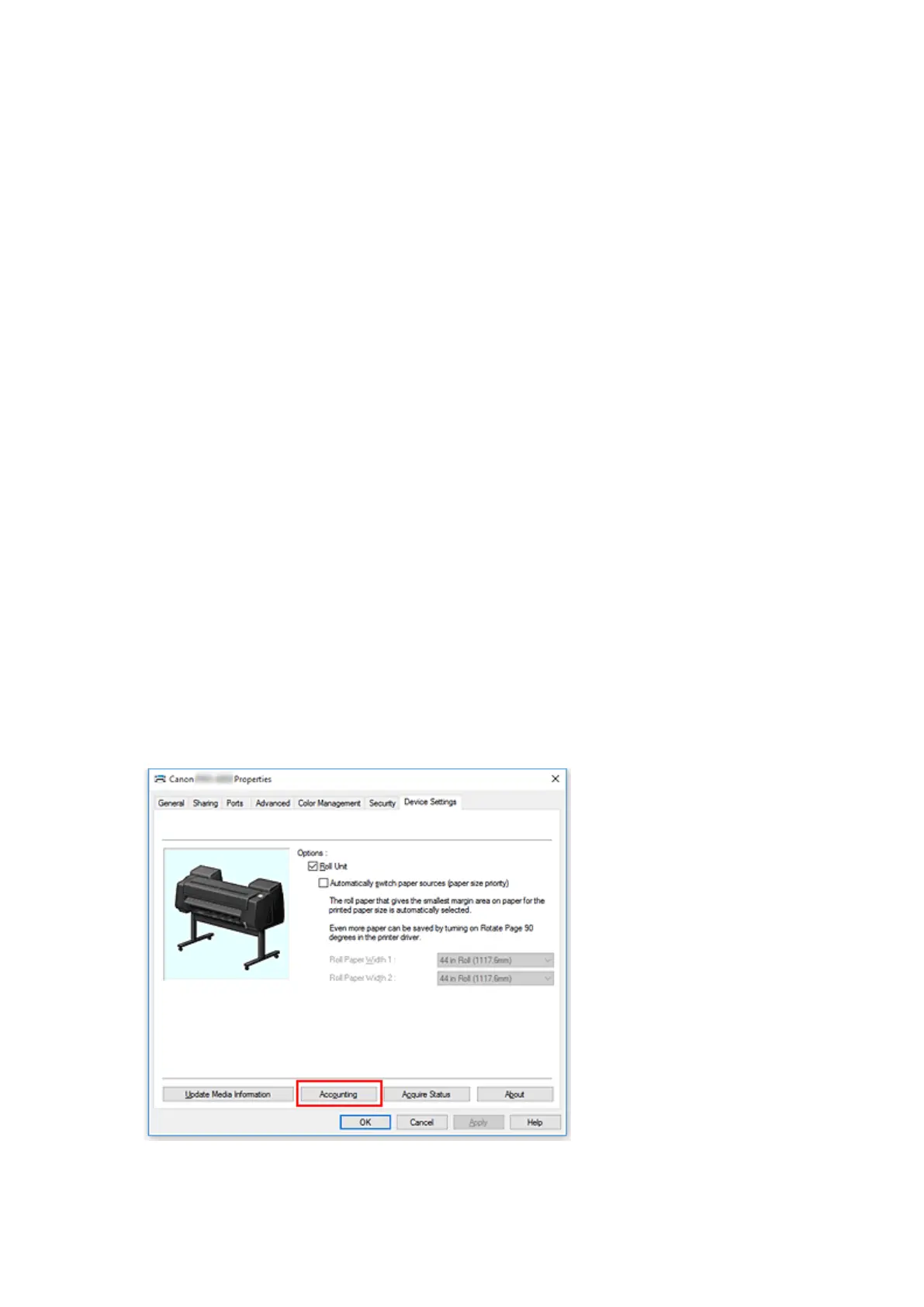
Click Accounting on the Device Settings tab
The Accounting dialog box opens.
599






 To Next Page